
In this article
- Why Reasoning Traces Matter
- Step 1: Load the Dataset
- Step 2: Parse Thoughts, Tool Calls, and Tool Outputs
- Step 3: Measure Tool-Use Behavior
- Step 4: Visualize the Patterns
- Step 5: Render a Human-Readable Trace
- Step 6: Convert Conversations Into Training Messages
- Step 7: Apply Label Masking
- Step 8: Build a Simple Trace Replayer
- Step 9: Optional Fine-Tuning Hook
- Practical Takeaways
Why Reasoning Traces Matter
Modern AI agents do more than answer questions. They plan, call tools, read tool outputs, recover from errors, and continue working across multiple turns. If you want to improve an agent, you need to understand that full chain of behavior.
Reasoning trace datasets make this possible. Instead of only storing the final answer, they preserve the intermediate structure of an agent workflow: the user task, the assistant's reasoning block, tool calls, tool responses, and final output.
That makes them useful for three things:
- Debugging how agents make decisions
- Measuring tool-use behavior across many tasks
- Preparing examples for supervised fine-tuning
In this guide, we will walk through a practical workflow for parsing, analyzing, visualizing, and preparing agent reasoning traces for training.
Step 1: Load the Dataset
A reasoning-trace dataset usually contains multi-turn conversations with roles such as system, user, assistant, and tool. The first step is to load the data and inspect the available fields.
!pip install -q datasets pandas matplotlib seaborn transformers trl accelerate
from datasets import load_dataset
from collections import Counter

config = "kimi"
dataset = load_dataset("lambda/hermes-agent-reasoning-traces", config, split="train")

print(dataset)
print(dataset.column_names)
print(sorted(set(dataset["category"])))
Start by checking one example manually:
sample = dataset[0]

print("ID:", sample["id"])
print("Category:", sample["category"], "/", sample["subcategory"])
print("Task:", sample["task"])
print("Turns:", len(sample["conversations"]))
print(sample["conversations"][0]["value"][:300])
This gives you a quick mental model of how the dataset is structured before you write any parsing logic.
Step 2: Parse Thoughts, Tool Calls, and Tool Outputs
Agent traces are often stored as text with structured tags inside the assistant message. For example, the assistant may include a <think> block for reasoning and a <tool_call> block for JSON tool invocation.
A lightweight parser can extract these parts into separate fields.
import json
import re

THINK_RE = re.compile(r"<think>(.*?)</think>", re.DOTALL)
TOOL_CALL_RE = re.compile(r"<tool_call>\s*(\{.*?\})\s*</tool_call>", re.DOTALL)
TOOL_RESPONSE_RE = re.compile(r"<tool_response>\s*(.*?)\s*</tool_response>", re.DOTALL)


def parse_assistant_message(text):
    thoughts = [m.strip() for m in THINK_RE.findall(text)]

    tool_calls = []
    for raw_call in TOOL_CALL_RE.findall(text):
        try:
            tool_calls.append(json.loads(raw_call))
        except json.JSONDecodeError:
            tool_calls.append({"name": "<malformed>", "arguments": {}})

    final_answer = THINK_RE.sub("", text)
    final_answer = TOOL_CALL_RE.sub("", final_answer).strip()

    return {
        "thoughts": thoughts,
        "tool_calls": tool_calls,
        "final_answer": final_answer,
    }


def parse_tool_message(text):
    match = TOOL_RESPONSE_RE.search(text)
    if not match:
        return {"raw": text}

    body = match.group(1)
    try:
        return json.loads(body)
    except json.JSONDecodeError:
        return {"raw": body}
Test the parser on the first assistant turn:
first_assistant = next(
    turn for turn in sample["conversations"] if turn["from"] == "gpt"
)

parsed = parse_assistant_message(first_assistant["value"])

print("Thoughts:", len(parsed["thoughts"]))
print("Tool calls:", [call.get("name") for call in parsed["tool_calls"]])
print("Final answer preview:", parsed["final_answer"][:200])
This separates the agent's internal plan from its external actions, which is the foundation for deeper analysis.
Step 3: Measure Tool-Use Behavior
Once each trace is structured, you can scan thousands of conversations and compute basic agent behavior metrics.
Useful questions include:
- Which tools are called most often?
- How many tool calls happen per trajectory?
- How long are typical conversations?
- How often do tool responses contain errors?
- Do agents call multiple tools in the same turn?
import numpy as np

N = 3000
subset = dataset.select(range(min(N, len(dataset))))

tool_counter = Counter()
parallel_widths = Counter()
turns_per_trace = []
calls_per_trace = []
errors_per_trace = []
category_counter = Counter()

for example in subset:
    category_counter[example["category"]] += 1
    tool_calls_in_trace = 0
    errors_in_trace = 0
    turns_per_trace.append(len(example["conversations"]))

    for turn in example["conversations"]:
        if turn["from"] == "gpt":
            parsed = parse_assistant_message(turn["value"])
            calls = parsed["tool_calls"]

            if calls:
                parallel_widths[len(calls)] += 1

            for call in calls:
                tool_counter[call.get("name", "<unknown>")] += 1

            tool_calls_in_trace += len(calls)

        elif turn["from"] == "tool":
            parsed_tool = parse_tool_message(turn["value"])
            text_blob = json.dumps(parsed_tool).lower()

            if "error" in text_blob or "traceback" in text_blob or '"exit_code": 1' in text_blob:
                errors_in_trace += 1

    calls_per_trace.append(tool_calls_in_trace)
    errors_per_trace.append(errors_in_trace)

print("Scanned traces:", len(subset))
print("Average turns:", round(np.mean(turns_per_trace), 2))
print("Average tool calls:", round(np.mean(calls_per_trace), 2))
print("Traces with errors:", round(100 * np.mean([e > 0 for e in errors_per_trace]), 2), "%")
print("Top tools:", tool_counter.most_common(10))
These metrics help you identify whether an agent is overusing tools, failing frequently, or relying too heavily on a narrow set of capabilities.
Step 4: Visualize the Patterns
Numbers are useful, but charts make agent behavior easier to reason about.
import matplotlib.pyplot as plt

fig, axes = plt.subplots(2, 2, figsize=(13, 9))

# Most-used tools
top_tools = tool_counter.most_common(15)
axes[0, 0].barh(
    [name for name, _ in top_tools][::-1],
    [count for _, count in top_tools][::-1],
)
axes[0, 0].set_title("Top tools by call volume")
axes[0, 0].set_xlabel("Calls")

# Parallel tool calls per assistant turn
widths = sorted(parallel_widths)
axes[0, 1].bar([str(w) for w in widths], [parallel_widths[w] for w in widths])
axes[0, 1].set_title("Tool calls per assistant turn")
axes[0, 1].set_xlabel("Calls in one turn")
axes[0, 1].set_ylabel("Count")
axes[0, 1].set_yscale("log")

# Conversation length
axes[1, 0].hist(turns_per_trace, bins=40)
axes[1, 0].set_title("Conversation length")
axes[1, 0].set_xlabel("Turns")

# Category distribution
categories, values = zip(*category_counter.most_common())
axes[1, 1].pie(values, labels=categories, autopct="%1.0f%%", startangle=90)
axes[1, 1].set_title("Category distribution")

plt.tight_layout()
plt.show()
These plots can quickly reveal whether your dataset is balanced, whether some tools dominate, and whether agents are making simple or complex tool-use decisions.
Step 5: Render a Human-Readable Trace
Raw JSON-style conversations are difficult to inspect. A trace renderer makes them readable by printing user turns, thoughts, tool calls, tool responses, and final answers in sequence.
import textwrap


def render_trace(example, max_chars=350):
    print("=" * 80)
    print(f"TASK [{example['category']} / {example['subcategory']}]")
    print(example["task"])
    print("=" * 80)

    for turn in example["conversations"]:
        role = turn["from"]
        value = turn["value"]

        if role == "system":
            continue

        if role == "human":
            print("\n[USER]")
            print(textwrap.shorten(value, 600))

        elif role == "gpt":
            parsed = parse_assistant_message(value)

            for thought in parsed["thoughts"]:
                print("\n[THINK]")
                print(textwrap.shorten(thought, max_chars))

            for call in parsed["tool_calls"]:
                args = json.dumps(call.get("arguments", {}))[:240]
                print(f"\n[CALL] {call.get('name')}({args})")

            if parsed["final_answer"]:
                print("\n[ANSWER]")
                print(textwrap.shorten(parsed["final_answer"], max_chars))

        elif role == "tool":
            print("\n[TOOL RESPONSE]")
            print(textwrap.shorten(value, 300))

render_trace(sample)
This is especially useful when you want to spot failure modes that aggregate charts cannot explain.
Step 6: Convert Conversations Into Training Messages
For fine-tuning, it helps to normalize the dataset into a common chat format.
ROLE_MAP = {
    "system": "system",
    "human": "user",
    "gpt": "assistant",
    "tool": "tool",
}


def to_chat_messages(conversation):
    return [
        {"role": ROLE_MAP[turn["from"]], "content": turn["value"]}
        for turn in conversation
    ]

messages = to_chat_messages(sample["conversations"])
print(messages[:2])
Some training stacks do not support a dedicated tool role. In that case, convert tool outputs into user-style messages with a clear prefix.
def normalize_for_training(conversation):
    messages = to_chat_messages(conversation)

    for message in messages:
        if message["role"] == "tool":
            message["role"] = "user"
            message["content"] = "[TOOL OUTPUT]\n" + message["content"]

    return messages
Step 7: Apply Label Masking
When fine-tuning chat models, you usually want the model to learn assistant behavior only. System prompts, user requests, and tool outputs should be context, not training targets.
Label masking handles this by setting non-assistant tokens to -100, which tells the trainer to ignore them when calculating loss.
from transformers import AutoTokenizer

model_id = "Qwen/Qwen2.5-0.5B-Instruct"
tokenizer = AutoTokenizer.from_pretrained(model_id)


def build_masked_example(conversation, tokenizer, max_length=2048):
    messages = normalize_for_training(conversation)

    input_ids = []
    labels = []

    for message in messages:
        text = tokenizer.apply_chat_template(
            [message],
            tokenize=False,
            add_generation_prompt=False,
        )
        ids = tokenizer.encode(text, add_special_tokens=False)

        input_ids.extend(ids)

        if message["role"] == "assistant":
            labels.extend(ids)
        else:
            labels.extend([-100] * len(ids))

    return {
        "input_ids": input_ids[:max_length],
        "labels": labels[:max_length],
    }

masked = build_masked_example(sample["conversations"], tokenizer)
trainable_tokens = sum(1 for label in masked["labels"] if label != -100)

print("Total tokens:", len(masked["input_ids"]))
print("Trainable assistant tokens:", trainable_tokens)
This gives you cleaner supervised fine-tuning data because the model is rewarded for generating assistant reasoning, tool calls, and answers, not for copying user or tool messages.
Step 8: Build a Simple Trace Replayer
A trace replayer lets you step through an agent's reasoning process turn by turn.
class TraceReplayer:
    def __init__(self, example):
        self.steps = []
        current_step = None

        for turn in example["conversations"]:
            if turn["from"] == "gpt":
                if current_step:
                    self.steps.append(current_step)

                current_step = {
                    "assistant": parse_assistant_message(turn["value"]),
                    "tool_responses": [],
                }

            elif turn["from"] == "tool" and current_step:
                current_step["tool_responses"].append(parse_tool_message(turn["value"]))

        if current_step:
            self.steps.append(current_step)

    def play(self, index):
        step = self.steps[index]
        print(f"\n--- Step {index + 1}/{len(self.steps)} ---")

        for thought in step["assistant"]["thoughts"]:
            print("THINK:", textwrap.shorten(thought, 280))

        for call in step["assistant"]["tool_calls"]:
            args = json.dumps(call.get("arguments", {}))[:160]
            print(f"CALL: {call.get('name')}({args})")

        for response in step["tool_responses"]:
            print("TOOL:", textwrap.shorten(json.dumps(response), 240))

        if step["assistant"]["final_answer"]:
            print("ANSWER:", textwrap.shorten(step["assistant"]["final_answer"], 240))

replayer = TraceReplayer(sample)
for i in range(min(3, len(replayer.steps))):
    replayer.play(i)
This is a practical debugging tool for understanding why an agent chose a tool, how it reacted to the output, and where its reasoning changed direction.
Step 9: Optional Fine-Tuning Hook
Once the examples are normalized, you can create a small supervised fine-tuning experiment. Keep this optional unless you have the hardware and time to run it.
TRAIN = False

if TRAIN:
    import torch
    from transformers import AutoModelForCausalLM
    from trl import SFTTrainer, SFTConfig

    train_subset = dataset.select(range(200))

    def to_text(example):
        messages = normalize_for_training(example["conversations"])
        example["text"] = tokenizer.apply_chat_template(
            messages,
            tokenize=False,
            add_generation_prompt=False,
        )
        return example

    train_subset = train_subset.map(to_text)

    model = AutoModelForCausalLM.from_pretrained(
        model_id,
        torch_dtype=torch.float16 if torch.cuda.is_available() else torch.float32,
        device_map="auto" if torch.cuda.is_available() else None,
    )

    config = SFTConfig(
        output_dir="agent-trace-sft-demo",
        per_device_train_batch_size=1,
        gradient_accumulation_steps=4,
        max_steps=20,
        learning_rate=2e-5,
        logging_steps=2,
        max_seq_length=1024,
        dataset_text_field="text",
        report_to="none",
        fp16=torch.cuda.is_available(),
    )

    trainer = SFTTrainer(
        model=model,
        args=config,
        train_dataset=train_subset,
        processing_class=tokenizer,
    )

    trainer.train()
For a real training run, expand the dataset, validate on held-out traces, and evaluate whether the model improves at tool selection rather than merely imitating formatting.
Practical Takeaways
Reasoning traces give AI builders a way to inspect the full lifecycle of an agent task. By parsing thoughts, tool calls, and tool responses separately, you can move beyond vague impressions and start measuring actual behavior.
The most useful workflow is:
- Load and inspect the trace dataset.
- Parse assistant reasoning and tool calls.
- Measure tool frequency, errors, and conversation length.
- Visualize patterns across many trajectories.
- Render individual traces for qualitative debugging.
- Normalize conversations into a training format.
- Mask labels so only assistant behavior is trained.
- Run small fine-tuning experiments only after the data is clean.
This approach gives you a stronger foundation for building, debugging, and improving tool-using agents. Instead of treating agents as black boxes, you can study the actual steps they take and use that evidence to make them more reliable.
Related Guides
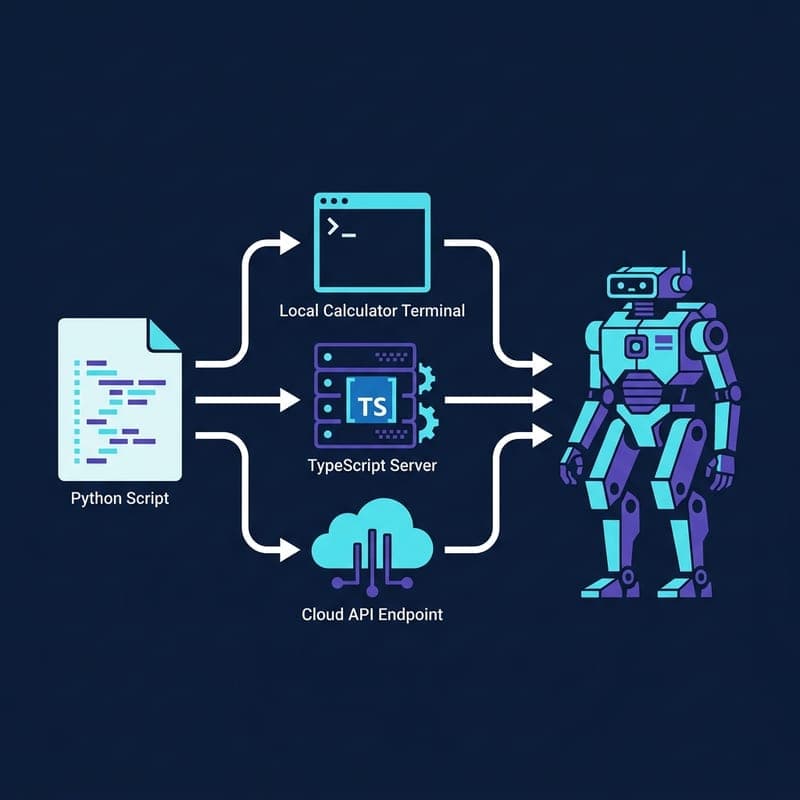
Build a Multi-Tool Claude Agent with MCP Servers in Python
Wire Claude to a local calculator, Brave search MCP server, and Anthropic-hosted tools in one extensible Python agent loop.

Build an Agentic RAG System with smolagents and ChromaDB
Use smolagents CodeAgent to run multi-step retrieval over a ChromaDB vector store, letting the agent plan its own search strategy.
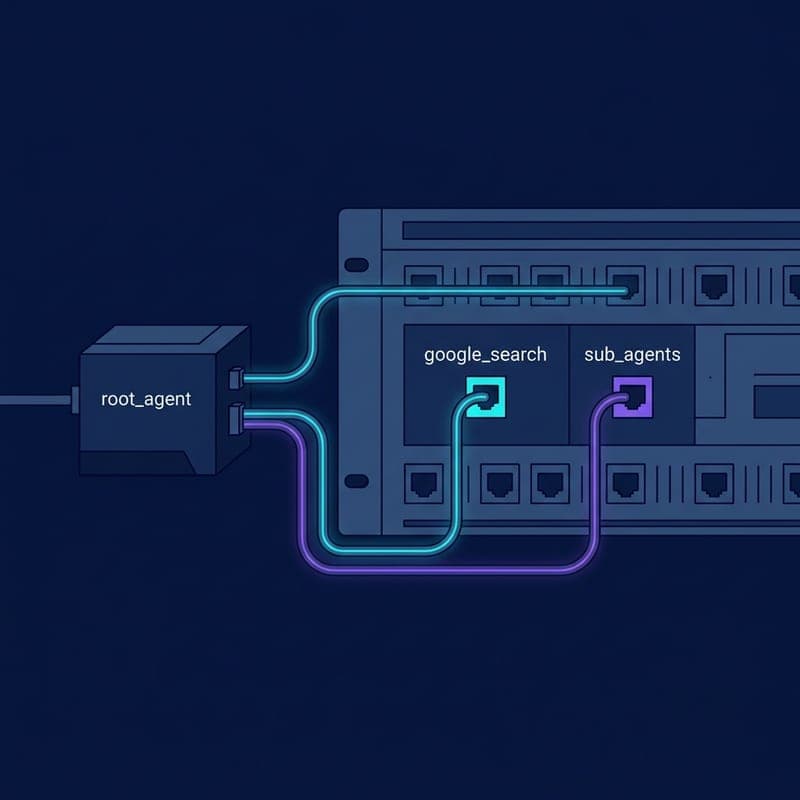
Build a Grounded Search Agent with Google ADK
Build a web-grounded AI agent with Google ADK's built-in google_search tool, from pip install to a grounded answer in the ADK dev UI.