
In this article
What You'll Build
In this article, we’ll cover setup, chunking & embeddings, retrieval tricks, a minimal app (Python + Streamlit), a Node.js variant, and quality evaluation with Ragas — all running locally with Ollama and ChromaDB.
- A local chat-with-your-docs app (PDFs, web pages, CSVs) that:
- Indexes content in ChromaDB with strong Ollama embeddings.
- Retrieves highly relevant chunks (with LangChain retrievers).
- Answers with a local LLM via Ollama.
- Validates quality using Ragas metrics.
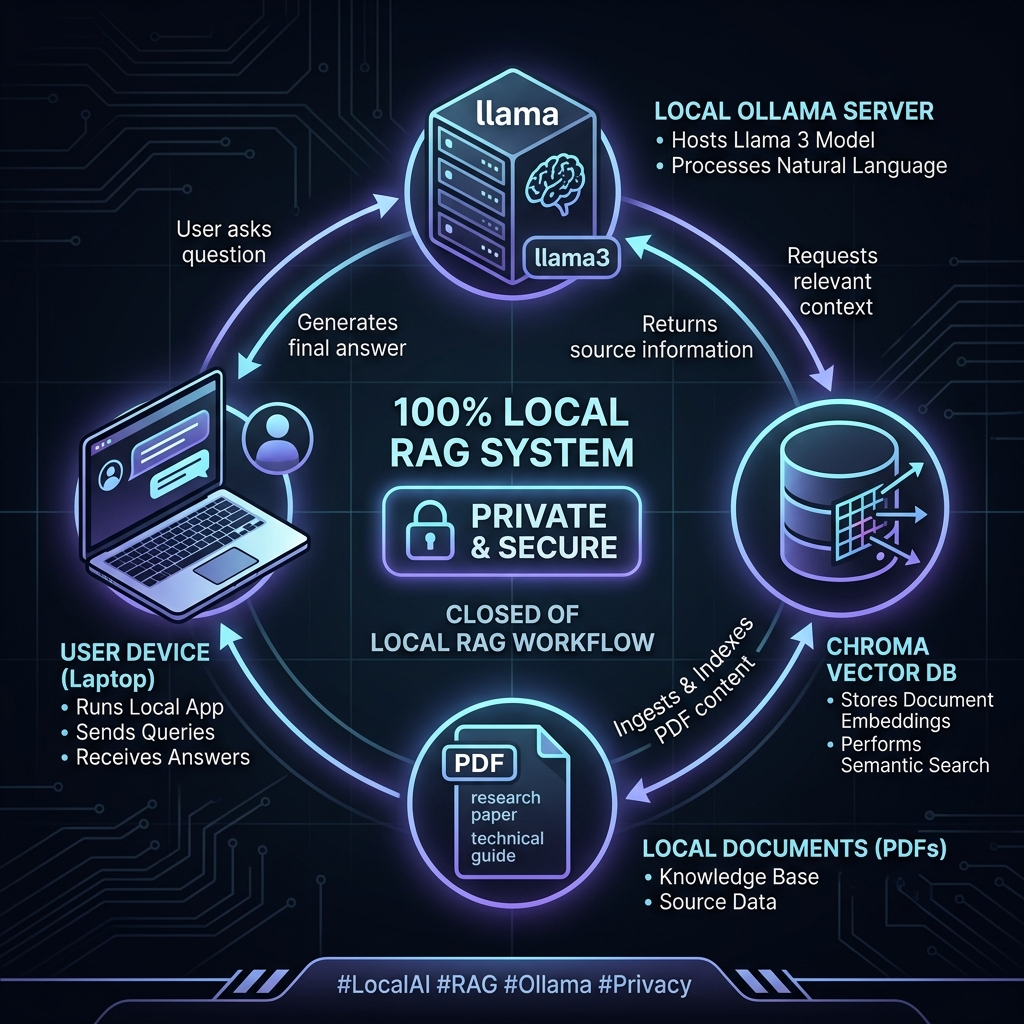
Core Components — Why These Tools?
- LangChain orchestrates the pipeline (load → split → embed → store → retrieve → generate) and provides utilities like
RecursiveCharacterTextSplitter,RetrievalQA, andMultiQueryRetrieverfor better recall. - Ollama runs open models locally (e.g., Llama 3.2, Qwen 2.5), keeps data private, and also serves embedding models such as
mxbai-embed-largeornomic-embed-text. - ChromaDB is a lightweight vector store that persists to disk (or runs as a server) and integrates cleanly with LangChain in both Python and Node.
- Ragas adds measurable evaluation — faithfulness, answer correctness, answer relevance, context precision/recall, and semantic similarity — so you know when your RAG is actually working.
End‑to‑End Architecture
- Ingest: PDF/Web/CSV loaders → unified document set.
- Split: Chunk text (size & overlap tuned to your corpus).
- Embed: Local embedding model via Ollama.
- Index: Store vectors + metadata in ChromaDB (persisted).
- Retrieve: Similarity (or MMR/MultiQuery) retriever.
- Generate: Local LLM answers grounded in retrieved context.
- Evaluate: Run Ragas over Q/A + contexts to quantify quality.
Setup Quickstart (Python)
- Install libraries:
pip install streamlit langchain langchain-ollama langchain-community chromadb pypdf python-dotenv ragas datasets - Install & Run Ollama:
Download from ollama.com and pull your models:
ollama pull llama3.2 ollama pull mxbai-embed-large - Chroma Server (Optional):
You can use local persistence or run the server in Docker:
docker run -p 8000:8000 chromadb/chroma
Reference Implementation: Python + Streamlit
This consolidates the patterns from the latest LangChain tutorials.
# app.py
import os
import tempfile
import streamlit as st
from dotenv import load_dotenv
from langchain_ollama import ChatOllama, OllamaEmbeddings
from langchain_text_splitters import RecursiveCharacterTextSplitter
from langchain_community.vectorstores import Chroma
from langchain_community.document_loaders import PyPDFLoader
from langchain.chains import RetrievalQA

load_dotenv()

st.set_page_config(page_title="Local PDF RAG", layout="wide")
st.title("Chat with your PDF (Local RAG)")

# --- Sidebar: model + file ---
model_name = st.sidebar.selectbox("Model", ["llama3.2"], index=0)
uploaded = st.sidebar.file_uploader("Upload a PDF", type=["pdf"])

# --- Helpers (cached) ---
@st.cache_resource
def get_llm(name):
    return ChatOllama(model=name, streaming=True)

@st.cache_resource
def get_embed():
    return OllamaEmbeddings(model="mxbai-embed-large")

def load_pdf(file):
    with tempfile.NamedTemporaryFile(delete=False, suffix=".pdf") as tmp:
        tmp.write(file.read())
        path = tmp.name
    docs = PyPDFLoader(path).load()
    os.unlink(path)
    return docs

def split_docs(docs, sz=1000, ov=200):
    return RecursiveCharacterTextSplitter(chunk_size=sz, chunk_overlap=ov).split_documents(docs)

@st.cache_resource
def index_texts(texts, emb):
    persist_dir = os.path.join(tempfile.gettempdir(), "chroma_db")
    vs = Chroma.from_documents(texts, emb, persist_directory=persist_dir)
    return vs

# --- Build the vector store ---
if uploaded:
    docs = load_pdf(uploaded)
    texts = split_docs(docs)
    embeddings = get_embed()
    vector_store = index_texts(texts, embeddings)
    retriever = vector_store.as_retriever()
    qa = RetrievalQA.from_chain_type(
        llm=get_llm(model_name),
        chain_type="stuff",
        retriever=retriever
    )

    # --- Chat UI ---
    if "messages" not in st.session_state:
        st.session_state["messages"] = []

    for role, msg in st.session_state["messages"]:
        with st.chat_message(role):
            st.write(msg)

    if prompt := st.chat_input("Ask about the PDF"):
        st.session_state["messages"].append(("user", prompt))
        with st.chat_message("user"):
            st.write(prompt)

        with st.chat_message("assistant"):
            try:
                answer = qa.run(prompt)
                st.write(answer)
                st.session_state["messages"].append(("assistant", answer))
            except Exception as e:
                st.error(f"Error: {e}")
else:
    st.info("Upload a PDF to begin.")
Node.js Variant: Code-Aware Local RAG
For engineering workflows like converting JavaScript to TypeScript, you can use a similar stack in Node.js.
// index.js (Node.js snippet)
const { Ollama } = require("@langchain/community/llms/ollama");
const { Chroma } = require("@langchain/community/vectorstores/chroma");
const { OllamaEmbeddings } = require("@langchain/community/embeddings/ollama");

async function run() {
  const embeddings = new OllamaEmbeddings({ model: "mxbai-embed-large" });
  const vectorStore = await Chroma.fromDocuments(docs, embeddings, {
    collectionName: "code-examples",
    url: "http://localhost:8000",
  });

  const model = new Ollama({ model: "qwen2.5-coder:0.5b" });
  // ... proceed to query and generate
}
Comparison: Local RAG vs. Cloud RAG
| Aspect | Local RAG (Our Build) | Cloud RAG (OpenAI/Anthropic) |
|---|---|---|
| Data Privacy | 100% Private (On-Prem) | Subject to Provider Terms |
| Cost | Free (Infinite Tokens) | Pay-per-Token |
| Latency | Ultra-Low (Localhost) | Network Dependent |
| Customization | Full Control (Models, Chunks) | Limited to Provider APIs |
| Offline Use | Supported | Not Supported |
Evaluating with Ragas
Why evaluate? Retrieval and prompts often "look right" but produce subtly wrong answers. Ragas quantifies this with five critical dimensions:
- Faithfulness: Does the answer stay true to the retrieved context?
- Answer Correctness: Is the answer factually accurate?
- Answer Relevancy: Does the answer directly address the user's prompt?
- Context Precision: Are the retrieved chunks truly relevant?
- Context Recall: Did we retrieve all necessary information?
Pro Tip: If local evaluation times out, you can use a hosted LLM (like GPT-4o) as the evaluator while keeping your actual application and data 100% local.
[!TIP] Hybrid Evaluation Strategy: If your local evaluator model (e.g. Llama 3) is too slow or lacks the reasoning capacity to accurately judge context precision, configure Ragas to use an external API (like GPT-4o or Claude 3.5 Sonnet) only for the evaluation step. Your proprietary data still never leaves your machine during actual inference or retrieval.
Production Checklist
[!IMPORTANT] Deployment Readiness Before moving this architecture from your local laptop to a production server, verify the following:
- Chunking: Start with 750/200 for prose or 500/100 for granular data. Tune by spot-checking summaries.
- Retrieval: Use
MultiQueryRetrieverwhen single-query recall is thin.- Persistence: Use a stable
persist_directoryor the Chroma Docker server to avoid re-indexing.- Models: Llama 3.2 is excellent for general chat; use Qwen 2.5 Coder for development tasks.
Related Guides
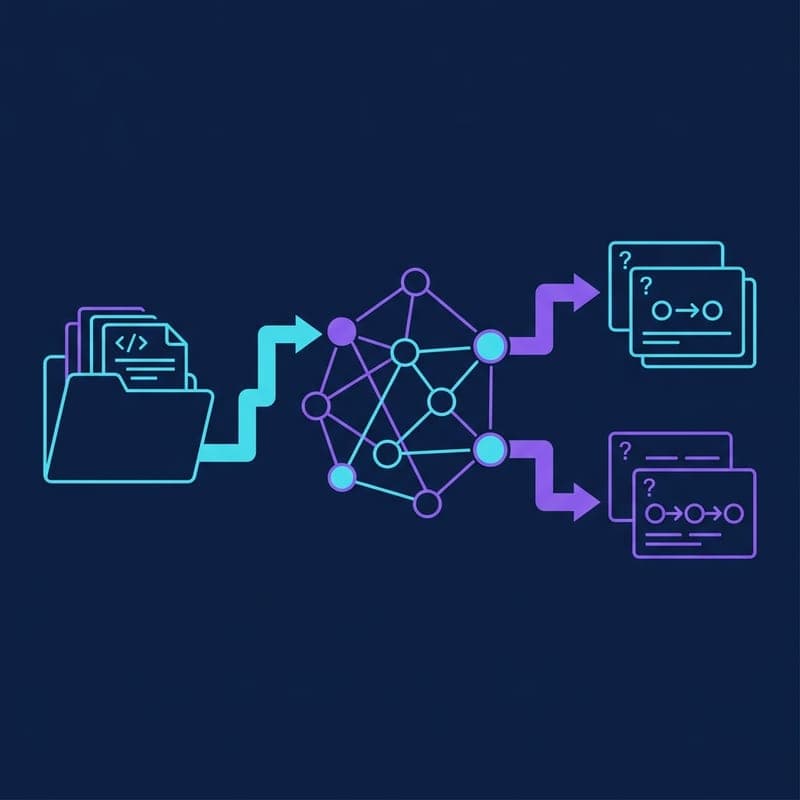
Generate Synthetic RAG Test Sets With Ragas
Build, save and reuse a Ragas knowledge graph to generate single-hop and multi-hop evaluation queries from Markdown documents.
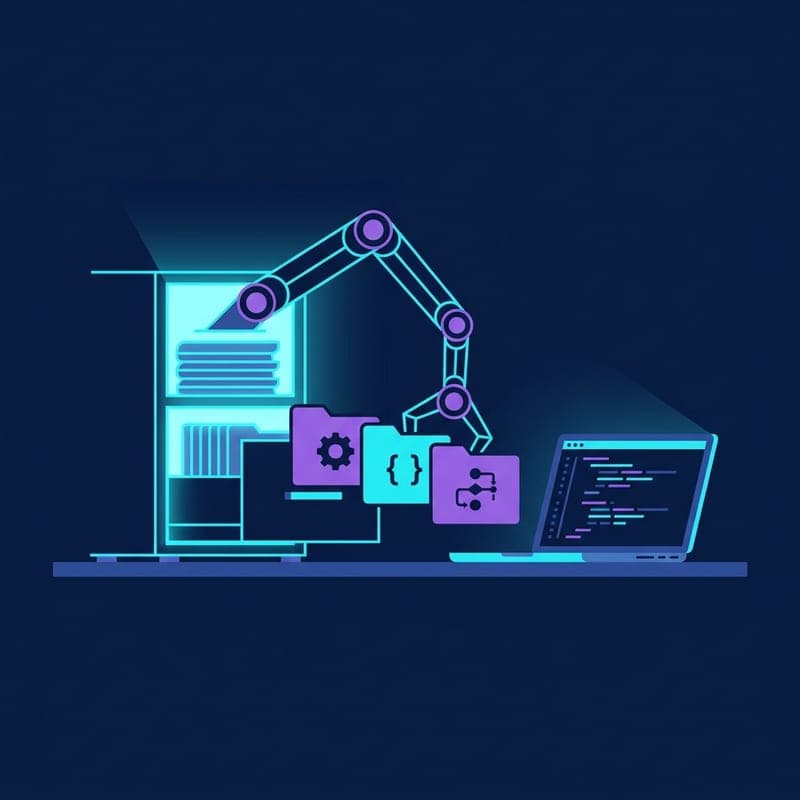
Build an Agentic RAG System with smolagents and ChromaDB
Use smolagents CodeAgent to run multi-step retrieval over a ChromaDB vector store, letting the agent plan its own search strategy.
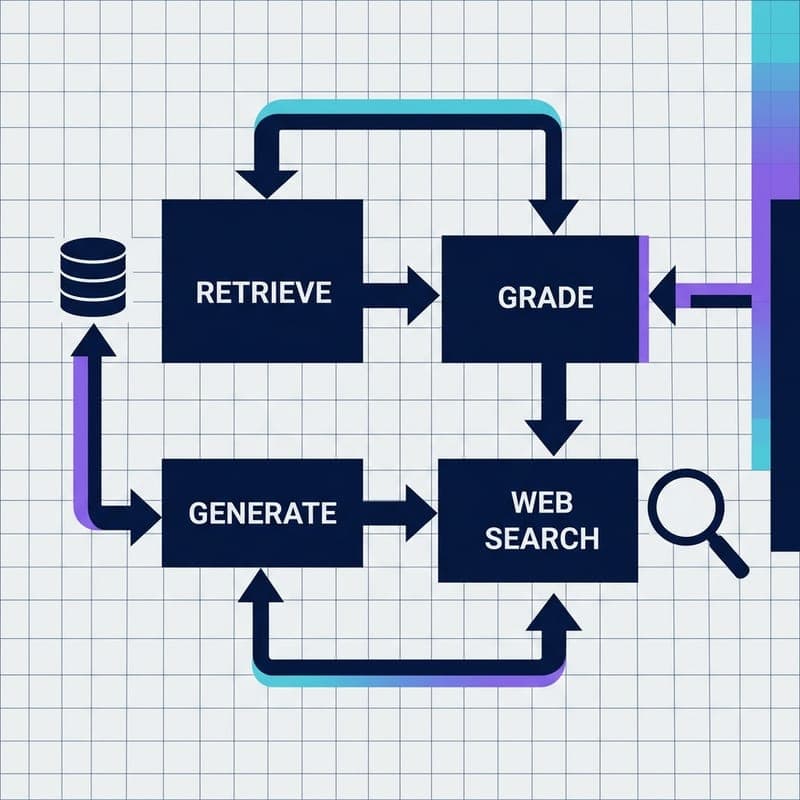
Build a Self-Correcting RAG Agent with LangGraph and Milvus
Wire adaptive routing, corrective RAG, and self-RAG into a stateful LangGraph agent backed by Milvus Lite — no OpenAI key required.