
Graph RAG with Neo4j and OpenAI: Build a Product Search Pipeline
In this article
- Prerequisites
- Step 1: Install dependencies and configure credentials
- Step 2: Load the dataset and populate the graph
- Step 3: Build vector indexes over graph nodes
- Step 4: Define the entity extraction layer
- Step 5: Build and execute embedding-based Cypher queries
- Step 6: Find similar items and assemble the final answer
- Step 7: Add the LangChain agent layer (optional)
- Retrieval strategy comparison
- What to watch out for
- Where to go next
This guide is adapted from the OpenAI Cookbook's RAG_with_graph_db.ipynb, published under the MIT licence. Code blocks are reproduced exactly from that source; prose is original.
Standard RAG systems retrieve chunks of text by vector similarity and hand them to a language model. That works well when your knowledge base is a flat collection of documents, but it breaks down the moment relationships between data points matter. A product catalogue where items share brands, age groups, colors, and categories is a good example: a user asking for "waterproof gardening gear for children" needs a system that can traverse several typed edges simultaneously, not just rank paragraphs. Graph RAG solves this by storing data in a property graph — here, Neo4j — and combining two retrieval strategies: structured Cypher traversal for relational filtering, and cosine similarity over node embeddings for fuzzy term matching. The result is a pipeline that handles both precise attribute queries and loosely worded natural-language searches.
The practical audience for this architecture is anyone building recommendation engines, AI-augmented CRMs, or search interfaces over richly connected datasets. If your data is already modelled in a relational or document store but you find yourself writing increasingly complex JOIN chains or hand-crafted filters to express user intent, migrating to a graph backend and wrapping it with an LLM extraction layer is worth the engineering investment. The approach scales to retail catalogues, knowledge graphs, network topology data, and anything where items share typed relationships with shared entities. It pairs naturally with the kind of multi-agent routing work covered in our NVIDIA PAIR local AI task router piece.
Prerequisites
- Neo4j running locally on
bolt://localhost:7687, or a remote AuraDB instance. The community edition is sufficient. The Neo4j Graph Data Science (GDS) library must be installed separately, as the pipeline callsgds.similarity.cosine()at query time. - Python 3.9+ with pip available.
- OpenAI API key with access to
gpt-4oand the embeddings API. - The Amazon product knowledge graph JSON file (
data/amazon_product_kg.json) from the Cookbook repository. - Basic familiarity with Cypher query syntax is helpful but not required.
Step 1: Install dependencies and configure credentials
Install the three core libraries — LangChain for the orchestration layer, the OpenAI client, and the Neo4j Python driver — then load your credentials.
# Optional: run to install the libraries locally if you haven't already
!pip3 install langchain
!pip3 install openai
!pip3 install neo4j
import os
import json
import pandas as pd
# Optional: run to load environment variables from a .env file.
# This is not required if you have exported your env variables in another way or if you set it manually
!pip3 install python-dotenv
from dotenv import load_dotenv
load_dotenv()

# Set the OpenAI API key env variable manually
# os.environ["OPENAI_API_KEY"] = "<your_api_key>"

# print(os.environ["OPENAI_API_KEY"])
Set your Neo4j connection parameters. The bolt protocol is Neo4j's binary wire protocol; it is significantly faster than HTTP for graph traversals:
# DB credentials
url = "bolt://localhost:7687"
username ="neo4j"
password = "<your_password_here>"
Step 2: Load the dataset and populate the graph
The source dataset is a JSON file where each record represents a single product–entity relationship. Each object carries the product metadata alongside a typed relationship (e.g. hasColor, hasBrand) and the entity value it points to. Loading it into a Pandas DataFrame first lets you inspect the structure and enumerate the unique entity types you will need to embed later.
# Loading a json dataset from a file
file_path = 'data/amazon_product_kg.json'

with open(file_path, 'r') as file:
    jsonData = json.load(file)
df =  pd.read_json(file_path)
df.head()
Connect LangChain's Neo4jGraph wrapper to your instance, then iterate through every JSON record and upsert nodes and edges with MERGE. The sanitize function strips characters that would break inline Cypher string literals — a necessary precaution for catalogue data that often contains quotes and braces in product descriptions.
from langchain.graphs import Neo4jGraph

graph = Neo4jGraph(
    url=url,
    username=username,
    password=password
)
def sanitize(text):
    text = str(text).replace("'","").replace('"','').replace('{','').replace('}', '')
    return text

# Loop through each JSON object and add them to the db
i = 1
for obj in jsonData:
    print(f"{i}. {obj['product_id']} -{obj['relationship']}-> {obj['entity_value']}")
    i+=1
    query = f'''
        MERGE (product:Product {{id: {obj['product_id']}}})
        ON CREATE SET product.name = "{sanitize(obj['product'])}",
                       product.title = "{sanitize(obj['TITLE'])}",
                       product.bullet_points = "{sanitize(obj['BULLET_POINTS'])}",
                       product.size = {sanitize(obj['PRODUCT_LENGTH'])}

        MERGE (entity:{obj['entity_type']} {{value: "{sanitize(obj['entity_value'])}"}})

        MERGE (product)-[:{obj['relationship']}]->(entity)
        '''
    graph.query(query)
MERGE rather than CREATE is essential here: the same product appears in multiple records (once per relationship), and you want to accumulate edges on a single node, not duplicate it.
Step 3: Build vector indexes over graph nodes
Cypher can filter products by exact relationship traversal, but user language is imprecise. Someone searching for "navy" won't match an entity stored as "dark blue" unless you bridge the gap with embeddings. The solution is to compute embeddings for every node in the graph and store them as node properties, then use Neo4j's Graph Data Science gds.similarity.cosine() function at query time.
from langchain.vectorstores.neo4j_vector import Neo4jVector
from langchain.embeddings.openai import OpenAIEmbeddings
embeddings_model = "text-embedding-3-small"
First, embed all Product nodes using their name and title properties:
vector_index = Neo4jVector.from_existing_graph(
    OpenAIEmbeddings(model=embeddings_model),
    url=url,
    username=username,
    password=password,
    index_name='products',
    node_label="Product",
    text_node_properties=['name', 'title'],
    embedding_node_property='embedding',
)
Then embed every other entity type (color, brand, category, etc.) using a loop over the unique types found in the DataFrame. Each entity type gets its own named index:
def embed_entities(entity_type):
    vector_index = Neo4jVector.from_existing_graph(
        OpenAIEmbeddings(model=embeddings_model),
        url=url,
        username=username,
        password=password,
        index_name=entity_type,
        node_label=entity_type,
        text_node_properties=['value'],
        embedding_node_property='embedding',
    )

entities_list = df['entity_type'].unique()

for t in entities_list:
    embed_entities(t)
This two-level embedding strategy — products and entities indexed separately — is what allows the query stage to filter on entity similarity independently per relationship type.
Step 4: Define the entity extraction layer
Rather than asking the LLM to write Cypher directly (which is brittle and produces wrong relationship names), the design has GPT-4o extract structured entities from the user prompt and return them as a JSON object. Your code then builds the Cypher from templates using those entities, keeping the query logic deterministic.
The schema for what the model should extract is declared explicitly:
entity_types = {
    "product": "Item detailed type, for example 'high waist pants', 'outdoor plant pot', 'chef kitchen knife'",
    "category": "Item category, for example 'home decoration', 'women clothing', 'office supply'",
    "characteristic": "if present, item characteristics, for example 'waterproof', 'adhesive', 'easy to use'",
    "measurement": "if present, dimensions of the item",
    "brand": "if present, brand of the item",
    "color": "if present, color of the item",
    "age_group": "target age group for the product, one of 'babies', 'children', 'teenagers', 'adults'. If suitable for multiple age groups, pick the oldest (latter in the list)."
}

relation_types = {
    "hasCategory": "item is of this category",
    "hasCharacteristic": "item has this characteristic",
    "hasMeasurement": "item is of this measurement",
    "hasBrand": "item is of this brand",
    "hasColor": "item is of this color",
    "isFor": "item is for this age_group"
 }

entity_relationship_match = {
    "category": "hasCategory",
    "characteristic": "hasCharacteristic",
    "measurement": "hasMeasurement",
    "brand": "hasBrand",
    "color": "hasColor",
    "age_group": "isFor"
}
The system prompt embeds these dictionaries directly, so the model sees the exact valid entity and relationship names. Define it before the extraction function:
system_prompt = f'''
    You are a helpful agent designed to fetch information from a graph database.

    The graph database links products to the following entity types:
    {json.dumps(entity_types)}

    Each link has one of the following relationships:
    {json.dumps(relation_types)}

    Depending on the user prompt, determine if it possible to answer with the graph database.

    The graph database can match products with multiple relationships to several entities.

    Example user input:
    "Which blue clothing items are suitable for adults?"

    There are three relationships to analyse:
    1. The mention of the blue color means we will search for a color similar to "blue"
    2. The mention of the clothing items means we will search for a category similar to "clothing"
    3. The mention of adults means we will search for an age_group similar to "adults"


    Return a json object following the following rules:
    For each relationship to analyse, add a key value pair with the key being an exact match for one of the entity types provided, and the value being the value relevant to the user query.

    For the example provided, the expected output would be:
    {{
        "color": "blue",
        "category": "clothing",
        "age_group": "adults"
    }}

    If there are no relevant entities in the user prompt, return an empty json object.
'''

print(system_prompt)
The extraction function enforces JSON-mode output to guarantee parseable responses:
from openai import OpenAI
client = OpenAI(api_key=os.environ.get("OPENAI_API_KEY", "<your OpenAI API key if not set as env var>"))

# Define the entities to look for
def define_query(prompt, model="gpt-4o"):
    completion = client.chat.completions.create(
        model=model,
        temperature=0,
        response_format= {
            "type": "json_object"
        },
    messages=[
        {
            "role": "system",
            "content": system_prompt
        },
        {
            "role": "user",
            "content": prompt
        }
        ]
    )
    return completion.choices[0].message.content
You can verify extraction quality against example queries before wiring up the full pipeline:
example_queries = [
    "Which pink items are suitable for children?",
    "Help me find gardening gear that is waterproof",
    "I'm looking for a bench with dimensions 100x50 for my living room"
]

for q in example_queries:
    print(f"Q: '{q}'\n{define_query(q)}\n")
Step 5: Build and execute embedding-based Cypher queries
A helper creates runtime embeddings for extracted entity values:
def create_embedding(text):
    result = client.embeddings.create(model=embeddings_model, input=text)
    return result.data[0].embedding
With entity JSON in hand, create_query assembles a Cypher statement that traverses each extracted entity relationship and filters using gds.similarity.cosine. The threshold parameter (default 0.81) controls how closely the node embedding must match the query embedding — lowering it returns more results but with looser semantic matches.
# The threshold defines how closely related words should be. Adjust the threshold to return more or less results
def create_query(text, threshold=0.81):
    query_data = json.loads(text)
    # Creating embeddings
    embeddings_data = []
    for key, val in query_data.items():
        if key != 'product':
            embeddings_data.append(f"${key}Embedding AS {key}Embedding")
    query = "WITH " + ",\n".join(e for e in embeddings_data)
    # Matching products to each entity
    query += "\nMATCH (p:Product)\nMATCH "
    match_data = []
    for key, val in query_data.items():
        if key != 'product':
            relationship = entity_relationship_match[key]
            match_data.append(f"(p)-[:{relationship}]->({key}Var:{key})")
    query += ",\n".join(e for e in match_data)
    similarity_data = []
    for key, val in query_data.items():
        if key != 'product':
            similarity_data.append(f"gds.similarity.cosine({key}Var.embedding, ${key}Embedding) > {threshold}")
    query += "\nWHERE "
    query += " AND ".join(e for e in similarity_data)
    query += "\nRETURN p"
    return query
def query_graph(response):
    embeddingsParams = {}
    query = create_query(response)
    query_data = json.loads(response)
    for key, val in query_data.items():
        embeddingsParams[f"{key}Embedding"] = create_embedding(val)
    result = graph.query(query, params=embeddingsParams)
    return result
The embeddings for the user's extracted values are computed at query time and passed as Cypher parameters, not inlined into the query string. This avoids injection issues and keeps the statement reusable across queries. You can test the query path with a hardcoded response object:
example_response = '''{
    "category": "clothes",
    "color": "blue",
    "age_group": "adults"
}'''

result = query_graph(example_response)
# Result
print(f"Found {len(result)} matching product(s):\n")
for r in result:
    print(f"{r['p']['name']} ({r['p']['id']})")
The query_db wrapper extracts product id and name into a flat list for consumption by the agent and answer layers:
def query_db(params):
    matches = []
    # Querying the db
    result = query_graph(params)
    for r in result:
        product_id = r['p']['id']
        matches.append({
            "id": product_id,
            "name":r['p']['name']
        })
    return matches
For vague queries where entity extraction returns nothing, a product-level similarity search operates directly on product embeddings at a slightly looser default threshold:
def similarity_search(prompt, threshold=0.8):
    matches = []
    embedding = create_embedding(prompt)
    query = '''
            WITH $embedding AS inputEmbedding
            MATCH (p:Product)
            WHERE gds.similarity.cosine(inputEmbedding, p.embedding) > $threshold
            RETURN p
            '''
    result = graph.query(query, params={'embedding': embedding, 'threshold': threshold})
    for r in result:
        product_id = r['p']['id']
        matches.append({
            "id": product_id,
            "name":r['p']['name']
        })
    return matches
prompt_similarity = "I'm looking for nice curtains"
print(similarity_search(prompt_similarity))
Step 6: Find similar items and assemble the final answer
Once matching products are returned, the graph structure pays its biggest dividend: you can traverse it to surface related products by shared entities, without any additional embedding calls.
# Adjust the relationships_threshold to return products that have more or less relationships in common
def query_similar_items(product_id, relationships_threshold = 3):

    similar_items = []

    # Fetching items in the same category with at least 1 other entity in common
    query_category = '''
            MATCH (p:Product {id: $product_id})-[:hasCategory]->(c:category)
            MATCH (p)-->(entity)
            WHERE NOT entity:category
            MATCH (n:Product)-[:hasCategory]->(c)
            MATCH (n)-->(commonEntity)
            WHERE commonEntity = entity AND p.id <> n.id
            RETURN DISTINCT n;
        '''


    result_category = graph.query(query_category, params={"product_id": int(product_id)})
    #print(f"{len(result_category)} similar items of the same category were found.")

    # Fetching items with at least n (= relationships_threshold) entities in common
    query_common_entities = '''
        MATCH (p:Product {id: $product_id})-->(entity),
            (n:Product)-->(entity)
            WHERE p.id <> n.id
            WITH n, COUNT(DISTINCT entity) AS commonEntities
            WHERE commonEntities >= $threshold
            RETURN n;
        '''
    result_common_entities = graph.query(query_common_entities, params={"product_id": int(product_id), "threshold": relationships_threshold})
    #print(f"{len(result_common_entities)} items with at least {relationships_threshold} things in common were found.")

    for i in result_category:
        similar_items.append({
            "id": i['n']['id'],
            "name": i['n']['name']
        })

    for i in result_common_entities:
        result_id = i['n']['id']
        if not any(item['id'] == result_id for item in similar_items):
            similar_items.append({
                "id": result_id,
                "name": i['n']['name']
            })
    return similar_items
Test it against known product IDs from the dataset:
product_ids = ['1519827', '2763742']

for product_id in product_ids:
    print(f"Similar items for product #{product_id}:\n")
    result = query_similar_items(product_id)
    print("\n")
    for r in result:
        print(f"{r['name']} ({r['id']})")
    print("\n\n")
The final answer function ties everything together with an explicit fallback chain: structured entity query first, embedding similarity search second, and a human-readable failure message if both return nothing.
import logging

def answer(prompt, similar_items_limit=10):
    print(f'Prompt: "{prompt}"\n')
    params = define_query(prompt)
    print(params)
    result = query_db(params)
    print(f"Found {len(result)} matches with Query function.\n")
    if len(result) == 0:
        result = similarity_search(prompt)
        print(f"Found {len(result)} matches with Similarity search function.\n")
        if len(result) == 0:
            return "I'm sorry, I did not find a match. Please try again with a little bit more details."
    print(f"I have found {len(result)} matching items:\n")
    similar_items = []
    for r in result:
        similar_items.extend(query_similar_items(r['id']))
        print(f"{r['name']} ({r['id']})")
    print("\n")
    if len(similar_items) > 0:
        print("Similar items that might interest you:\n")
        for i in similar_items[:similar_items_limit]:
            print(f"{i['name']} ({i['id']})")
    print("\n\n\n")
    return result
Run it against a spread of query types to exercise both retrieval paths:
prompt1 = "I'm looking for food items to gift to someone for Christmas. Ideally chocolate."
answer(prompt1)

prompt2 = "Help me find women clothes for my wife. She likes blue."
answer(prompt2)

prompt3 = "I'm looking for nice things to decorate my living room."
answer(prompt3)

prompt4 = "Can you help me find a gift for my niece? She's 8 and she likes pink."
answer(prompt4)
Step 7: Add the LangChain agent layer (optional)
The source notebook also includes a LLMSingleActionAgent that wraps the query and similarity search tools in a conversational loop. This is useful for multi-turn refinement but introduces hallucination risk: the agent sometimes reads real product IDs from tool output, then invents product names in its final answer. Include it for exploration; prefer the deterministic answer() function for production.
from langchain.agents import Tool, AgentExecutor, LLMSingleActionAgent, AgentOutputParser
from langchain.schema import AgentAction, AgentFinish, HumanMessage, SystemMessage


tools = [
    Tool(
        name="Query",
        func=query_db,
        description="Use this tool to find entities in the user prompt that can be used to generate queries"
    ),
    Tool(
        name="Similarity Search",
        func=similarity_search,
        description="Use this tool to perform a similarity search with the products in the database"
    )
]

tool_names = [f"{tool.name}: {tool.description}" for tool in tools]
from langchain.prompts import StringPromptTemplate
from typing import Callable


prompt_template = '''Your goal is to find a product in the database that best matches the user prompt.
You have access to these tools:

{tools}

Use the following format:

Question: the input prompt from the user
Thought: you should always think about what to do
Action: the action to take (refer to the rules below)
Action Input: the input to the action
Observation: the result of the action
... (this Thought/Action/Action Input/Observation can repeat N times)
Thought: I now know the final answer
Final Answer: the final answer to the original input question

Rules to follow:

1. Start by using the Query tool with the prompt as parameter. If you found results, stop here.
2. If the result is an empty array, use the similarity search tool with the full initial user prompt. If you found results, stop here.
3. If you cannot still cannot find the answer with this, probe the user to provide more context on the type of product they are looking for.

Keep in mind that we can use entities of the following types to search for products:

{entity_types}.

3. Repeat Step 1 and 2. If you found results, stop here.

4. If you cannot find the final answer, say that you cannot help with the question.

Never return results if you did not find any results in the array returned by the query tool or the similarity search tool.

If you didn't find any result, reply: "Sorry, I didn't find any suitable products."

If you found results from the database, this is your final answer, reply to the user by announcing the number of results and returning results in this format (each new result should be on a new line):

name_of_the_product (id_of_the_product)"

Only use exact names and ids of the products returned as results when providing your final answer.


User prompt:
{input}

{agent_scratchpad}

'''

# Set up a prompt template
class CustomPromptTemplate(StringPromptTemplate):
    # The template to use
    template: str

    def format(self, **kwargs) -> str:
        # Get the intermediate steps (AgentAction, Observation tuples)
        # Format them in a particular way
        intermediate_steps = kwargs.pop("intermediate_steps")
        thoughts = ""
        for action, observation in intermediate_steps:
            thoughts += action.log
            thoughts += f"\nObservation: {observation}\nThought: "
        # Set the agent_scratchpad variable to that value
        kwargs["agent_scratchpad"] = thoughts
        ############## NEW ######################
        #tools = self.tools_getter(kwargs["input"])
        # Create a tools variable from the list of tools provided
        kwargs["tools"] = "\n".join(
            [f"{tool.name}: {tool.description}" for tool in tools]
        )
        # Create a list of tool names for the tools provided
        kwargs["tool_names"] = ", ".join([tool.name for tool in tools])
        kwargs["entity_types"] = json.dumps(entity_types)
        return self.template.format(**kwargs)


prompt = CustomPromptTemplate(
    template=prompt_template,
    tools=tools,
    input_variables=["input", "intermediate_steps"],
)
from typing import List, Union
import re

class CustomOutputParser(AgentOutputParser):

    def parse(self, llm_output: str) -> Union[AgentAction, AgentFinish]:

        # Check if agent should finish
        if "Final Answer:" in llm_output:
            return AgentFinish(
                # Return values is generally always a dictionary with a single `output` key
                # It is not recommended to try anything else at the moment :)
                return_values={"output": llm_output.split("Final Answer:")[-1].strip()},
                log=llm_output,
            )

        # Parse out the action and action input
        regex = r"Action: (.*?)[\n]*Action Input:[\s]*(.*)"
        match = re.search(regex, llm_output, re.DOTALL)

        # If it can't parse the output it raises an error
        # You can add your own logic here to handle errors in a different way i.e. pass to a human, give a canned response
        if not match:
            raise ValueError(f"Could not parse LLM output: `{llm_output}`")
        action = match.group(1).strip()
        action_input = match.group(2)

        # Return the action and action input
        return AgentAction(tool=action, tool_input=action_input.strip(" ").strip('"'), log=llm_output)

output_parser = CustomOutputParser()
from langchain.chat_models import ChatOpenAI
from langchain import LLMChain
from langchain.agents.output_parsers.openai_tools import OpenAIToolsAgentOutputParser


llm = ChatOpenAI(temperature=0, model="gpt-4o")

# LLM chain consisting of the LLM and a prompt
llm_chain = LLMChain(llm=llm, prompt=prompt)

# Using tools, the LLM chain and output_parser to make an agent
tool_names = [tool.name for tool in tools]

agent = LLMSingleActionAgent(
    llm_chain=llm_chain,
    output_parser=output_parser,
    stop=["\Observation:"],
    allowed_tools=tool_names
)


agent_executor = AgentExecutor.from_agent_and_tools(agent=agent, tools=tools, verbose=True)
def agent_interaction(user_prompt):
    agent_executor.run(user_prompt)
prompt1 = "I'm searching for pink shirts"
agent_interaction(prompt1)
prompt2 = "Can you help me find a toys for my niece, she's 8"
agent_interaction(prompt2)
prompt3 = "I'm looking for nice curtains"
agent_interaction(prompt3)
Retrieval strategy comparison
| Strategy | Best for | Fails when | Cost per query | Threshold to tune |
|---|---|---|---|---|
| Direct Cypher (GraphCypherQAChain) | Simple, exact-match questions | LLM generates wrong relationship or node label names | Low (one LLM call) | None |
| Entity extraction + template Cypher | Multi-attribute filtering ("blue waterproof children's item") | User prompt contains no extractable entities | Low (one LLM call + embeddings) | Cosine similarity threshold (default 0.81) |
| Product-level similarity search | Vague or descriptive queries ("nice curtains") | Product name/title embeddings don't capture category intent | Low (embeddings only) | Cosine similarity threshold (default 0.8) |
| Graph traversal for similar items | Surfacing related products after an initial match | Graph is sparsely connected; few shared entities | Negligible (pure Cypher) | relationships_threshold (default 3) |
| LangChain agent (LLMSingleActionAgent) | Conversational, iterative refinement | Agent hallucinates product names not in database | High (multiple LLM calls per turn) | Prompt engineering |
What to watch out for
Agent hallucination is the most serious failure mode. The LangChain agent in this notebook sometimes reads real product IDs from tool output, then invents product names in its final answer. The code-only answer() function sidesteps this entirely by never letting the LLM compose the result list — it only controls routing, not content. For production use, prefer the deterministic path unless you specifically need multi-turn conversation.
The sanitize function is not a security control. It strips quotes and braces to prevent Cypher syntax errors in f-string interpolation. It will not prevent a determined adversary from injecting graph-modifying statements. If your data is user-supplied rather than a curated catalogue, move to parameterised queries throughout or use an OGM layer.
Cosine similarity thresholds need per-domain calibration. The defaults of 0.81 (entity matching) and 0.8 (product similarity search) were tuned for this specific Amazon catalogue. On a domain with more technical or sparse vocabulary — B2B parts catalogues, medical device databases — these thresholds will need to be lowered, and you will need to evaluate precision/recall trade-offs empirically.
Embedding drift between index build and query time is silent. If you rebuild product embeddings with a different model version or switch from text-embedding-3-small to another model, old stored embeddings become incompatible with new query embeddings. Neo4j will return results, but similarity scores will be meaningless. Always rebuild all node embeddings atomically when you change models.
Neo4jVector.from_existing_graph makes one API call per node. On a graph with tens of thousands of product and entity nodes, the initial embedding pass will be slow and will accumulate API cost. Batch the calls manually if you are scaling beyond a few thousand nodes, or use the OpenAI batch embeddings endpoint.
LangChain deprecation velocity. Several imports used here — langchain.graphs.Neo4jGraph, langchain.vectorstores.neo4j_vector, langchain.chat_models.ChatOpenAI — have moved or been deprecated in LangChain 0.2+. Pin your LangChain version explicitly in requirements.txt and plan a migration when you upgrade.
The GraphCypherQAChain path is included for comparison, not production use. As the source notebook acknowledges, having an LLM generate Cypher from scratch frequently produces queries with wrong relationship type names or incorrect node labels, especially on schemas with many similar-sounding types. Treat it as a diagnostic tool for exploring schema coverage, not as a query interface.
Where to go next
With the core pipeline working, the natural extensions are schema enrichment (adding more relationship types from unstructured product text using an extraction prompt), query explanation (returning matching products together with the graph path used to retrieve them), and latency optimisation. On the deployment side, the prefix-aware routing techniques discussed in our SageMaker prefix-aware routing piece are directly applicable once this system is serving concurrent users, since entity-extraction calls for similar queries can share cached prefixes. For teams looking to move beyond the catalogue demonstration and apply this pattern to document-heavy knowledge graphs, the Amazon Textract and Bedrock Knowledge Base guide covers extracting structured graph-ready triples from complex PDFs before the ingestion step shown here.
The Neo4j Graph Data Science library documentation covers additional similarity algorithms beyond cosine that may suit different relationship structures, and the LangGraph framework provides a more robust foundation for the agent layer than the deprecated LLMSingleActionAgent used in the source notebook.
Frequently asked questions
What is Graph RAG and how is it different from standard RAG?
Standard RAG retrieves text chunks by vector similarity and passes them to a language model. Graph RAG stores data in a property graph and retrieves by traversing typed edges — for example, filtering products by brand, color, and age group simultaneously using Cypher. This makes it significantly more precise for relational queries where chunk-level similarity would miss multi-attribute constraints.
Which Neo4j edition do I need for this pipeline?
The free Neo4j Community Edition running locally on bolt://localhost:7687 is sufficient for development and testing. The Graph Data Science library must be installed separately, as the pipeline calls gds.similarity.cosine() at query time. Neo4j AuraDB (the managed cloud offering) also works if you substitute the connection URL.
How do I tune the cosine similarity threshold to get better results?
The pipeline uses two thresholds: 0.81 for entity-level matching in create_query() and 0.8 for product-level similarity_search(). Lowering either returns more results with looser semantic matches; raising it increases precision but risks missing valid products. Calibrate empirically on a labelled sample of your catalogue — there is no universal default that transfers across domains.
Why does the guide use entity extraction instead of letting the LLM write Cypher directly?
Letting a language model generate Cypher from scratch (the GraphCypherQAChain approach) frequently produces queries with wrong relationship type names or node labels, especially on schemas with many similar-sounding types. Extracting structured entities with GPT-4o and building Cypher from deterministic templates keeps query logic correct and auditable. The GraphCypherQAChain path is included for comparison but is not recommended for production.
How much does it cost to embed a product catalogue with text-embedding-3-small?
The OpenAI Cookbook source does not provide a benchmark figure for this specific dataset. Pricing depends on total token count across all product name, title, and entity value fields. Check the current per-token price for text-embedding-3-small on the OpenAI pricing page and multiply by your estimated token volume before running the initial ingestion pass on a large catalogue.
What breaks when I upgrade LangChain past version 0.2?
Several imports used in this notebook have moved or been deprecated in LangChain 0.2+: langchain.graphs.Neo4jGraph, langchain.vectorstores.neo4j_vector, langchain.chat_models.ChatOpenAI, and langchain.agents.LLMSingleActionAgent. Pin your LangChain version explicitly in requirements.txt. When upgrading, consult the LangChain migration guide for replacement import paths before running the pipeline.
Related Guides

Getting Started with LangChain in 2026: Build a RAG Agent and a RAG Chain
Build retrieval-augmented generation two ways with LangChain 1.x: an agent that calls a retrieval tool, and a chain that injects context every time.
Generate Synthetic RAG Test Sets With Ragas
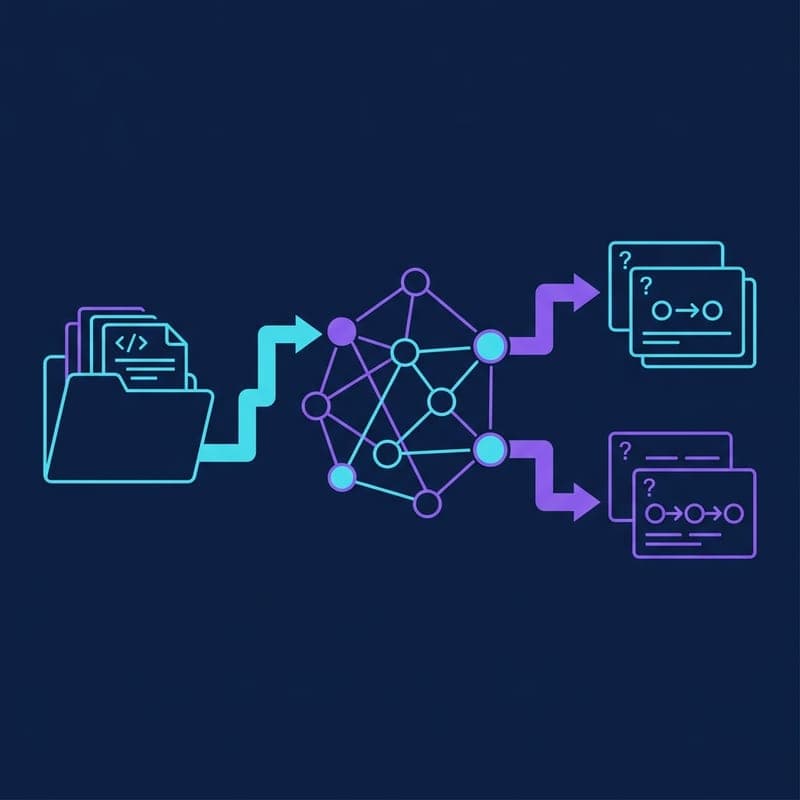
Build, save and reuse a Ragas knowledge graph to generate single-hop and multi-hop evaluation queries from Markdown documents.

Build an Agentic RAG System with smolagents and ChromaDB
Use smolagents CodeAgent to run multi-step retrieval over a ChromaDB vector store, letting the agent plan its own search strategy.