
Guaranteed JSON from llama.cpp with Pydantic and GBNF grammars
In this article
This guide is adapted from json_schema_pydantic_example.py in the llama.cpp repository, used here under the MIT licence.
When you call a language model in production and need a structured response, hoping the model "usually" returns valid JSON is not an engineering strategy. GBNF grammars — the constrained-sampling system built into llama.cpp — let you make JSON conformance a mathematical guarantee at the token level: the model is physically unable to emit a token that would violate your schema. Pair that with Pydantic and you get a second validation gate on the deserialized Python side, which catches semantic violations like an integer field arriving as a string or a required list arriving empty.
The audience for this technique is ML engineers running inference locally or on private hardware who cannot route sensitive payloads through a hosted API. It is equally useful for anyone building pipelines where downstream code expects machine-readable output — classification, entity extraction, document summarization — and where a malformed response would crash the pipeline rather than degrade it gracefully. If you have been wrestling with prompt-engineering tricks to cajole consistent JSON out of a model, this approach replaces that entirely. For a broader look at the limits of structured output guarantees even when the format is correct, see our coverage of valid JSON that still carries the wrong data.
On resources: you need a GGUF model file on local disk and a machine capable of running it. A 7B parameter model in Q4_K_M quantization fits comfortably in 6–8 GB of VRAM, or runs on CPU with 16 GB RAM at a speed that is useful for batch jobs if not interactive chat. You do not need a GPU at all — llama.cpp's CPU inference is production-grade. There is no API bill; the only cost is the one-time download of the model weights. The llama-server binary and the pydantic pip package are the only software dependencies.
Prerequisites
- llama.cpp built from source or a pre-built binary that includes
llama-server. The server must expose the OpenAI-compatible/v1/chat/completionsendpoint withresponse_formatJSON schema support, which has been stable since mid-2024 builds. - A GGUF model file. Any instruction-tuned model works; Mistral-7B-Instruct or Llama-3-8B-Instruct in Q4_K_M quantization are reliable starting points.
- Python 3.10+ with
pydanticinstalled (pip install pydantic).annotated_typesis installed automatically as a Pydantic dependency. requestsfrom the standard pip ecosystem.- No cloud accounts, no API keys.
Step 1: Start the llama.cpp inference server
Before any Python code runs, the model must be serving requests. The server accepts the same response_format field that OpenAI's API does and internally converts the JSON schema into a GBNF grammar before each generation call.
./llama-server -m some-model.gguf &
pip install pydantic
python json_schema_pydantic_example.py
The & backgrounds the server. It binds to http://localhost:8080 by default. Verify it is ready by hitting http://localhost:8080/health in a browser or with curl. Leave the server running for the remainder of the steps.
Step 2: Build the create_completion wrapper
The central piece of this technique is a single function that bridges Pydantic models to the llama.cpp server's schema-constrained endpoint. Copy this exactly — the argument names, the header, and the order of operations inside the if response_model: block all matter.
The source file wraps the direct implementation in if True: and the Instructor-based alternative in the else: branch; the block below reproduces the live if True: branch verbatim.
from pydantic import BaseModel, Field, TypeAdapter
from annotated_types import MinLen
from typing import Annotated, List, Optional
import json, requests

if True:

    def create_completion(*, response_model=None, endpoint="http://localhost:8080/v1/chat/completions", messages, **kwargs):
        '''
        Creates a chat completion using an OpenAI-compatible endpoint w/ JSON schema support
        (llama.cpp server, llama-cpp-python, Anyscale / Together...)

        The response_model param takes a type (+ supports Pydantic) and behaves just as w/ Instructor (see below)
        '''
        response_format = None
        type_adapter = None

        if response_model:
            type_adapter = TypeAdapter(response_model)
            schema = type_adapter.json_schema()
            messages = [{
                "role": "system",
                "content": f"You respond in JSON format with the following schema: {json.dumps(schema, indent=2)}"
            }] + messages
            response_format={"type": "json_object", "schema": schema}

        data = requests.post(endpoint, headers={"Content-Type": "application/json"},
                             json=dict(messages=messages, response_format=response_format, **kwargs)).json()
        if 'error' in data:
            raise Exception(data['error']['message'])

        content = data["choices"][0]["message"]["content"]
        return type_adapter.validate_json(content) if type_adapter else content

else:

    # This alternative branch uses Instructor + OpenAI client lib.
    # Instructor support streamed iterable responses, retry & more.
    # (see https://python.useinstructor.com/)
    #! pip install instructor openai
    import instructor, openai
    client = instructor.patch(
        openai.OpenAI(api_key="123", base_url="http://localhost:8080"),
        mode=instructor.Mode.JSON_SCHEMA)
    create_completion = client.chat.completions.create
Three things happen when response_model is supplied. First, TypeAdapter introspects your Pydantic class and generates a JSON Schema dict — the schema the server will enforce at the sampling layer. Second, that schema is injected as a system message prepended to the conversation, so the model sees the expected structure in plain language before it generates anything. Third, the same schema is passed in response_format so llama.cpp converts it to GBNF and constrains token sampling. On the way back out, type_adapter.validate_json parses and validates the raw string a second time, turning it into a typed Python object. If sampling somehow produced structurally valid JSON that still fails Pydantic constraints — a field out of range, a list shorter than the minimum — this second gate raises a ValidationError before any downstream code sees the object.
The if True: / else: construct is a compile-time branch selector, not dead code. To switch to the Instructor-based alternative, change if True: to if False: and install instructor openai with pip.
Step 3: Define nested Pydantic models with strict constraints
The schema is only as strong as the Pydantic model you write. The extra = 'forbid' Config setting is particularly important: it causes Pydantic to emit "additionalProperties": false in the JSON Schema, which prevents the model from inventing field names that are not in your spec.
if __name__ == '__main__':

    class QAPair(BaseModel):
        class Config:
            extra = 'forbid'  # triggers additionalProperties: false in the JSON schema
        question: str
        concise_answer: str
        justification: str
        stars: Annotated[int, Field(ge=1, le=5)]

    class PyramidalSummary(BaseModel):
        class Config:
            extra = 'forbid'  # triggers additionalProperties: false in the JSON schema
        title: str
        summary: str
        question_answers: Annotated[List[QAPair], MinLen(2)]
        sub_sections: Optional[Annotated[List['PyramidalSummary'], MinLen(2)]]
The stars field illustrates numeric range enforcement: ge=1, le=5 propagates through TypeAdapter into the JSON Schema as minimum and maximum, which llama.cpp's GBNF converter respects. The MinLen(2) annotation on question_answers ensures the list is never empty or a singleton — the model must generate at least two Q&A pairs. PyramidalSummary is self-referential through sub_sections, demonstrating that recursive schemas are supported. The Optional wrapper means sub_sections can be null, which allows the recursion to terminate.
Step 4: Invoke the model and receive a validated Python object
With the server running and the models defined, a single call generates, constrains, and validates the response end to end.
    print("# Summary\n", create_completion(
        model="...",
        response_model=PyramidalSummary,
        messages=[{
            "role": "user",
            "content": f"""
                You are a highly efficient corporate document summarizer.
                Create a pyramidal summary of an imaginary internal document about our company processes
                (starting high-level, going down to each sub sections).
                Keep questions short, and answers even shorter (trivia / quizz style).
            """
        }]))
The return value is a fully populated PyramidalSummary instance, not a string. You can access result.title, iterate result.question_answers, or pass the whole object to any function that accepts PyramidalSummary. The model="..." value is a passthrough; replace it with whatever identifier your server uses, or omit it — llama-server serves whichever model it loaded at startup.
Comparing key design choices
| Approach | Schema enforcement | Retry / fallback | Dependencies | Best for |
|---|---|---|---|---|
| This guide (direct requests) | GBNF at sampling + Pydantic validation | Manual | pydantic, requests | Minimal footprint, full control |
| Instructor + OpenAI client | Pydantic validation + retries | Built-in retry loop | instructor, openai | Production pipelines needing auto-retry |
| Prompt engineering only | None (probabilistic) | None | None | Prototyping only |
| llama-cpp-python natively | GBNF at sampling | Manual | llama-cpp-python | In-process Python without HTTP overhead |
What to watch out for
Recursive schemas and context depth. PyramidalSummary references itself through sub_sections. Deep recursion inflates the generated JSON considerably. If your context window is 4096 tokens and the model tries to build four levels of nested summaries, it will hit the limit and truncate mid-object. The GBNF grammar enforces that the truncated output is valid JSON, but Pydantic's MinLen(2) constraint on a partially written list will still raise a ValidationError. Set max_tokens conservatively and test with the shallowest schema that meets your needs.
additionalProperties: false and model creativity. Some models — particularly smaller ones — have been fine-tuned on examples using field names slightly different from yours. With extra = 'forbid' the grammar eliminates those tokens entirely, which can cause the model to stall or produce repetitive output as it searches for a legal continuation. If generation quality drops, remove the Config inner class and accept that extra fields may appear; Pydantic will still validate the fields you declared.
Schema size in the system prompt. Complex nested schemas serialized to indented JSON can consume several hundred tokens before the user message even starts. On a 2048-token context model this is a meaningful fraction. Use indent=2 (as the source does) for debuggability during development, but consider dropping to indent=None in production to save tokens.
Server restarts do not require code changes. The schema is sent with every request, so swapping the model file and restarting the server is transparent to the Python layer. A model change may produce subtly different output distributions even under grammar constraints — always re-run your validation suite after a model swap.
Where to go next
The technique here keeps inference entirely local, which fits naturally into the kind of self-contained stacks discussed in our four-layer local AI stack guide. For teams who need to scale beyond a single server — distributing GGUF inference across consumer GPUs — the FreeToken MoE inference piece covers dynamic co-execution strategies that complement what you have built here. On the schema-design side, the official Pydantic documentation on TypeAdapter is the authoritative reference for understanding which Python type annotations survive the round-trip to JSON Schema intact. The llama.cpp repository's grammars/ directory contains hand-written GBNF examples worth reading once you want to move beyond auto-generated grammars to hand-tuned ones for performance-critical paths.
Frequently asked questions
What is a GBNF grammar and how does llama.cpp use it?
GBNF (GGML BNF) is a grammar format built into llama.cpp that constrains token sampling at generation time. When you pass a JSON schema in the `response_format` field, llama.cpp converts it to a GBNF grammar internally, making it physically impossible for the model to emit a token that would violate the schema. The grammar directory in the llama.cpp repository contains hand-written examples if you want to author grammars directly.
Do I need a GPU to run llama.cpp structured output inference?
No. llama.cpp's CPU inference is production-grade; you need only sufficient RAM. A 7B parameter model in Q4_K_M quantization runs on CPU with 16 GB of system RAM, which is adequate for batch workloads. GPU VRAM accelerates throughput but is not required for correctness.
Why does the code inject the schema into a system message as well as the response_format field?
The `response_format` field enforces structure at the sampling layer, but the model generates better-quality content when it can see the expected field names and types in natural language before it starts. Prepending the schema as a system message gives the model that context, while the GBNF constraint enforces the structure regardless of what the model would otherwise prefer to generate.
What does extra = 'forbid' in the Pydantic Config actually do to the JSON schema?
It causes Pydantic's `TypeAdapter.json_schema()` to emit `"additionalProperties": false` in the generated schema. llama.cpp's GBNF converter respects this flag, so the grammar eliminates any token corresponding to a field name not declared in your model. This prevents the model from inventing fields, but can cause stalls in smaller models fine-tuned on different field-name conventions.
How do I switch the script to the Instructor-based branch?
The source file uses `if True:` as a compile-time switch. The `if True:` block activates the direct `requests` implementation; the `else:` block activates the Instructor + OpenAI client alternative. Change `if True:` to `if False:` to use the Instructor branch, and install the additional dependencies with `pip install instructor openai`.
Will swapping the GGUF model file break my schema validation code?
No. The schema is sent with every request, so restarting llama-server with a different model file requires no code changes. However, different models produce different output distributions even under identical grammar constraints, so you should re-run your validation suite after any model swap to confirm semantic quality is maintained.
Related Guides
Valid JSON, Wrong Data: Where Structured Outputs Stop Working
Structured Outputs guarantee schema shape, not truth. Here's the three-layer fix for silent data corruption in LLM extraction pipelines.

Structured Output with Local LLMs: When Valid JSON Is Not Enough
Gemma 4's 4B model returns schema-valid JSON that still includes the wrong device. Here's the decomposition pattern that fixes it.
Benchmark Local Models with llama.cpp's llama-eval.py
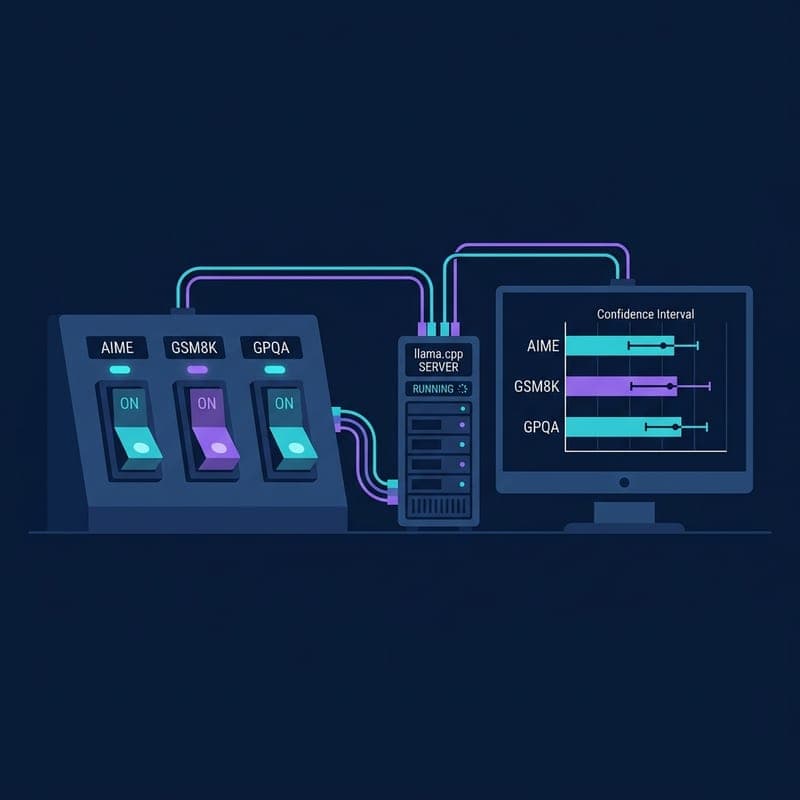
Use llama.cpp's single-file eval harness to run reproducible AIME, GSM8K, and GPQA benchmarks against a local server with Wilson confidence intervals.