
Bun 1.4's Bun.WebView Powers a 150-Line JSON Scraping API
In this article
Bun 1.4 landed on August 20, 2026 — the first stable release since the runtime's rewrite from Zig to Rust, a migration the official release notes conspicuously understated. What the notes did enumerate is striking: 1,517 additional tests absorbed from the Node.js test suite, over 2,900 bug fixes, a 5× reduction in idle CPU usage, up to 35% lower memory consumption, and a 50% faster startup time on Linux. Among the new APIs — Bun.Image, Bun.markdown, Bun.cron(), Bun.Terminal, bun run --parallel, bun test --parallel, bun audit fix, bun dedupe, and bun prune — the one with the most architectural weight for browser automation engineers is Bun.WebView.
Simon Willison flagged Bun.WebView as the standout addition because it delivers first-class browser automation directly in Bun core, without Puppeteer or Playwright. It targets two backends: macOS WebKit and a local Chromium process controlled via the Chrome DevTools Protocol (CDP). To probe what this looks like in practice, Willison used Claude Code to build a prototype JSON API service modelled on his own shot-scraper javascript CLI tool — resulting in a zero-dependency TypeScript implementation of roughly 150 lines.
What the API does
The prototype exposes three HTTP routes: /javascript, /screenshot, and /healthz. The /javascript endpoint accepts a URL and an expression, loads the page in a fresh browser tab, evaluates the JavaScript, and returns both the result and any thrown errors as JSON. The /screenshot endpoint uses the same page-load mechanic but returns a PNG, JPEG, or WebP capture. The /healthz route is a plain liveness check. Each inbound request spawns one dedicated browser tab, so the service handles concurrency without serialising requests through a shared context.
Memory floor for deployment
Willison's practical measurement: running a full Chrome instance against complex web pages through this service requires a container provisioned with 192 MB to 256 MB of RAM. That figure was determined using cgroups to constrain available memory and observe failure thresholds — not a theoretical estimate but tested behaviour against real-world page complexity. For teams evaluating constrained infrastructure, 192–256 MB is the floor to plan around.
Bun 1.4 new APIs at a glance
| New API / Command | Category | Automation Relevant |
|---|---|---|
Bun.WebView |
Browser control (WebKit / CDP) | Yes — core subject |
Bun.Image |
Image processing | Yes — screenshot post-processing |
Bun.cron() |
Scheduled execution | Yes — scheduled scraping triggers |
Bun.Terminal |
Terminal emulation | Indirect |
Bun.markdown |
Markdown parsing | No |
bun run --parallel |
Script runner | Yes — parallel automation tasks |
bun test --parallel |
Test runner | Indirect |
bun audit fix / bun dedupe / bun prune |
Package management | No |
The shot-scraper pattern as an HTTP service
Willison's prototype translates a well-understood CLI pattern — load a page, run JavaScript, emit output — into a long-running HTTP daemon. One tab per request keeps isolation clean and concurrency straightforward, but Chrome must be fully available at container start and RAM pressure scales with concurrent request depth. For teams building agentic workflows that need to interact with live web content, this is a lighter integration path than embedding a full Playwright cluster, provided the 192–256 MB memory floor fits the deployment target.
Bun.WebView shipping in a stable 1.x release — alongside a cgroup-verified memory measurement and a working 150-line reference implementation — moves browser automation from "possible with effort" to standard library. Whether the CDP backend's reliability under production load matches the WebKit path is the open question the community will stress-test next.
Related Reading
Vercel Open-Sources vgpu v0.3.1: WebGPU Shaders With MCP and CI Snapshots
Vercel's vgpu runs identical WGSL shaders in browser, headless Node.js, and a mock adapter — MIT-licensed at v0.3.1 with a hosted MCP endpoint.
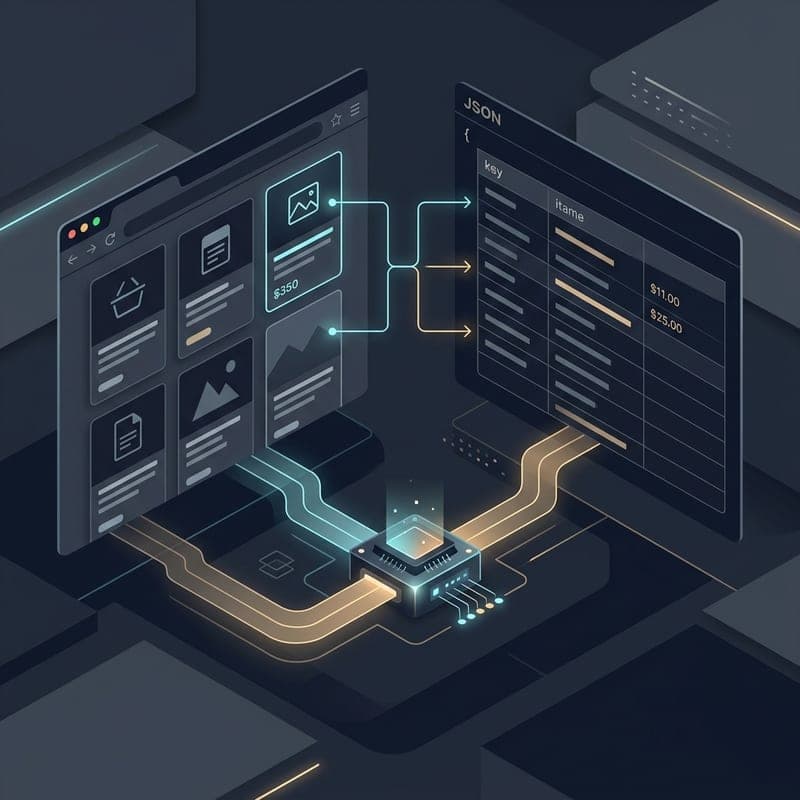
AI Web Scraping in Python: When an LLM Earns Its Cost
An LLM can read any page without a selector, and it bills you every time. Here is the decision rule, the Crawl4AI code for both paths, and the hybrid that pays for a model once and then runs free.
Build Multi-Tenant RAG with Pinecone and Next.js (2026)
Chat with your PDFs per workspace: chunk, embed and upsert into Pinecone namespaces, retrieve context, and stream answers from a Next.js app.