
The Complete Developer Guide to Running LLMs Locally: From Ollama to Production
In this article
- Why Run Inference Locally?
- Privacy, Cost, and Control
- When Local Makes Sense (and When It Doesn't)
- Hardware Requirements
- VRAM Is the Binding Constraint
- CPU-Only and Hybrid Inference
- Recommended Configurations
- Model Formats and Quantization
- GGUF, GPTQ, AWQ, and EXL2
- Quantization Levels
- Eight Local LLM Tools Compared
- Step 1: Install Ollama
- Step 2: Pull and Run Your First Model
- Step 3: Call the REST API
- Step 4: Custom Modelfiles
- Step 5: Build a Fully Local RAG Pipeline
- Prerequisites
- Install Dependencies
- Ingest Documents
- Query with Context-Augmented Generation
- RAG Performance Tips
- Step 6: Docker Production Deployment
- Prerequisites: NVIDIA Container Toolkit
- Docker Compose with GPU Passthrough
- LocalAI as a Multi-Modal Gateway
- Nginx Reverse Proxy with Auth and Rate Limiting
- Optimization and Troubleshooting
- Maximizing Inference Speed
- Common Issues
- Where the Ecosystem Is Heading
- See Also
Running LLMs locally has matured from a hobbyist experiment into a legitimate production strategy. Developers who need to keep proprietary code off third-party servers, eliminate per-token API costs, or build AI features that work offline now have a full tooling ecosystem to draw from. This guide covers the complete stack: VRAM sizing, model format selection, a comparison of eight tools, step-by-step Ollama setup, a complete local RAG pipeline, Docker deployment with GPU passthrough, and performance troubleshooting.
Why Run Inference Locally?
Privacy, Cost, and Control
The most direct reason is data sovereignty. When inference runs on your own hardware, nothing leaves the machine. For organizations under GDPR, HIPAA, or internal IP policies, local inference eliminates the data-in-transit compliance vector and removes third-party data processors from the picture entirely.
The economics are equally straightforward. After the initial hardware investment, marginal inference cost drops to electricity. For workloads processing millions of tokens daily — code completion across a development team, document summarization pipelines, batch classification jobs — eliminating API spend is significant. Rate limits, deprecation timelines, vendor lock-in, and prompt format changes that break production code: none of these apply when you own the stack.
Offline availability often matters more than teams initially expect. Air-gapped environments, field deployments with unreliable connectivity, and CI/CD pipelines that need deterministic inference without external dependencies all become non-issues with local inference.
When Local Makes Sense (and When It Doesn't)
Local inference excels at specific workload profiles: code completion with full repository context, RAG over private documents, CI pipeline integration, and rapid prototyping where iteration speed matters more than frontier-model capability.
The honest limitations deserve equal weight. A locally-run 8B model will not match GPT-4o or Claude 3.5 Sonnet on complex reasoning tasks. Models above 70B require hardware investments of $1,200 or more. The decision is cleaner when framed around three axes:
- Latency sensitivity favors local — round-trips to a localhost server consistently beat cloud API calls for real-time completion
- Data sensitivity favors local — if data cannot leave the network, there is no alternative
- Budget and usage pattern favors cloud when inference is sporadic enough that hardware amortization doesn't pencil out
Hardware Requirements
VRAM Is the Binding Constraint
The most important number for local inference is available VRAM. At Q4_K_M quantization, budget approximately 0.6–0.7 GB per billion parameters as a working estimate. More aggressive quantization (Q2) can reach ~0.4 GB/B, but at significant quality cost.
| Model Size | Min VRAM (Q4) | Recommended GPU | Notes |
|---|---|---|---|
| 7–8B | 4–6 GB | RTX 3060 12GB, M1 16GB | Runs comfortably on consumer hardware |
| 13B | 8–10 GB | RTX 4060 Ti 16GB | Sweet spot for quality vs. cost |
| 34B | 18–22 GB | RTX 4090 24GB | Tight fit on a single consumer GPU |
| 70B | 35–40 GB | 2× RTX 4090 or A6000 48GB | Needs multi-GPU or heavy CPU offload |
GPU ecosystem support varies meaningfully. NVIDIA GPUs with CUDA are the best-supported option across every tool covered here. AMD ROCm support has improved — llama.cpp and Ollama both offer functional ROCm on Linux — though driver setup is more involved and not all quantization kernels are fully optimized. Apple Silicon with Metal acceleration is genuinely excellent for MacBook and Mac Studio form factors, where unified memory means VRAM and system RAM are the same pool.
CPU-Only and Hybrid Inference
CPU-only inference is viable for 7–8B models on batch or offline tasks. Expect 5–15 tokens/sec on a modern CPU with AVX2, versus 40–80+ on a midrange GPU.
For models that exceed available VRAM, llama.cpp supports hybrid GPU+CPU splitting via the --n-gpu-layers flag (or num_gpu in Ollama). Layers that don't fit in VRAM offload to system RAM. Every layer on CPU reduces throughput, so 32GB of system RAM is the practical floor for hybrid inference with anything above 13B.
Recommended Configurations
Budget (~$0): An M1 or M2 MacBook with 16GB unified memory runs 7–8B models at roughly 30–50 tokens/sec via Metal — the best zero-cost entry point.
Mid-tier (~$400): An RTX 4060 Ti 16GB handles 13B models entirely in VRAM and runs 8B models with generous context windows. This is the price-to-performance sweet spot for most developers.
Production (~$1,200+): An RTX 4090 (24GB) handles 34B models and runs 70B with significant CPU offloading. Dual-GPU setups or datacenter cards like the A6000 48GB enable full 70B inference without layer splitting.
Model Formats and Quantization
GGUF, GPTQ, AWQ, and EXL2
GGUF is the universal format for local inference. Developed in the llama.cpp ecosystem, it packages weights, tokenizer, and metadata in a single file. Every major local inference tool — Ollama, LM Studio, GPT4All, Jan, koboldcpp — reads GGUF directly. If a tool runs locally, it almost certainly supports GGUF.
GPTQ and AWQ are GPU-centric formats designed for tools like vLLM and Hugging Face's text-generation-inference. They require the full model to fit in VRAM and don't support CPU offloading, but can deliver higher GPU throughput in pure-VRAM deployments.
EXL2 is used by ExLlamaV2 and offers per-layer quantization control for fine-grained VRAM budgeting.
The selection logic is hardware-driven: if the model fits entirely in VRAM and the tool supports it, GPTQ or AWQ may offer better throughput. For everything else, GGUF is the correct default.
Quantization Levels
GGUF quantization ranges from Q2_K (aggressive, lossy) to Q8_0 (near-lossless). The standard recommendation:
- Q4_K_M — ~50% size reduction from FP16 with minimal perplexity increase. The correct default for most use cases.
- Q5_K_M — marginal quality improvement at ~15% more VRAM
- Q3 and below — noticeable coherence degradation; only appropriate when VRAM is severely constrained
Pre-quantized GGUF files are available on Hugging Face. The user "bartowski" maintains a comprehensive, regularly updated collection for popular models and is the most reliable current source.
Eight Local LLM Tools Compared
| Tool | Min VRAM | Formats | OpenAI-Compatible API | OS | GPU Backends | Setup (1–5) | tok/s (8B Q4, RTX 4060 Ti) |
|---|---|---|---|---|---|---|---|
| Ollama | ~4 GB | GGUF, safetensors import | Yes | macOS, Linux, Windows | CUDA, ROCm, Metal | 5 | ~55–65 |
| LM Studio | ~4 GB | GGUF | Yes | macOS, Linux, Windows | CUDA, Metal, Vulkan | 5 | ~50–60 |
| llama.cpp | ~4 GB | GGUF | Yes (server mode) | macOS, Linux, Windows | CUDA, ROCm, Metal, Vulkan, SYCL | 2 | ~60–70 |
| LocalAI | ~4 GB | GGUF, GPTQ, diffusers | Yes (broad parity) | Linux, macOS (Docker) | CUDA, ROCm, Metal | 3 | ~45–55 |
| GPT4All | ~4 GB | GGUF | Limited | macOS, Linux, Windows | CUDA, Metal | 5 | ~40–50 |
| vLLM | ~8 GB (FP16) | safetensors, GPTQ, AWQ | Yes | Linux | CUDA, ROCm | 2 | ~80–100 (batched) / ~40–60 (single) |
| Jan | ~4 GB | GGUF | Yes | macOS, Linux, Windows | CUDA, Metal, Vulkan | 5 | ~45–55 |
| koboldcpp | ~4 GB | GGUF | Partial (KoboldAI API) | macOS, Linux, Windows | CUDA, ROCm, Vulkan, CLBlast | 4 | ~55–65 |
tok/s figures are estimated single-request ranges, not controlled benchmarks. vLLM's ~80–100 figure reflects continuous batching under concurrent load; its single-request latency is comparable to other tools.
Ollama is the right starting tool for most developers. Single-binary install, built-in model registry, automatic GPU detection, and an OpenAI-compatible REST API with zero configuration. Model management is ollama pull and ollama run. Supports custom Modelfiles for system prompts and parameter overrides.
LM Studio provides a graphical model browser that searches Hugging Face directly, one-click downloads with quantization level selection, and a built-in chat interface alongside a local API server. It's the fastest path from "I want to evaluate a model" to actually running it.
llama.cpp is the C/C++ engine that Ollama is built directly on top of. Running it directly gives maximum control: custom compilation flags, fine-grained layer offloading, and access to the newest quantization methods before they appear in higher-level wrappers. Trade-off is a steeper setup curve.
LocalAI is a Docker-native project targeting broad OpenAI API parity across modalities — LLM completions, embeddings, image generation via Stable Diffusion backends, transcription, and TTS in a single API gateway. For teams running Docker-based infrastructure that need a unified endpoint across AI modalities, it fills a gap that Ollama doesn't.
vLLM is the throughput-optimized choice for high-concurrency production deployments. Continuous batching with shared KV-cache delivers roughly 3–8× higher aggregate throughput than serial tools under 10+ concurrent requests. Trade-offs: Linux only, higher setup complexity, requires full VRAM fit.
Step 1: Install Ollama
Ollama is the most practical entry point for developers. It handles model downloads, VRAM management, and API exposure automatically.
# macOS / Linux
curl -fsSL https://ollama.com/install.sh | sh

# Windows — via winget
winget install Ollama.Ollama

# Docker
docker pull ollama/ollama
docker run -d -v ollama:/root/.ollama -p 11434:11434 --name ollama ollama/ollama
Security note: Pipe-to-shell installers execute remote code without prior inspection. If your policy prohibits this, download the binary directly from github.com/ollama/ollama/releases and verify the SHA256 checksum before running.
Step 2: Pull and Run Your First Model
# Pull a specific quantization
ollama pull llama3.1:8b-instruct-q4_K_M

# Browse available tags at https://ollama.com/library/llama3.1
# Start an interactive session
ollama run llama3.1:8b-instruct-q4_K_M
>>> What is retrieval-augmented generation?
>>> /bye
The pull command saves the model to ~/.ollama/models. Subsequent run calls load from cache. Expect 10–30 seconds for an 8B model to load into VRAM on first call; subsequent prompts in the same session are near-instant.
Step 3: Call the REST API
Ollama exposes an OpenAI-compatible REST API at localhost:11434.
# Streaming chat completion
curl http://localhost:11434/api/chat -d '{
  "model": "llama3.1:8b-instruct-q4_K_M",
  "messages": [{"role": "user", "content": "Explain GGUF format in two sentences."}],
  "stream": true
}'
The response streams as newline-delimited JSON objects with message.content fragments. Set "stream": false for a single response payload.
import os
import sys
import requests

OLLAMA_HOST = os.environ.get("OLLAMA_HOST", "http://localhost:11434")

response = requests.post(
    f"{OLLAMA_HOST}/api/chat",
    json={
        "model": "llama3.1:8b-instruct-q4_K_M",
        "messages": [{"role": "user", "content": "What is quantization?"}],
        "stream": False,
    },
    timeout=300,
)

if response.status_code != 200:
    print(f"Ollama API error {response.status_code}: {response.text}", file=sys.stderr)
    sys.exit(1)

payload = response.json()
if "error" in payload:
    print(f"Model error: {payload['error']}", file=sys.stderr)
    sys.exit(1)

print(payload["message"]["content"])
Step 4: Custom Modelfiles
Modelfiles define persistent system prompts and inference parameter overrides that persist across sessions.
# List, remove, and copy models
ollama list
ollama rm llama3.1:8b-instruct-q4_K_M
ollama cp llama3.1:8b-instruct-q4_K_M my-assistant
# Modelfile
FROM llama3.1:8b-instruct-q4_K_M
SYSTEM "You are a senior Python developer. Respond with concise, production-ready code. Always include error handling."
PARAMETER temperature 0.3
PARAMETER num_ctx 4096
ollama create python-assistant -f Modelfile
ollama run python-assistant
Step 5: Build a Fully Local RAG Pipeline
The following pipeline runs entirely on localhost. Ollama serves both the embedding model and the generation model. ChromaDB stores the vectors. No data leaves the machine.
The flow: load documents → chunk into 1000-character segments → embed each chunk with nomic-embed-text → store in ChromaDB → at query time, embed the question, retrieve top-k chunks, inject them into a prompt, generate with Llama 3.1.
Prerequisites
- Python 3.10–3.12
- Ollama running (
ollama serve) - Both models pulled before running:
ollama pull nomic-embed-text
ollama pull llama3.1:8b-instruct-q4_K_M
Install Dependencies
# Pin versions to avoid breaking API changes
pip install langchain==0.3.25 langchain-community==0.3.24 \
  langchain-ollama==0.3.3 langchain-chroma==0.1.4 \
  chromadb==0.6.3 pypdf==5.5.0
Ingest Documents
import os
import sys
from langchain_community.document_loaders import PyPDFLoader
from langchain.text_splitter import RecursiveCharacterTextSplitter
from langchain_ollama import OllamaEmbeddings
from langchain_chroma import Chroma

OLLAMA_HOST = os.environ.get("OLLAMA_HOST", "http://localhost:11434")
PDF_PATH = os.environ.get("PDF_PATH", "internal_docs.pdf")
CHROMA_PERSIST_DIR = os.environ.get("CHROMA_PERSIST_DIR", "./chroma_db")

if __name__ == "__main__":
    try:
        loader = PyPDFLoader(PDF_PATH)
        documents = loader.load()
    except FileNotFoundError:
        print(f"ERROR: PDF not found at '{PDF_PATH}'", file=sys.stderr)
        sys.exit(1)
    except Exception as e:
        print(f"ERROR: Failed to load PDF: {e}", file=sys.stderr)
        sys.exit(1)

    if not documents:
        print("ERROR: PDF loaded zero pages. Check file integrity.", file=sys.stderr)
        sys.exit(1)

    splitter = RecursiveCharacterTextSplitter(
        chunk_size=1000,
        chunk_overlap=200,
        separators=["\n\n", "\n", ". ", " ", ""],
    )
    chunks = splitter.split_documents(documents)
    print(f"Loaded {len(documents)} pages → {len(chunks)} chunks")

    # chromadb >=0.4 auto-persists when persist_directory is set
    embeddings = OllamaEmbeddings(model="nomic-embed-text", base_url=OLLAMA_HOST)
    vectorstore = Chroma.from_documents(
        documents=chunks,
        embedding=embeddings,
        persist_directory=CHROMA_PERSIST_DIR,
    )
    print(f"Stored {len(chunks)} chunks in ChromaDB")
Query with Context-Augmented Generation
import os
import sys
import requests
from langchain_ollama import OllamaEmbeddings
from langchain_chroma import Chroma

OLLAMA_HOST = os.environ.get("OLLAMA_HOST", "http://localhost:11434")
CHROMA_PERSIST_DIR = os.environ.get("CHROMA_PERSIST_DIR", "./chroma_db")

# Guards against exceeding the model's context window
MAX_CONTEXT_CHARS = 3000

if __name__ == "__main__":
    embeddings = OllamaEmbeddings(model="nomic-embed-text", base_url=OLLAMA_HOST)
    # Use Chroma() constructor (not from_documents()) to reload an existing store
    vectorstore = Chroma(
        persist_directory=CHROMA_PERSIST_DIR,
        embedding_function=embeddings,
    )

    query = "What is our refund policy for enterprise customers?"
    results = vectorstore.similarity_search(query, k=3)

    # Truncate context to stay within num_ctx
    context_parts = []
    total_len = 0
    for doc in results:
        if total_len + len(doc.page_content) > MAX_CONTEXT_CHARS:
            break
        context_parts.append(doc.page_content)
        total_len += len(doc.page_content)
    context = "\n".join(context_parts)

    prompt = f"""Answer the question based only on the following context:

{context}

Question: {query}
Answer:"""

    response = requests.post(
        f"{OLLAMA_HOST}/api/chat",
        json={
            "model": "llama3.1:8b-instruct-q4_K_M",
            "messages": [{"role": "user", "content": prompt}],
            "stream": False,
        },
        timeout=300,
    )

    if response.status_code != 200:
        print(f"Ollama API error {response.status_code}: {response.text}", file=sys.stderr)
        sys.exit(1)

    payload = response.json()
    if "error" in payload:
        print(f"Model error: {payload['error']}", file=sys.stderr)
        sys.exit(1)

    print(payload["message"]["content"])
    print("--- Sources ---")
    for doc in results:
        print(f"Page {doc.metadata.get('page', 'N/A')}: {doc.page_content[:100]}...")
RAG Performance Tips
Batch embeddings. Processing chunks in batches (which LangChain's from_documents does by default) reduces ingest wall-clock time by roughly 3–5× for a 500-chunk corpus compared to sequential single-chunk calls.
Extend keep_alive. Set "keep_alive": "30m" in API calls, or PARAMETER keep_alive 30m in a Modelfile, to prevent Ollama from unloading the model between requests. The default timeout is 5 minutes; unload/reload cycles add significant latency to RAG pipelines.
Use a dedicated embedding model. Keep nomic-embed-text for vector generation and the larger model for generation. Both can remain loaded simultaneously if VRAM allows, which eliminates the switch overhead on mixed pipelines.
Step 6: Docker Production Deployment
Docker provides reproducible GPU environments and a standardized deployment boundary for team setups where multiple services share a single LLM endpoint.
Prerequisites: NVIDIA Container Toolkit
GPU passthrough requires the NVIDIA Container Toolkit on the host. Without it, containers silently fall back to CPU.
# Verify GPU passthrough works
docker run --rm --gpus all nvidia/cuda:12.0-base-ubuntu22.04 nvidia-smi
# Expected: GPU table showing device name and VRAM
Docker Compose with GPU Passthrough
# docker-compose.yml (Compose V2, Docker Engine 23+)
services:
  ollama:
    image: ollama/ollama:latest
    container_name: ollama-server
    ports:
      - "11434:11434"
    volumes:
      - ollama_data:/root/.ollama
    environment:
      - OLLAMA_MAX_LOADED_MODELS=2
      # Reduce to 2 if OOM errors occur; each parallel slot allocates a separate KV-cache
      - OLLAMA_NUM_PARALLEL=4
      # Caps queued requests to prevent unbounded VRAM exhaustion under load
      - OLLAMA_MAX_QUEUE=20
      - OLLAMA_KEEP_ALIVE=30m
    deploy:
      resources:
        reservations:
          devices:
            - driver: nvidia
              count: 1
              capabilities: [gpu]
    healthcheck:
      # ollama/ollama base image includes wget but not curl
      test: ["CMD-SHELL", "wget -qO- http://localhost:11434/api/tags || exit 1"]
      interval: 30s
      timeout: 10s
      retries: 5
      start_period: 20s
    restart: unless-stopped

  app:
    build: ./app
    container_name: rag-app
    depends_on:
      ollama:
        condition: service_healthy
    environment:
      - OLLAMA_HOST=http://ollama:11434
    ports:
      - "8000:8000"

volumes:
  ollama_data:
After starting, pull models into the running container:
docker compose up -d
docker exec ollama-server ollama pull llama3.1:8b-instruct-q4_K_M
docker exec ollama-server ollama pull nomic-embed-text

# Verify GPU inference is active
docker exec ollama-server ollama ps
# Look for "(GPU)" indicator next to the loaded model
LocalAI as a Multi-Modal Gateway
When broader format support or multi-modal capabilities (image generation, speech-to-text) are required, LocalAI can replace Ollama in the stack:
services:
  localai:
    image: localai/localai:latest-aio-gpu-nvidia-cuda-12
    container_name: localai-server
    ports:
      - "8080:8080"
    volumes:
      - ./models:/build/models
    environment:
      - THREADS=8
      - CONTEXT_SIZE=4096
      # >- prevents YAML from misinterpreting JSON brackets as a sequence
      - >-
        PRELOAD_MODELS=[{"url":"github:mudler/LocalAI/gallery/llama3.1-8b-instruct.yaml"}]
    deploy:
      resources:
        reservations:
          devices:
            - driver: nvidia
              count: 1
              capabilities: [gpu]
Nginx Reverse Proxy with Auth and Rate Limiting
Never expose a raw LLM API to a network without an authentication layer.
limit_req_zone $binary_remote_addr zone=llm_limit:10m rate=10r/m;

upstream ollama_backend {
    server localhost:11434;
}

# Redirect HTTP to HTTPS
server {
    listen 80;
    server_name llm.internal.example.com;
    return 301 https://$host$request_uri;
}

server {
    listen 443 ssl;
    server_name llm.internal.example.com;

    ssl_certificate /etc/ssl/certs/llm.crt;
    ssl_certificate_key /etc/ssl/private/llm.key;

    location /v1/ {
        auth_basic "LLM API";
        auth_basic_user_file /etc/nginx/.htpasswd;

        limit_req zone=llm_limit burst=10 nodelay;

        # Ollama's chat endpoint is /api/chat, not /api/chat/completions
        rewrite ^/v1/chat/completions$ /api/chat break;
        rewrite ^/v1/embeddings$ /api/embeddings break;
        rewrite ^/v1/(.*)$ /api/$1 break;

        proxy_pass http://ollama_backend;
        proxy_set_header Host $host;
        proxy_set_header X-Real-IP $remote_addr;
        proxy_buffering off;   # Required for streaming token responses
        proxy_read_timeout 300s;
    }
}
The explicit /v1/chat/completions → /api/chat rewrite is required because a generic wildcard rewrite would produce 404s for chat requests. Verify routing after deployment:
curl -u user:pass -X POST https://llm.internal.example.com/v1/chat/completions \
  -H "Content-Type: application/json" \
  -d '{"model":"llama3.1:8b-instruct-q4_K_M","messages":[{"role":"user","content":"ping"}],"stream":false}'
Optimization and Troubleshooting
Maximizing Inference Speed
Minimize context length. The num_ctx parameter (commonly 4096 for Llama 3.x — verify with ollama show <model>) allocates a KV-cache proportional to context size. Setting num_ctx to 8192 or higher consumes significantly more VRAM and reduces tokens/sec. Set it to the minimum your application actually needs.
Enable Flash Attention. llama.cpp supports it natively. As of Ollama 0.1.47+, Flash Attention is enabled by default when the backend supports it — set OLLAMA_FLASH_ATTENTION=1 explicitly if uncertain. This reduces memory overhead for long contexts without quality impact.
Consider vLLM for high concurrency. Under 10+ concurrent requests, vLLM's continuous batching delivers roughly 3–8× higher aggregate throughput compared to serial tools. For single-user local use, the advantage largely disappears, but for multi-user API deployments it's the right tool.
Common Issues
"Out of memory" errors: Reduce num_ctx, switch to a smaller quantization (Q4_K_M → Q3_K_M), or offload more layers to CPU. The error typically means the KV-cache allocation exceeded remaining VRAM after the model loaded.
Slow time-to-first-token: This is usually model loading latency, not inference speed. Extend keep_alive to prevent Ollama from unloading between requests. In Docker Compose, pull models in a startup script so they're in cache before the first request arrives.
Garbled or incoherent output: Usually a chat template mismatch. Each model family expects a specific prompt format. Ollama handles this automatically for models pulled from its registry, but imported GGUF files may need a manual TEMPLATE block in the Modelfile.
GPU not detected: On Linux, verify nvidia-smi works on the host and that the NVIDIA Container Toolkit is installed for Docker deployments. The most common cause is a CUDA driver version mismatch between the host driver and toolkit. GPU passthrough silently falls back to CPU if the toolkit is missing — always verify with ollama ps and look for the (GPU) indicator.
Key environment variables for resource management:
OLLAMA_MAX_LOADED_MODELS— how many models stay in VRAM simultaneously (default: 1 on GPU)OLLAMA_NUM_PARALLEL— maximum concurrent requests per modelOLLAMA_MAX_QUEUE— maximum queued requests before rejection (set alongsideOLLAMA_NUM_PARALLELfor backpressure)
Where the Ecosystem Is Heading
Speculative decoding — where a small draft model proposes tokens that a larger verifier model accepts or rejects in batch — is under active development in llama.cpp, with early benchmarks showing 1.5–2× speedups on compatible model pairs.
Sub-4-bit quantization continues to advance. BitNet-style 1.58-bit models are an active research area, though quality at those levels still shows meaningfully higher perplexity than Q4_K_M, making them unsuitable for coherent multi-paragraph generation today.
On-device fine-tuning with QLoRA has become accessible enough to adapt base models to domain-specific tasks on consumer GPUs with 16GB VRAM. WebGPU inference projects like web-llm and wllama are making browser-based local inference viable, currently limited to smaller models but improving.
Multimodal local models — including LLaVA and Qwen2-VL variants — are increasingly available through Ollama's model registry, bringing vision capabilities into the local stack without additional infrastructure.
See Also
- How to Run Local LLMs Securely with Ollama — secure your Ollama instance, network-bind it correctly, and avoid unintentional model exposure
- Local RAG Tutorial: LangChain, Ollama & ChromaDB with Ragas — extend the RAG pipeline above with automated quality evaluation
- Run Claude Code Locally with Ollama — use Ollama as the inference backend for an agentic coding workflow
- Self-Hosting DeepSeek with vLLM — production vLLM deployment for high-concurrency serving
Frequently asked questions
What quantization level should I use for local LLMs?
Q4_K_M is the widely recommended default for GGUF models. It cuts file size roughly in half compared to full FP16 weights with minimal quality degradation. Q5_K_M gives a marginal improvement at about 15% more VRAM. Avoid going below Q3 unless you are extremely VRAM-constrained — quality loss becomes noticeable in generation coherence at Q2.
Can I run LLMs locally without a GPU?
Yes. CPU-only inference is viable for 7–8B models on offline or batch tasks where speed is not critical. Expect roughly 5–15 tokens/sec on a modern desktop CPU with AVX2 support, versus 40–80+ tokens/sec on a midrange GPU. For CPU offloading of larger models, 32GB of system RAM is the practical minimum — layers that don't fit in VRAM spill to RAM, which works but sharply reduces throughput.
Ollama, LM Studio, or llama.cpp — which should I use?
Ollama is the right starting point for the vast majority of developers: single-binary install, model registry, OpenAI-compatible API, automatic GPU detection. LM Studio is the better choice if you want a graphical interface for quickly browsing and evaluating models. llama.cpp is the right choice if you need maximum performance control, custom compilation flags, or access to the latest quantization methods before they appear in higher-level wrappers — at the cost of a more involved setup.
How do I secure a locally-served LLM API before exposing it on a network?
Never expose a raw Ollama or llama-server port to a shared network without an auth layer. Use an Nginx reverse proxy with auth_basic and a rate-limiting zone in front of the API. Terminate TLS at the proxy. Set OLLAMA_HOST to 127.0.0.1 so Ollama only listens on loopback, and let Nginx handle external traffic. For team deployments, consider Open WebUI which adds user accounts and per-model permissions.
Related Guides
How to Run DeepSeek R1 Locally with Ollama: Full Setup Guide
Install DeepSeek R1 locally using Ollama in under 5 minutes. Covers model variant selection from 1.5B to 671B, visible chain-of-thought reasoning, REST API usage, Python integration, and building a simple RAG application.
Run DeepSeek V4 Flash Locally with llama.cpp (2026)
Run DeepSeek V4 Flash locally with llama.cpp, a GGUF build, one 96GB GPU, and explicit checks for the current experimental support path.
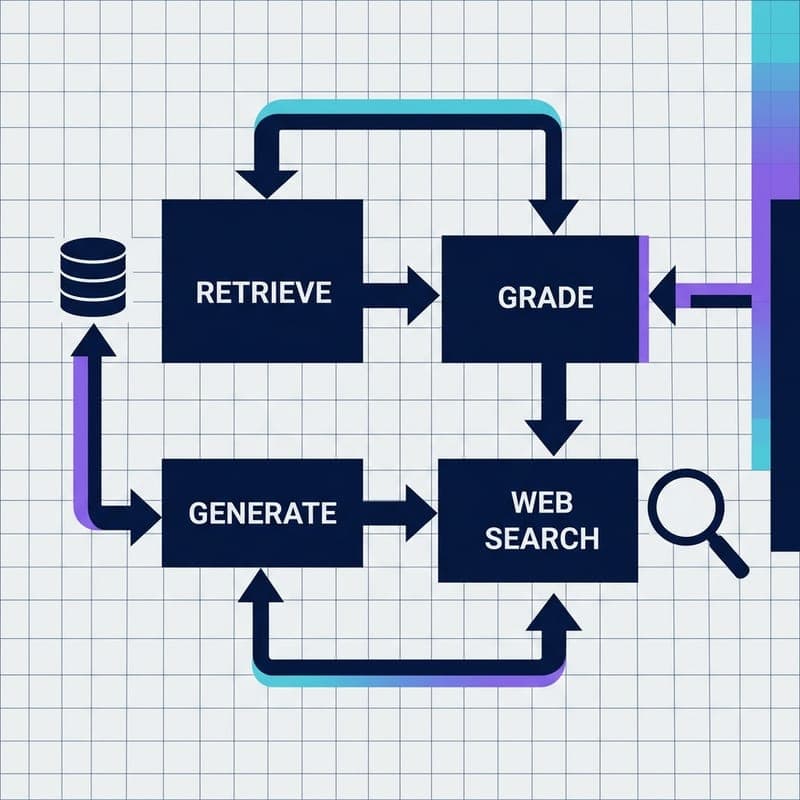
Build a Self-Correcting RAG Agent with LangGraph and Milvus
Wire adaptive routing, corrective RAG, and self-RAG into a stateful LangGraph agent backed by Milvus Lite — no OpenAI key required.