
Build a Multi-Agent Financial Research Bot with OpenAI Agents SDK
In this article
This guide is adapted from the OpenAI Agents SDK example financial_research_agent (main.py and manager.py), published under the MIT licence. Code blocks are reproduced exactly from the upstream repository.
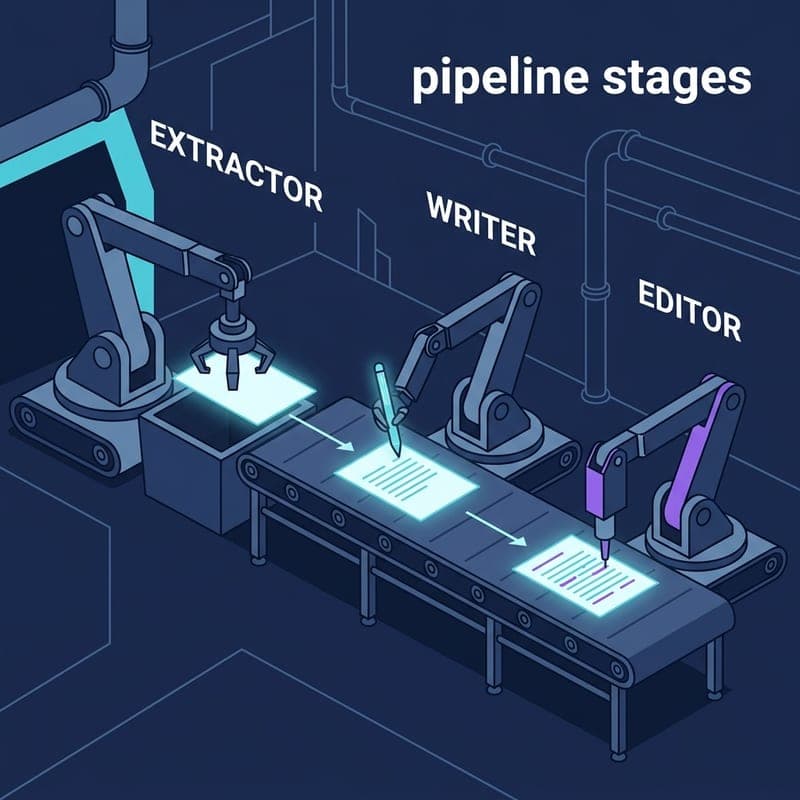
Financial research is a good test of why one monolithic LLM call falls short. A request like "analyse Apple's most recent quarter" needs current sources, specialist judgement on fundamentals and risk, long-form synthesis, and a check that the numbers in the finished report actually came from somewhere. The OpenAI Agents SDK's financial research example splits that into five stages, each run by its own agent with its own instructions and a Pydantic output type:
- Plan. A planner agent on
o3-miniturns the query into between 5 and 15 search terms, each with a reason. - Search. A search agent with the SDK's built-in
WebSearchToolruns every term concurrently and returns terse summaries. Searches that come back without source URLs are dropped. - Analyse. A fundamentals analyst and a risk analyst are exposed to the writer as tools, so the writer calls them inline when it wants a specialist write-up.
- Write. A writer agent produces a long-form markdown report, a short executive summary and follow-up questions.
- Verify. A verifier agent audits the report against the supplied evidence and source URLs. A failed check triggers one revision; a second failure raises an error.
The design choice worth studying is step 5. The verifier is told to judge claims only against the evidence the run collected, not against its own memory, so the pipeline fails loudly rather than printing a confident report built on numbers it cannot trace.
Who needs this? Teams building internal research copilots, anyone replacing templated reports with generated ones, and engineers who want a realistic multi-agent example that is more than two agents passing a string back and forth. For how this compares with other agent stacks, see our coverage of Google ADK's Kotlin 1.0 release and Amazon Bedrock AgentCore's MCP integration.
Prerequisites
- Python 3.10 or later
- A clone of openai-agents-python: the example imports helpers from the repository's
examplespackage, so it runs from the repository root rather than as a standalone script - The SDK:
pip install openai-agents OPENAI_API_KEYset in your environment. Web search, the planner, writer and verifier are all billed API calls- No GPU: all inference is remote
Step 1: Understand the entry point
main.py only collects a query and hands it to the manager, which keeps orchestration out of the I/O layer and lets you call FinancialResearchManager.run() directly from tests.
import asyncio

from examples.auto_mode import input_with_fallback

from .manager import FinancialResearchManager


# Entrypoint for the financial bot example.
# Run this as `python -m examples.financial_research_agent.main` and enter a
# financial research query, for example:
# "Write up an analysis of Apple Inc.'s most recent quarter."
async def main() -> None:
    query = input_with_fallback(
        "Enter a financial research query: ",
        "Write a short analysis of Apple's long-term revenue drivers and key risks. "
        "Avoid making claims about unreleased quarterly results.",
    )
    mgr = FinancialResearchManager()
    await mgr.run(query)


if __name__ == "__main__":
    asyncio.run(main())
input_with_fallback comes from the repository's examples/auto_mode.py. When the environment variable EXAMPLES_INTERACTIVE_MODE is set to auto, it prints the prompt and returns the second argument, the built-in Apple query, so the example can run unattended. Otherwise it simply calls input(). It does not inspect stdin, so a CI job that never sets the variable will sit waiting for input.
Step 2: Instantiate the manager and run a query
    mgr = FinancialResearchManager()
    await mgr.run(query)
Those two lines start the whole pipeline. FinancialResearchManager.__init__ records a research cutoff, today's UTC date, which is later passed to the verifier so it can treat information published on or before that date as available. run() then opens a trace, prints a link to it in the OpenAI dashboard, and calls three stages in order: plan the searches, perform them, and produce a verified report.
The search stage is where the concurrency lives. The manager slices the planner's list to MAX_SEARCHES (15) before scheduling anything, so a model that proposes more work than intended cannot expand the budget. It then starts one asyncio task per term and collects results as they finish. A search whose result contains no source URLs returns None and is left out, which means the writer only ever sees evidence it can cite.
The query string you pass to run() is the only user-controlled input, and it steers everything downstream: which searches are planned, which companies are covered, and what the report claims.
Step 3: Run the system from the command line
From the root of your openai-agents-python clone:
python -m examples.financial_research_agent.main
Enter a query when prompted. The example's built-in default is a good model for a well-scoped one:
Write a short analysis of Apple's long-term revenue drivers and key risks. Avoid making claims about unreleased quarterly results.
After a live progress display and a short summary, the script prints three sections to stdout: the markdown report, the follow-up questions, and the verifier's result. The trace link printed at the start lets you inspect every agent call, tool call and web search in the run.
Note the scope constraint in that default query. The pipeline does search the web, but a request for "the latest quarter" still depends on what the search agent can find and cite. Stating what not to claim gives the planner and writer a boundary, and gives the verifier something concrete to hold them to.
Step 4: Extend with a custom query
The fallback string in main.py is the simplest extension point:
    query = input_with_fallback(
        "Enter a financial research query: ",
        "Write a short analysis of Apple's long-term revenue drivers and key risks. "
        "Avoid making claims about unreleased quarterly results.",
    )
Replace the second argument to change what runs in auto mode. The pattern it demonstrates is a useful template for any query: report type + subject + scope constraint. Deeper changes, such as a different set of specialists, other models or new tools, belong in manager.py and the files under agents/.
How the specialists are wired: agents as tools
The fundamentals and risk analysts are not handoffs. The manager wraps each one with as_tool and gives both to a clone of the writer. This is reproduced from manager.py:
        fundamentals_tool = financials_agent.as_tool(
            tool_name="fundamentals_analysis",
            tool_description="Use to get a short write‑up of key financial metrics",
            custom_output_extractor=_summary_extractor,
        )
        risk_tool = risk_agent.as_tool(
            tool_name="risk_analysis",
            tool_description="Use to get a short write‑up of potential red flags",
            custom_output_extractor=_summary_extractor,
        )
        writer_with_tools = writer_agent.clone(tools=[fundamentals_tool, risk_tool])
The difference matters. With a handoff, control passes to the other agent and the conversation continues there. With as_tool, the writer stays in charge: it calls an analyst like any other function, gets text back and keeps writing. custom_output_extractor trims each analyst's structured AnalysisSummary down to its summary field, so the writer receives a short paragraph rather than a JSON object. clone(tools=[...]) leaves the original writer_agent untouched, which is what lets the manager later clone it again with a revision prompt.
Agent roles at a glance
| Agent | Role in the pipeline | Output type | Model in current source |
|---|---|---|---|
| FinancialPlannerAgent | Turns the query into 5 to 15 search terms with reasons | FinancialSearchPlan |
o3-mini |
| FinancialSearchAgent | Runs one web search per term with WebSearchTool |
FinancialSearchSummary |
gpt-5.6-sol |
| FundamentalsAnalystAgent | Short write-up of key financial metrics, called as a tool | AnalysisSummary |
SDK default (none set) |
| RiskAnalystAgent | Short write-up of red flags, called as a tool | AnalysisSummary |
SDK default (none set) |
| FinancialWriterAgent | Markdown report, executive summary, follow-up questions; also revises | FinancialReportData |
gpt-5.6-sol |
| VerificationAgent | Audits claims and citations against the collected evidence | VerificationResult |
gpt-5.6-sol |
What to watch out for
A failed verification ends the run. If the report fails verification, the writer revises it once. If the revision also fails, _produce_verified_report raises a RuntimeError with the verifier's findings rather than printing an unverified report. That is the right default for financial content, but anything calling mgr.run() needs to handle the exception.
The verifier only checks against what was found. Its instructions say to judge the report against the supplied evidence and not its own memory, and to compare citation URLs exactly against the allowed list. That catches invented figures and citations, but it cannot catch a claim that is faithfully reported from a wrong source. The evidence is only as good as the pages the search agent returned.
Prompt injection through the query and the web. The query steers the whole pipeline, and search results are untrusted text from the open web that flows into the writer. Validate the query, or put an input guardrail in front of the manager, before exposing this to untrusted users. Our reporting on an OpenAI agent that breached an Australian health portal shows what agents acting on the web can do without tight limits.
Cost scales with the plan. Each run makes one planner call, up to 15 web searches, a streamed writer call that may invoke both analysts, a verification, and possibly a revision and a second verification. MAX_SEARCHES caps the searches; lower it if you want a cheaper default.
Relative imports need the module form. from .manager import FinancialResearchManager and from examples.auto_mode import input_with_fallback both resolve only when you run python -m examples.financial_research_agent.main from the repository root. Running python main.py inside the folder raises an ImportError.
Where to go next
Open manager.py and the files under agents/. That is where you change models per agent, give the search agent a FileSearchTool over your own filings (the example's README suggests this for indexed PDFs or 10-Ks), or add a third analyst with another as_tool call. The trace link printed at the start of every run is the fastest way to see what each agent actually did. If you are weighing how state should flow between agent services in production, our piece on MCP going stateless and removing sticky sessions covers that trade-off.
Frequently asked questions
What does the OpenAI Agents SDK financial research example actually do?
It runs a five-stage pipeline. A planner agent on o3-mini turns your query into 5 to 15 search terms, a search agent with WebSearchTool runs them concurrently, a writer agent drafts a markdown report while calling fundamentals and risk analyst agents as tools, and a verifier agent audits the report against the collected evidence. If verification fails, the writer revises once and the report is verified again.
How do I install the OpenAI Agents SDK and run the financial research example?
Clone the openai-agents-python repository, install the SDK with pip install openai-agents, set OPENAI_API_KEY, then run python -m examples.financial_research_agent.main from the repository root. The -m form is needed because main.py imports the manager with a relative import and also imports examples.auto_mode.
Does the financial research agent use live market data?
It uses live web search, not a market data feed. The search agent is built with the SDK's WebSearchTool, and any search that returns no source URLs is discarded rather than passed to the writer. Figures in the report are therefore only as current and as accurate as the web pages it found, which is why the verifier checks claims against those URLs.
Which models does the example use?
In the current source the planner runs on o3-mini, and the search, writer and verifier agents are pinned to gpt-5.6-sol. The fundamentals and risk analyst agents set no model, so they use the SDK's default. Every model is a per-agent setting in the files under agents/, so you can change one without touching the others.
What happens when the verifier rejects the report?
The manager clones the writer with a revision prompt, passes it the original report plus the verifier's structured feedback, and verifies the revised report. If that second verification also fails, the run raises a RuntimeError instead of printing an unverified report.
How do I run the example without typing a query?
Set EXAMPLES_INTERACTIVE_MODE=auto. The example's input_with_fallback helper then skips the prompt and uses the built-in query about Apple's long-term revenue drivers and key risks. Without that variable it calls Python's input() as normal.
Related Guides
Build a Multi-Agent Sequential Pipeline with Semantic Kernel
Wire three specialised agents into an ordered pipeline using Semantic Kernel's SequentialOrchestration and InProcessRuntime — no glue code required.

Run parallel Claude agents with asyncio and a message hub
Build a lightweight Python orchestration layer that runs multiple Claude agents concurrently, routes messages between them via a shared hub, and synthesises results.
Automate Prompt Optimization with DSPy GEPA
Use DSPy's GEPA optimizer to automatically improve LLM prompts with scored examples and a reflection model — no hand-tuning required.