
Build a Multi-Tool Claude Agent with MCP Servers in Python
In this article
- Prerequisites
- Step 1: Import the agent framework and patch the event loop
- Step 2: Configure the MCP servers
- Step 3: Initialise the agent and run synchronous and async queries
- Step 4: Switch to Anthropic-hosted server tools for web search and code execution
- Tool and model comparison
- What to watch out for
- Where to go next
This guide is adapted from Anthropic Quickstarts — agent_demo.ipynb (MIT licence). Code blocks are reproduced exactly from the source; prose is original.
Building an agent that can reason, search, and compute rather than merely generate text is the jump from demo to production-grade system. The pattern covered here — a Python agent loop that combines native tools, MCP (Model Context Protocol) servers, and Anthropic's Claude SDK — gives you a single, extensible harness that can call a local calculator written in Python, a TypeScript-backed web-search server, and Anthropic's hosted server tools, all from the same interface. The agent handles the turn-by-turn dialogue, routes tool calls, and feeds results back to Claude automatically; you just define what capabilities to attach.
Who needs this? Any engineer shipping a feature that requires Claude to act rather than answer: RAG pipelines that need live web data, data pipelines that must execute code before returning a result, or orchestration layers sitting on top of external APIs. If you have been following Claude's trajectory on agentic benchmarks — see our coverage of Claude Sonnet's agentic coding performance — the capability is real, but wiring up a reliable loop from scratch is non-trivial. This guide removes that friction.
You need an Anthropic API account with credits for claude-3-7-sonnet-20250219 or claude-sonnet-4-20250514. No GPU is required. The MCP calculator server is a local Python process with zero marginal cost; the Brave search server calls Brave's API and requires a free or paid Brave API key.
Prerequisites
- Python 3.10+ with
anthropic,nest_asyncio, and any MCP server dependencies installed - Node.js and npx on
PATH— the Brave MCP server is a TypeScript package launched vianpx - Anthropic API key set as
ANTHROPIC_API_KEYin your environment - Brave API key (optional but recommended) set as
BRAVE_API_KEY_BASE_DATA - The
agents/package from the Anthropic Quickstarts repository cloned locally, includingagents/agent.py,agents/tools/think.py,agents/tools/web_search.py,agents/tools/code_execution.py, and the localtools/calculator_mcp.pyscript
The notebook uses nest_asyncio because Jupyter already owns an event loop and the async agent methods need to share it safely. Running this as a plain .py script rather than a notebook? You can drop the nest_asyncio.apply() call, but keep the import structure intact.
Step 1: Import the agent framework and patch the event loop
Every session starts with placing the agents/ package on the Python path and applying the event-loop patch. None of this path manipulation is boilerplate to skip — if agents.agent cannot be found, everything downstream breaks.
import os
import sys
import nest_asyncio
nest_asyncio.apply()

parent_dir = os.path.dirname(os.getcwd())
sys.path.insert(0, parent_dir)
from agents.agent import Agent, ModelConfig
from agents.tools.think import ThinkTool
from agents.tools.web_search import WebSearchServerTool
from agents.tools.code_execution import CodeExecutionServerTool
ThinkTool is a native Python tool — it runs in-process and never makes a network call. It gives the model a scratchpad it can write to before committing to an action, which reduces reasoning errors on multi-step problems. WebSearchServerTool and CodeExecutionServerTool are Anthropic-hosted server tools surfaced through the SDK, distinct from the MCP servers you configure manually.
Step 2: Configure the MCP servers
MCP servers are external processes that expose tools over a stdio transport. Each server is described as a plain Python dict rather than a class instance, which keeps the configuration declarative and easy to serialise or store in config files.
# Standard Python tool
think_tool = ThinkTool()

# Python MCP server
calculator_server_path = os.path.abspath(os.path.join(os.getcwd(), "tools/calculator_mcp.py"))
calculator_server = {
    "type": "stdio",
    "command": "python",
    "args": [calculator_server_path]
}
print(f"Calculator server configured: {'Yes' if calculator_server else 'No'}")


# Brave MCP server written in TypeScript

brave_api_key = os.environ.get("BRAVE_API_KEY_BASE_DATA", "")
print(f"Brave API key available: {'Yes' if brave_api_key else 'No'}")
brave_search_server = {
    "type": "stdio",
    "command": "npx",
    "args": ["-y", "@modelcontextprotocol/server-brave-search"],
    "env": {
        "BRAVE_API_KEY": brave_api_key,
        "PATH": f"{os.path.dirname('npx')}:" + os.environ.get("PATH", "")
    }
}
print(f"Brave search server configured: {'Yes' if brave_search_server else 'No'}")
Two things deserve attention here. First, the PATH injection into the Brave server's environment is mandatory on many systems: without it, npx cannot locate node, and the server silently fails to start. Second, passing an empty string as BRAVE_API_KEY will not crash at configuration time — the failure happens at the first search call, which can be difficult to trace. The print statements are a lightweight readiness check worth keeping during development.
The MCP transport type here is "stdio", meaning the agent spawns a subprocess and communicates over standard input/output. This is the lowest-friction option for local tools. For remote or shared deployments, stateless HTTP transports are becoming more common — see our MCP stateless sessions piece for how AWS has approached eliminating sticky-session requirements.
Step 3: Initialise the agent and run synchronous and async queries
With tools and servers defined, you compose them into a single Agent instance. The ModelConfig object separates model selection from tool selection, making it straightforward to swap models without touching tool configuration.
# Create agent config
system_prompt = """
You are a helpful assistant with access to:
1. Web search (brave_web_search, brave_local_search)
2. Mathematical calculator (calculate)
3. A tool to think and reason (think)

Always use the most appropriate tool for each task.
"""


# Initialize agent with standard tools and MCP servers
agent = Agent(
    name="Multi-Tool Agent",
    system=system_prompt,
    tools=[think_tool],
    mcp_servers=[brave_search_server, calculator_server],
    config=ModelConfig(
        model="claude-3-7-sonnet-20250219",
        max_tokens=4096,
        temperature=1.0
    ),
    verbose=True
)
tools and mcp_servers are separate arguments. Native Python tools like ThinkTool go into tools; MCP server descriptors go into mcp_servers. The agent framework merges both into a single tool manifest before sending the first request to Claude, but keeping the lists separate makes it clear which tools are in-process and which are subprocesses.
temperature=1.0 is higher than typical for a task-oriented agent. The Quickstarts source uses this deliberately: tool-calling agents benefit from slightly more varied sampling when deciding which tool to invoke, reducing the chance the model gets stuck repeating the same failed tool call. For tightly constrained production agents, lower this value.
Run a synchronous query:
# Example query
agent.run("What's the square root of the OKC population in 2022")
Run an equivalent async query in a Jupyter context:
await agent.run_async("How many bananas will fit in an Toyota GR86?")
Both methods produce the same multi-turn loop: Claude emits a tool-use block, the framework routes it to the correct tool or MCP server, the result comes back as a tool-result message, and Claude continues until it has enough information to emit a final text answer. The verbose=True flag prints each step, which is invaluable for debugging but should be turned off in production to avoid leaking intermediate tool outputs to logs.
Step 4: Switch to Anthropic-hosted server tools for web search and code execution
The second agent variant replaces the MCP-based search with WebSearchServerTool and adds CodeExecutionServerTool, both hosted by Anthropic's infrastructure rather than spawned locally. This eliminates the Brave API key requirement and the Node.js dependency for search, at the cost of being tied to Anthropic's service availability.
# Create Anthropic server tools
web_search_tool = WebSearchServerTool(
    name="web_search",
    max_uses=5,  # Limit to 5 searches per request
    blocked_domains=["example.com"]  # Example of blocking specific domains
)

code_execution_tool = CodeExecutionServerTool()

# Initialize agent with server tools
server_agent = Agent(
    name="Server Tools Agent",
    system="""
You are a helpful assistant with access to:
1. Web search for finding current information
2. Code execution for running Python code
3. Think tool for complex reasoning

Use these tools effectively to answer questions that require current data or calculations.
""",
    tools=[think_tool, web_search_tool, code_execution_tool],
    config=ModelConfig(
        model="claude-sonnet-4-20250514",
        max_tokens=4096,
        temperature=0.7
    ),
    verbose=True
)
max_uses=5 guards against runaway agents that loop on search indefinitely. Without it, a confused model can burn through dozens of search credits on a single query. blocked_domains is similarly defensive — exclude domains that return noisy or untrustworthy content.
# Example 1: Use web search to find current information and code execution for analysis
server_agent.run("""
Search for the current population of Tokyo, Japan.
Then write and execute Python code to calculate how many people that would be per square kilometer,
given that Tokyo's area is approximately 2,194 square kilometers.
""")
This query exercises the full pipeline: a search call returns a population figure, the model writes Python, CodeExecutionServerTool runs it in a sandboxed environment, and the result feeds into the final answer. The lower temperature (0.7 versus 1.0 in the MCP agent) produces more deterministic code — appropriate when correctness matters more than exploration.
Tool and model comparison
| Tool type | Latency | External dependency | Cost per call | Best for |
|---|---|---|---|---|
| Native Python (ThinkTool) | <1 ms | None | $0 | In-process reasoning, scratchpad |
| MCP stdio (calculator) | ~50–200 ms subprocess start | Local Python script | $0 | Custom local computation, file I/O |
| MCP stdio (Brave search) | ~500–2000 ms | Brave API key + Node.js | Brave plan rate | Live web search with domain control |
| WebSearchServerTool | ~500–1500 ms | Anthropic API only | Anthropic usage | Search without Brave key overhead |
| CodeExecutionServerTool | ~1–5 s | Anthropic API only | Anthropic usage | Sandboxed Python with no local risk |
What to watch out for
MCP server startup race conditions. Each MCP server is a subprocess. On a loaded machine, the calculator or Brave server may not be ready when the agent sends its first tool call. The Quickstarts framework does not expose a ready-wait mechanism in its public API; if you see tool not found errors on the first call but not on retries, a startup delay is the likely cause. Wrapping the first agent.run call in a short retry loop is a pragmatic fix.
Empty BRAVE_API_KEY fails silently at config time. The configuration block will print Brave search server configured: Yes even when the key is an empty string, because the dict is truthy regardless of its contents. The failure surfaces only when the first brave_web_search call is made, and the subprocess error can be hard to trace back. Always verify the key value directly — not just the dict's existence.
nest_asyncio in production. Patching the event loop is a notebook convenience. In an async production application that already owns its event loop (FastAPI, for instance), nest_asyncio.apply() can cause subtle re-entrancy bugs. Use agent.run_async() natively in an async def context instead, and remove the patch.
Token budgets and runaway loops. max_tokens=4096 applies to each response, not to the total conversation. A multi-tool query accumulates many turns, and each turn adds to the context window. For Claude 3.7 Sonnet's 200k-token context this rarely hits a hard limit, but cumulative API cost can surprise you. Instrument your agent to log total tokens across turns, not just per call.
verbose=True leaks intermediate data. Tool results often contain raw API responses, search snippets, or intermediate computation values. In any environment where logs are collected — cloud functions, Kubernetes pods — this is a data-hygiene risk. Disable verbose mode before deploying, or route output through a logger with appropriate redaction.
Tool name collisions between MCP servers. If two MCP servers expose a tool with the same name, the framework's merge behaviour is not guaranteed to be deterministic. Keep tool names unique across all attached servers; the calculator's calculate and Brave's brave_web_search are distinct here by design.
Where to go next
The agent loop here is deliberately minimal — one agent, sequential tool calls, no memory between sessions. Natural extensions include multi-agent orchestration (one agent dispatching subtasks to specialised sub-agents), persistent conversation state stored outside the process, and streaming responses for lower perceived latency. Amazon's Bedrock AgentCore work on MCP app integration, covered in our Bedrock AgentCore and MCP apps piece, shows where the managed-infrastructure side of this problem is heading. For the open-source orchestration angle, the full Anthropic Quickstarts repository contains computer-use demos, customer-service templates, and financial analysis agents that build on the same Agent class introduced here.
Frequently asked questions
What Python packages do I need to build a Claude MCP agent?
You need `anthropic`, `nest_asyncio`, and the `agents/` package from the Anthropic Quickstarts repository cloned locally. Node.js and `npx` must also be on your PATH if you use the Brave MCP search server, since it is a TypeScript package launched via `npx -y @modelcontextprotocol/server-brave-search`.
Why does my Brave MCP server fail even though it prints 'configured: Yes'?
The configuration dict is truthy even when `BRAVE_API_KEY` is an empty string, so the print check passes regardless of key validity. The real failure surfaces only on the first `brave_web_search` call, as a subprocess error. Always verify the key value with `echo $BRAVE_API_KEY_BASE_DATA` before running the agent.
Can I use nest_asyncio in a FastAPI or production async app?
No — `nest_asyncio.apply()` patches the running event loop as a Jupyter convenience and can cause re-entrancy bugs in production async frameworks like FastAPI. In any `async def` context outside a notebook, call `agent.run_async()` directly and remove the `nest_asyncio` patch entirely.
What is the difference between MCP stdio tools and Anthropic server tools?
`WebSearchServerTool` and `CodeExecutionServerTool` run on Anthropic's infrastructure and require only an Anthropic API key — no Brave key, no Node.js. MCP stdio tools are local subprocesses you control, which gives you domain blocking, custom logic, and zero marginal cost for pure-compute tools like the calculator, but adds a dependency on local setup.
How do I stop a Claude agent from making too many web search calls?
Pass `max_uses=5` (or your preferred limit) when constructing `WebSearchServerTool`. This caps searches per request at the framework level, preventing a confused model from burning through API credits in a single runaway query.
What models does the Anthropic Quickstarts agent example use?
The MCP-based agent uses `claude-3-7-sonnet-20250219` at `temperature=1.0`. The Anthropic-hosted server-tools agent uses `claude-sonnet-4-20250514` at `temperature=0.7`. Both are configured via `ModelConfig`, which keeps model selection separate from tool configuration.
Related Guides

Run parallel Claude agents with asyncio and a message hub
Build a lightweight Python orchestration layer that runs multiple Claude agents concurrently, routes messages between them via a shared hub, and synthesises results.
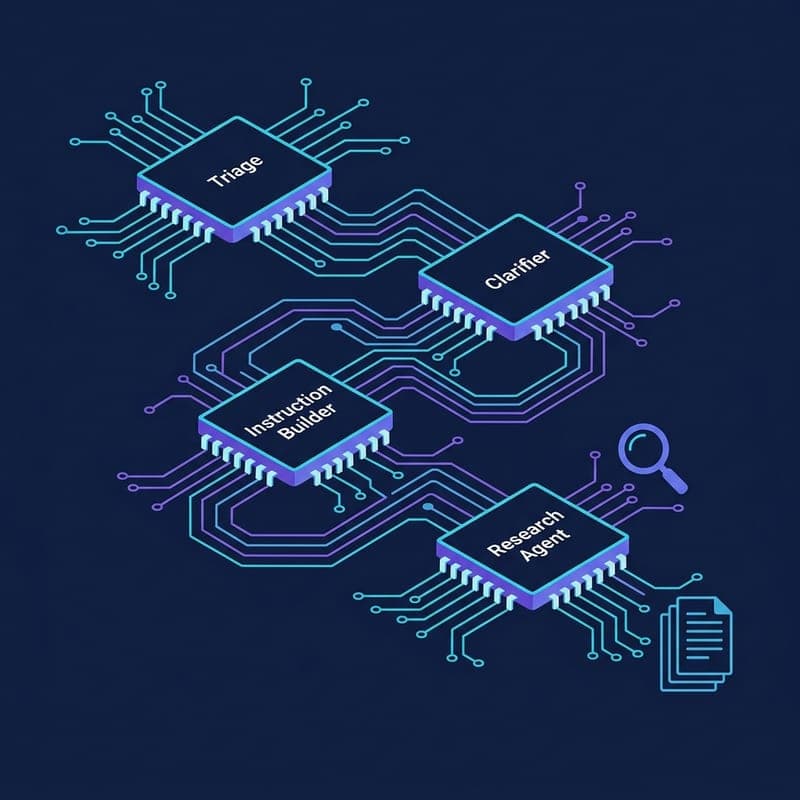
Build a Deep Research API Agent Pipeline with OpenAI
Run a four-agent Deep Research pipeline—clarification, prompt enrichment, MCP file search, and citation extraction—using OpenAI's agents SDK.
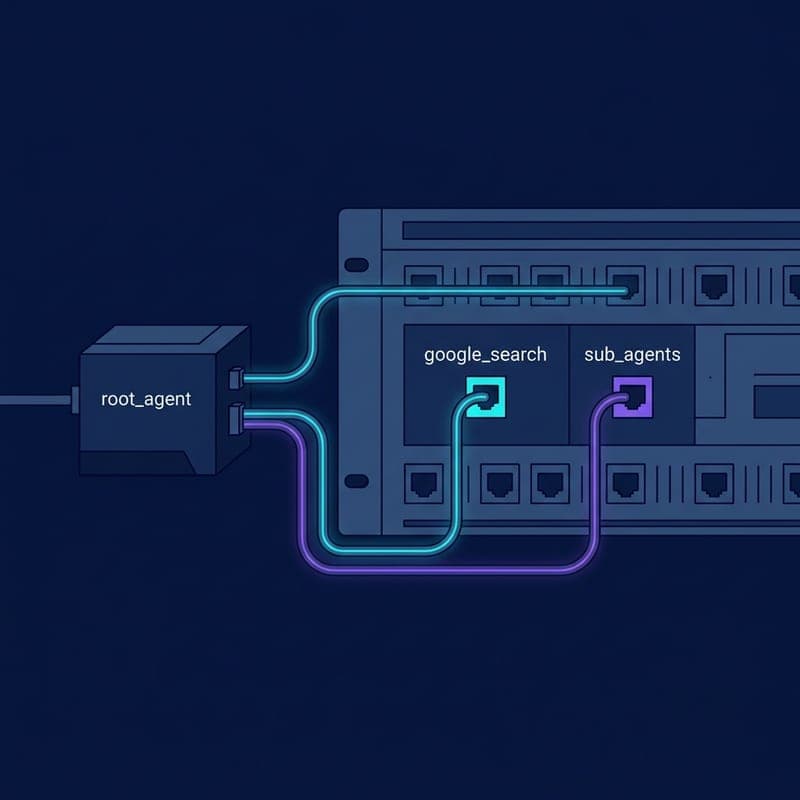
Build a Grounded Search Agent with Google ADK
Build a web-grounded AI agent with Google ADK's built-in google_search tool, from pip install to a grounded answer in the ADK dev UI.