
Build a DSPy ReAct Agent That Searches and Reads Wikipedia
In this article
Agents that call external tools are the difference between a language model guessing about the world and one that actually looks things up. DSPy’s ReAct module turns a declarative signature into a tool-using agent: you provide Python functions, the model decides when to call them, and DSPy manages the loop of reasoning, tool calls, and final synthesis. For engineers building grounded applications—a haiku writer that researches a real location, a support bot that queries a knowledge base, a coding assistant that reads documentation—this removes the need to hand-write the agentic control flow.
This guide is adapted from DSPy’s ReAct-with-tools tutorial in the official repository at https://github.com/stanfordnlp/dspy, under the MIT licence. The code is reproduced from that source; the prose is original. You will build a runnable agent that searches Wikipedia and fetches page content, and you will learn to inspect its decision trajectory for debugging and evaluation.
Cost and latency come from the tokens consumed by each tool call. A search returns only page titles, but fetching a page pulls the full Wikipedia article into the model context, so the context window can grow quickly when the model chooses to read a page. The model may also call several tools in one run, call the same tool twice, or skip tool use entirely. Before using this pattern in production, plan to inspect the trajectory and consider truncating returned page text.
Prerequisites
You need a Python interpreter that supports list[str] return annotations, the dspy package, and the wikipedia Python library. Install the latter with:
pip install dspy wikipedia
DSPy supports many language model backends. Configure one with dspy.LM before running the examples; the source assumes the model is already configured. You do not need specialized hardware beyond whatever your LM backend requires—an API key for a hosted service or a local model that fits in your GPU or CPU memory. A basic understanding of Python type hints and docstrings helps because DSPy reads them to tell the model how to use your tools.
Step 1: Define a tool as a typed Python function
A DSPy tool is a standard Python function with type-hinted parameters and a docstring. DSPy inspects the function’s name, parameter names and types, and docstring to generate the instructions sent to the language model. Clear naming matters: wikipedia_search and the parameter query are self-describing, which reduces the chance the model misuses the tool.
Here is the first tool, which searches Wikipedia and returns page titles:
import wikipedia

def wikipedia_search(query: str) -> list[str]:
    """Search Wikipedia for the given query and return a list of page titles."""
    return wikipedia.search(query)
DSPy presents this tool to the model in a generated prompt. The source prompt includes both wikipedia_search and a built-in finish tool:
When selecting the next_tool_name and its next_tool_args, the tool must be one of:

(1) wikipedia_search, whose description is <desc>Search Wikipedia for the given query and return a list of page titles.</desc>. It takes arguments {'query': {'type': 'string'}}.
(2) finish, whose description is <desc>Marks the task as complete. That is, signals that all information for producing the outputs, i.e. `haiku`, are now available to be extracted.</desc>. It takes arguments {}.
The finish tool is injected automatically by dspy.ReAct. The model calls it when it has gathered enough information to produce the declared outputs.
Step 2: Add a second tool to fetch page content
Searching returns titles only. The agent also needs the actual content of a page to ground its writing. The second tool retrieves that content:
def get_wikipedia_page(title: str) -> str:
    """Get the content of a Wikipedia page given its title."""
    return wikipedia.page(title).content
This function takes a title and returns the full page text. Wikipedia pages can be very long, and this tool returns everything, which can bloat the model’s context. In a production system you would likely truncate or post-process this output, but the source keeps the tool simple.
Step 3: Compose the agent with dspy.ReAct
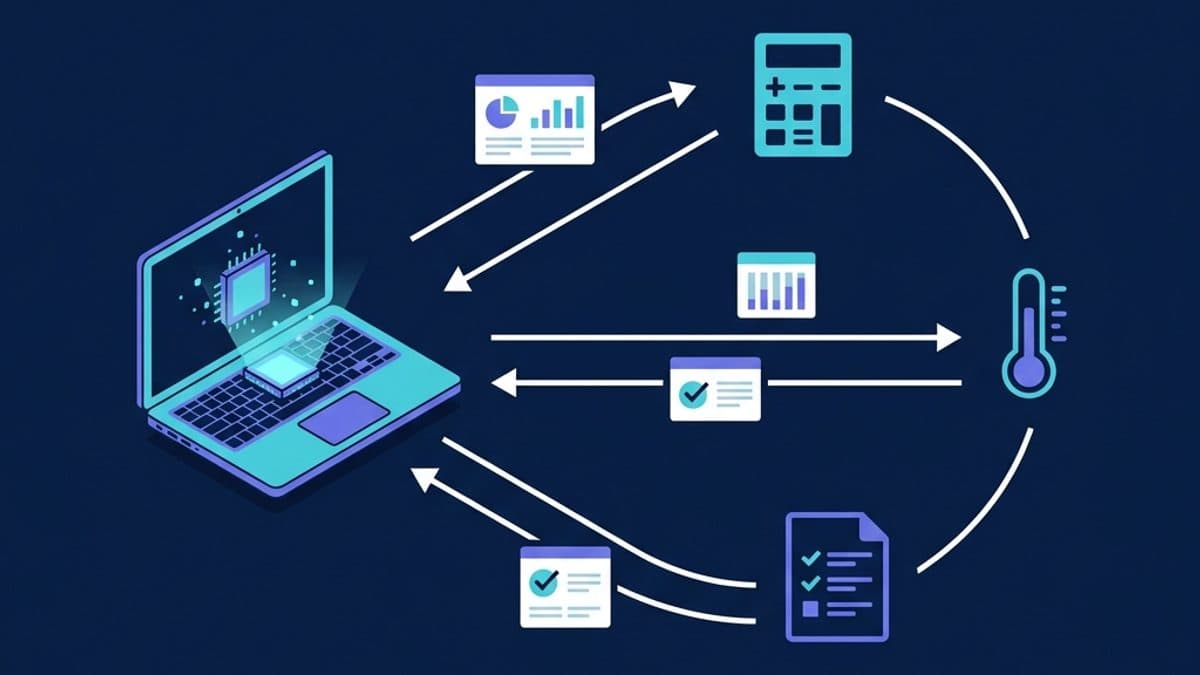
Assume you already have a signature named HaikuBot with input fields location, mood, and season, and an output field haiku. The dspy.ReAct module wraps that signature and the two tools into an agent. Calling the agent runs the ReAct loop: the model reasons, chooses a tool, calls it, observes the result, and repeats until it calls finish, then produces the declared outputs.
haiku_bot = dspy.ReAct(HaikuBot, tools=[wikipedia_search, get_wikipedia_page])
result = haiku_bot(location="Camp Meeker", mood="pensive", season="summer")
print(result.haiku)
The source example produced this haiku:
Redwood shadows breathe
Summer creek whispers old tales
Quiet mind lingers
The run also produced this reasoning explanation:
I gathered context about Camp Meeker, California—its redwood forest, Dutch Bill Creek, and the quiet summer atmosphere—from the Wikipedia page. I focused on a pensive mood and the summer season, weaving in imagery of towering trees and a gently flowing creek. The haiku follows the traditional 5‑7‑5 syllable structure, evoking the stillness and reflection of a summer day among the redwoods.
That reasoning is useful signal: it names Camp Meeker, California, Dutch Bill Creek, and the redwood forest, which indicates the agent read the fetched page rather than relying only on prior knowledge. Your output may differ because language model sampling is not deterministic.
Step 4: Cap the reasoning loop with max_iters
By default, the model decides how many tool calls to make. The loop may make many calls or none, which makes cost and latency unpredictable. To bound the loop, pass max_iters when creating the agent:
haiku_bot = dspy.ReAct(HaikuBot, tools=[wikipedia_search, get_wikipedia_page], max_iters=4)
max_iters=4 means the model can make at most four tool calls before DSPy forces it to finish. The right value depends on your task and budget.
| max_iters setting | Behavior | When to use |
|---|---|---|
None (default) | Model decides when to stop; may make many calls or none | Exploratory work, when you want to observe natural behavior |
1 | At most one tool call, then forced synthesis | Strict latency/cost limits, simple fact lookup |
2–4 | Allows a search plus one or two page fetches | Most grounding tasks; balances information gain against cost |
5+ | Higher upper bound for multi-step research | Complex chains that genuinely need several lookups |
Step 5: Inspect the trajectory for debugging and evaluation
Every Prediction returned by dspy.ReAct carries a trajectory field: a dictionary that records each thought, tool call, and observation in the order they occurred. When an agent does something surprising—skips tools, calls the wrong tool, or loops without making progress—the trajectory is the first thing to read. Print it like this:
for step, value in result.trajectory.items():
    print(f"{step}: {value}")
The trajectory is your primary debugging instrument. It shows which queries were searched, which pages were fetched, and what the model reasoned at each step. For reproducible evaluation, you can use the trajectory to check whether the agent actually gathered external evidence or simply guessed. Formal metrics—such as whether the haiku mentions real features of the location, or whether the tools were used at all—require additional code on top of DSPy, but the trajectory gives you the raw material to build those checks.
What to watch out for
Token growth from page content. get_wikipedia_page returns the entire article, and a long page can consume a large share of your context window. If you use a hosted API, that directly increases cost. In production, truncate the returned content or summarize it before passing it back into the loop.
The model may ignore the tools. A model can skip research entirely and write a plausible-sounding but factually wrong haiku. The trajectory reveals this, but only if you inspect it. If grounding is critical, add a post-hoc check that verifies the agent made at least one tool call and that the final output is consistent with the fetched content.
Tool naming and descriptions are part of the API. DSPy converts the function signature and docstring into the model’s tool specification. Vague names, missing type hints, or uninformative docstrings degrade performance. Write tools as if you are communicating with a junior developer who knows nothing about your codebase.
max_iters is a blunt instrument. Setting it too low may cut off a needed second search; setting it too high exposes you to runaway loops. The ReAct loop can also repeat the same tool call with the same arguments, wasting tokens. If you see that, adjust the signature, tighten the docstring, or add a tool that returns a clearer error.
Evaluation is not automatic. The trajectory helps you debug, but it is not a metric. To claim reproducible evaluation, you must define a scoring function—syllable count, factual consistency, tool-usage rate—and run it across many seeds. The source tutorial stops at trajectory inspection; treat that as a starting point, not an evaluation suite.
Where to go next
The DSPy documentation covers tool authoring and the ReAct loop’s execution model. For a production perspective on agent inference costs, see our coverage of Akv KV-cache engineering for SGLang agents, which digs into optimizing the kind of multi-tool loops you just built. From here, try adding your own tools, wiring in a dspy.Evaluate metric, or composing this agent with other DSPy modules to build a larger pipeline.
Frequently asked questions
What is DSPy ReAct?
DSPy ReAct is a module that combines a declarative DSPy signature with Python tools and runs a reasoning loop. The model proposes a tool call, DSPy executes it, the model observes the result, and the loop repeats until the model calls the built-in finish tool. This guide uses it to ground a haiku generation task in real Wikipedia lookups.
How do I define a tool in DSPy?
Write a normal Python function with type-hinted parameters, a return type, and a docstring. DSPy reads the function name, parameter names, types, and docstring to build the model-facing tool description. For example, a function named wikipedia_search with a query: str parameter gives the model a clear search tool.
How do I limit the number of tool calls in DSPy ReAct?
Pass max_iters to dspy.ReAct. For example, max_iters=4 allows at most four tool calls before DSPy forces the model to finish. Lower values reduce token cost and latency but can cut off a second lookup that the task actually needs.
How do I see what a DSPy ReAct agent actually did?
Inspect the result.trajectory dictionary. You can print each step with a loop over result.trajectory.items(), which records thoughts, tool names, tool arguments, and observations in order. This shows whether the model searched Wikipedia or simply produced an answer from prior knowledge.
Why does my DSPy agent skip the Wikipedia tool?
Even with tools available, a language model can still write a plausible answer without calling them. Vague tool names, missing type hints, or weak docstrings make this more likely, but sometimes the model simply chooses not to research. Inspect the trajectory and add a post-hoc check if you require at least one tool call.
Does DSPy ReAct charge per tool call?
DSPy itself does not charge per call; your language model provider charges for tokens. A search returns only titles, but fetching a full Wikipedia page can pull a large article into the model context. In production, truncate or summarize fetched page content to keep token use under control.
Related Guides

Build a ReAct Agent with Schema-Constrained JSON Using Outlines
Use Outlines to constrain a ReAct agent's JSON structure, then handle truncation, invalid decisions and application-level validation separately.

Automate Prompt Optimization with DSPy GEPA
Use DSPy's GEPA optimizer to automatically improve LLM prompts with scored examples and a reflection model — no hand-tuning required.
Build a Tool-Calling Agent with a Local Small Model and Ollama (2026)
Give a local small language model tools with Ollama's Python library: function tools, multi-tool streaming with thinking, and validated JSON output.