
Run LLMs Locally: 6 Practical Methods (Ollama, LM Studio, vLLM, Jan, llama.cpp, and llamafile)
In this article
- Architectural Comparison Matrix
- 1. Ollama: Developer-First CLI & Local API
- Installation & Quick Start
- Building Custom Models with Modelfiles
- 2. LM Studio: Comprehensive Desktop GUI & Multi-Model Server
- Graphical Workflow
- Advanced Features
- 3. vLLM: High-Throughput Production Inference Engine
- Installation
- Serving Models with vLLM
- Programmatic Python Batch Processing
- Querying via OpenAI SDK & cURL
- 4. Jan AI: Privacy-First Open Source Desktop Assistant
- Importing Existing Model Checkpoints
- Local API & Hybrid Cloud Routing
- 5. llama.cpp: Pure C/C++ Foundation & Low-Level Control
- Compilation from Source
- Running the Web Server with GPU Acceleration
- 6. llamafile: Single-File Cross-Platform Executables
- Step-by-Step Execution
- Performance Benefit
- Choosing the Right Local Runtime
- Further Reading & Advanced Architectures
Running Large Language Models (LLMs) on local infrastructure offers complete data privacy, predictable zero-cost inference, and immune resistance to cloud API rate limits or sudden deprecations. Advances in quantization (GGUF, AWQ, NVFP4) and runtime optimizations (PagedAttention, flash attention, speculative decoding) now allow local machines—from gaming laptops with consumer RTX GPUs to Apple Silicon Macs and dedicated multi-GPU workstations—to deliver latency and token throughput that rival or exceed commercial APIs.
However, selecting the right execution runtime depends heavily on whether you need a zero-configuration desktop chat application, a flexible developer testbed, an embedded binary, or a high-throughput production server.
In this comprehensive guide, we examine and implement six practical methods for running LLMs locally:
- Ollama: The standard developer runtime for CLI management and local OpenAI-compatible APIs.
- LM Studio: A full-featured desktop GUI with Hugging Face integration, concurrent model serving, and speculative decoding.
- vLLM: The enterprise-grade engine optimized for high-concurrency production throughput via PagedAttention.
- Jan AI: A clean, privacy-first desktop chat assistant with model importing and multi-provider extensions.
- llama.cpp: The foundational, highly optimized C/C++ engine offering bare-metal control and direct hardware compilation.
- llamafile: Mozilla AI's single-file, zero-dependency executable combining weights and runtime into one multi-platform binary.
Architectural Comparison Matrix
Before diving into setup, use this decision matrix to match your operational requirements with the best runtime:
| Framework | Target Audience | UI Type | OpenAI API Server | Key Differentiator | Supported OS |
|---|---|---|---|---|---|
| Ollama | Developers, CLI workflows, RAG agents | CLI / Tray | Yes (port 11434) | Declarative Modelfile, seamless tool calling & ecosystem integration |
macOS, Linux, Windows |
| LM Studio | Power users, model benchmarkers, prosumers | Desktop GUI | Yes (port 1234) | Hugging Face in-app search, multi-model concurrent execution, speculative decoding | macOS, Windows, Linux |
| vLLM | Production engineering, multi-user APIs | Headless / API | Yes (port 8000) | PagedAttention, continuous batching, tensor parallelism (up to 20x higher throughput) | Linux (CUDA), macOS (Metal), Windows (WSL2) |
| Jan AI | Privacy-first users, ChatGPT alternative | Desktop GUI | Yes (port 1337) | Open source, local filesystem import, hybrid routing to remote providers | macOS, Windows, Linux |
| llama.cpp | Systems developers, embedded, edge devices | CLI / Web UI | Yes (configurable) | Zero runtime dependencies, raw C/C++, granular layer offloading (-ngl) |
All platforms (POSIX & Windows) |
| llamafile | Distribution, zero-setup users, CI/CD | Web UI / CLI | Yes (port 8080) | Cosmopolitan Libc: single self-contained executable runs anywhere without installation | Windows, macOS, Linux, BSD |
1. Ollama: Developer-First CLI & Local API
Ollama has become the default local runtime for software engineers building agentic workflows and local RAG pipelines. It packages model weights, prompt templates, system instructions, and GPU offload logic into standardized artifacts, serving an OpenAI-compatible endpoint out of the box.
Installation & Quick Start
Download the installer for your operating system from the official portal. Once running, Ollama lives as a background daemon accessible via terminal.
To pull and immediately interact with an instruction-tuned model, run:
$ ollama run llama3
Ollama automatically detects CUDA, ROCm, or Metal hardware acceleration, allocates layers across available VRAM, and falls back to CPU system RAM for any overflowing weights.
Building Custom Models with Modelfiles
One of Ollama's most powerful capabilities is packaging arbitrary GGUF checkpoints with custom system prompts, context limits, and sampling hyperparameters using a declarative Modelfile.
- Navigate to your directory containing a downloaded GGUF checkpoint:
$ cd C:/Repository/GitHub/llama.cpp
- Create a
Modelfilespecifying the base checkpoint path:
$ echo "FROM ./Nous-Hermes-2-Mistral-7B-DPO.Q4_0.gguf" > Modelfile
- Build and register the custom model in your local Ollama library:
$ ollama create NHM-7b -f Modelfile

- Run your newly created model:
$ ollama run NHM-7b
Once registered, the model is instantly available through both the interactive terminal shell and Ollama's HTTP server at http://localhost:11434/v1/chat/completions. For agent implementations using this endpoint, explore our Local RAG Tutorial with Ollama.
2. LM Studio: Comprehensive Desktop GUI & Multi-Model Server
For users who prefer a graphical interface with deep visibility into model parameters, LM Studio provides an integrated environment for searching Hugging Face, managing local quantized weights, running conversational chats, and spinning up local inference servers.
Graphical Workflow
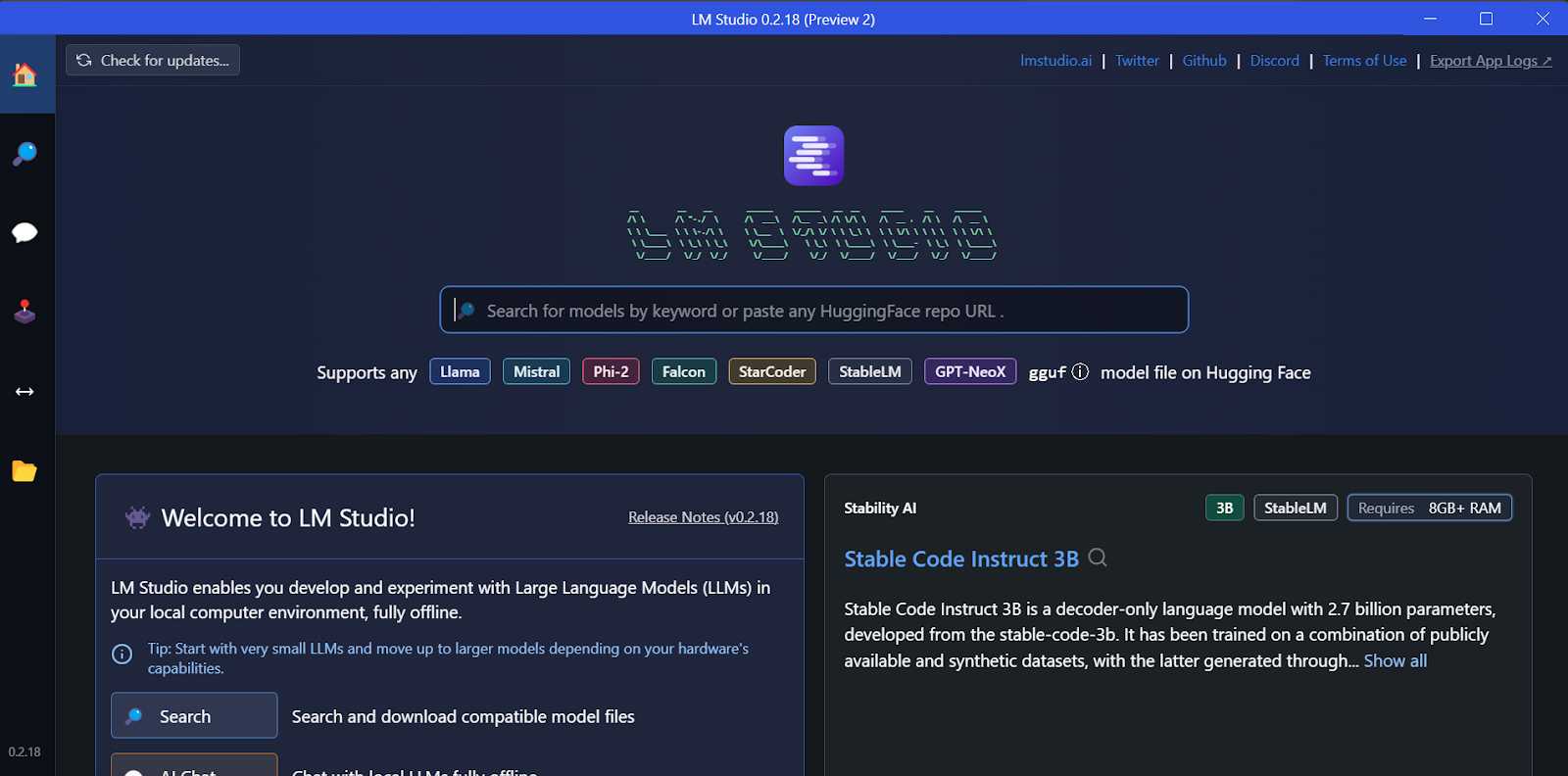
- Model Discovery: Search Hugging Face directly within the application's search tab, filter by quantization tier (such as
Q4_K_M,Q5_K_M, orQ8_0), and download models with one click.
-
Hardware Configuration: Use the right-hand configuration drawer to tune GPU offload layers (
n_gpu_layers), context length, RoPE frequency scaling, and flash attention. -
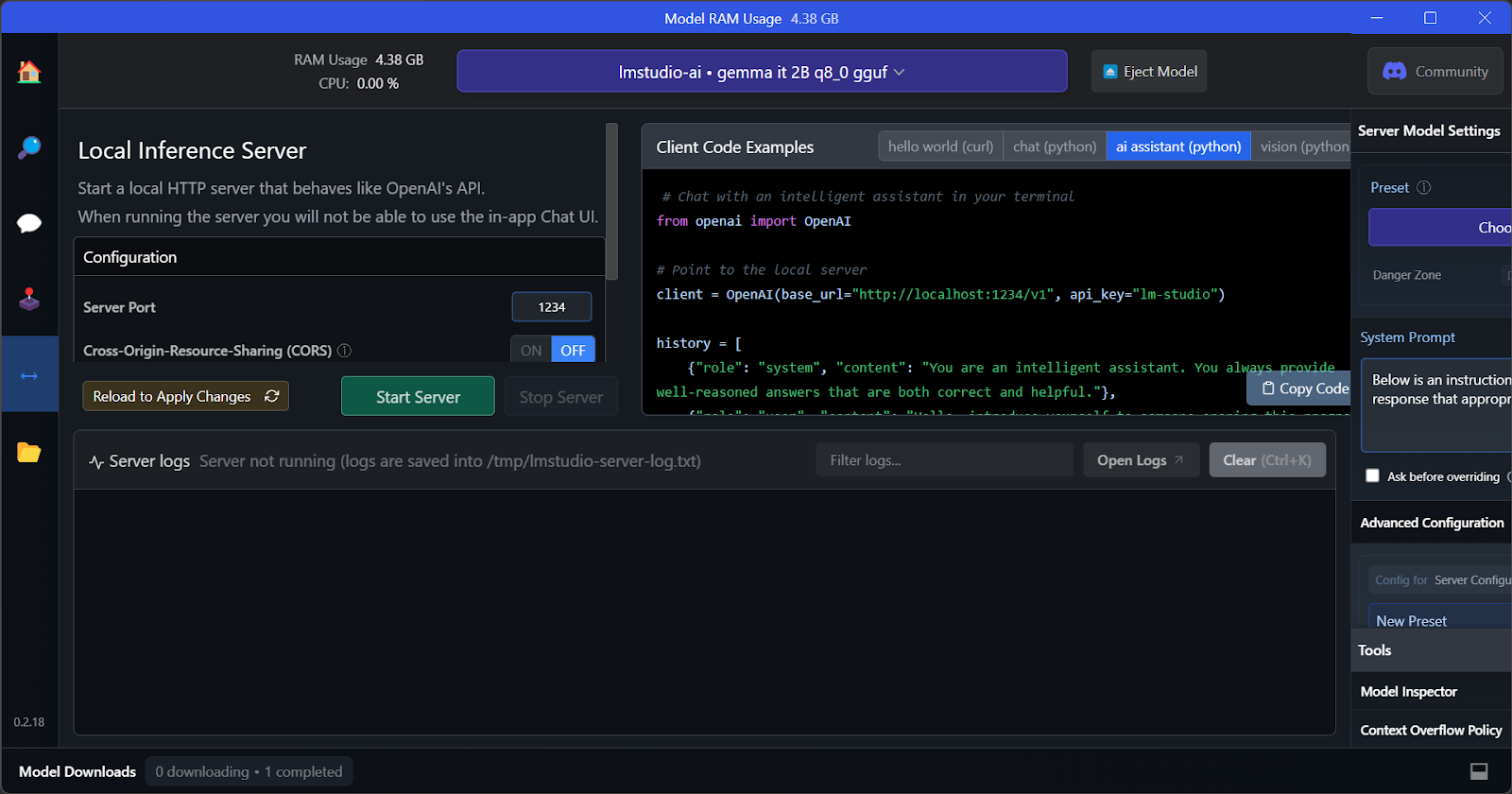
Local Inference Server: Navigate to the Developer tab (the
<->icon) and toggle the local server on. LM Studio exposes an OpenAI-compatible HTTP server (defaulting to port1234) with real-time token throughput metrics and VRAM consumption monitors.
Advanced Features
- Concurrent Model Serving: If your system has sufficient VRAM, LM Studio supports loading multiple models simultaneously, enabling side-by-side output evaluation.
- Speculative Decoding: Configure smaller draft models alongside large target models to accelerate decoding speeds by 1.5x to 3x without sacrificing output precision.
3. vLLM: High-Throughput Production Inference Engine
When serving multiple concurrent users or routing thousands of batch requests through an internal microservice, standard local runtimes (which process requests sequentially) experience severe latency degradation.
vLLM solves this bottleneck with two architectural breakthroughs:
- PagedAttention: Manages Key-Value (KV) cache memory dynamically using virtual memory paging, eliminating memory fragmentation and reducing KV cache memory waste by up to 96%.
- Continuous Batching: Dynamically merges new incoming generation requests into active forward passes at the token level, rather than waiting for entire sequence batches to complete.
Benchmarks show vLLM delivering up to 790+ tokens/second on 70B models under heavy multi-client loads where single-stream engines drop to under 45 tokens/second.
Installation
vLLM runs natively on Linux with CUDA or ROCm, and on macOS with Apple Silicon:
Linux (CUDA 11.8+ / 12.x):
pip install vllm
macOS (Apple Silicon):
python3.11 -m venv vllm_env
source vllm_env/bin/activate
pip install vllm
(Windows users can run vLLM seamlessly via WSL2 Ubuntu with NVIDIA container toolkit integration).
Serving Models with vLLM
To launch a production OpenAI-compatible API server on port 8000:
vllm serve meta-llama/Llama-2-7b-hf --port 8000 --gpu-memory-utilization 0.9
For large 70B models requiring multi-GPU sharding, enable Tensor Parallelism across devices:
vllm serve meta-llama/Llama-2-70b-hf --tensor-parallel-size 2 --port 8000
Programmatic Python Batch Processing
For offline batch scoring or synthetic dataset generation, invoke vLLM's native Python engine directly:
from vllm import LLM, SamplingParams

llm = LLM(model="meta-llama/Llama-2-7b-hf", dtype="bfloat16")
sampling_params = SamplingParams(temperature=0.8, max_tokens=256)

outputs = llm.generate(["Write hello world", "Explain AI"], sampling_params)
for output in outputs:
    print(output.outputs[0].text)
Querying via OpenAI SDK & cURL
Because vLLM emulates the OpenAI API spec exactly, integrate it with existing codebases by simply overriding the base_url:
Python OpenAI SDK:
from openai import OpenAI

client = OpenAI(base_url='http://localhost:8000/v1', api_key='any')
response = client.chat.completions.create(
    model='meta-llama/Llama-2-7b-hf',
    messages=[{'role': 'user', 'content': 'What is ML?'}],
    max_tokens=200
)
print(response.choices[0].message.content)
cURL Request:
curl http://localhost:8000/v1/chat/completions \
  -H "Content-Type: application/json" \
  -d '{"model": "meta-llama/Llama-2-7b-hf", "messages": [{"role": "user", "content": "Hello"}]}'
For production hosting calculations, pair vLLM deployment specs with our Hardware ROI Calculator.
4. Jan AI: Privacy-First Open Source Desktop Assistant
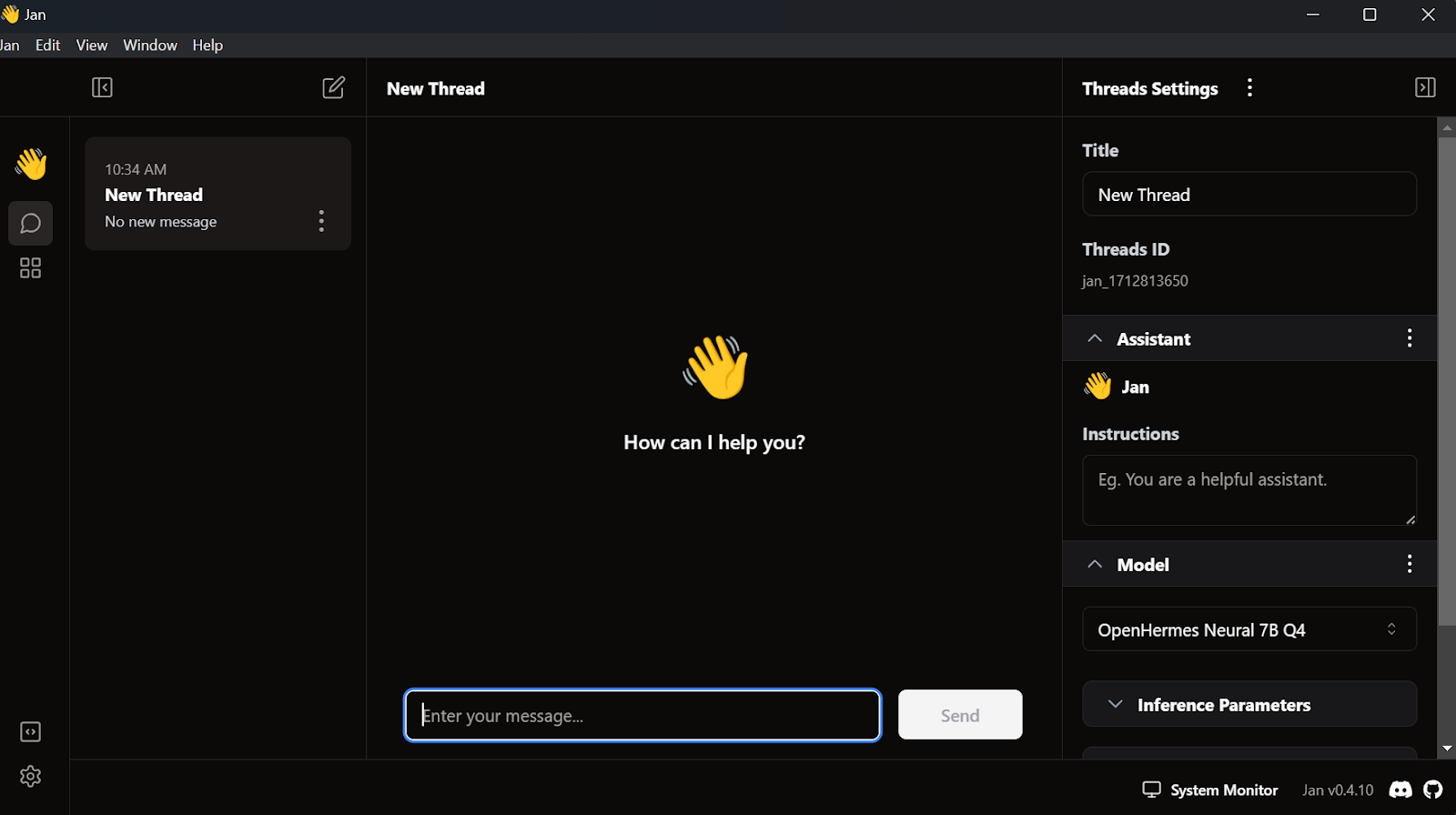
Jan AI is an open-source, local-first conversational client designed as a private, 100% offline alternative to proprietary cloud chat assistants. All conversations, chat histories, and model configurations remain stored strictly on your local disk.
Importing Existing Model Checkpoints
If you already have models downloaded from other frameworks, Jan allows direct filesystem imports without re-downloading duplicate files:
- Navigate to the Model section in the left navigation sidebar.
- Click Import Model.
- Select your existing model directory:
- LM Studio Cache:
C:/Users/<user_name>/.cache/lm-studio/models - Hugging Face Cache:
C:/Users/<user_name>/.cache/huggingface/hub
- LM Studio Cache:
- Assign the appropriate chat template and begin interacting immediately.
Local API & Hybrid Cloud Routing
Beyond offline inference via its built-in Cortex engine, Jan includes an extension marketplace that allows configuring external API keys (OpenAI, Anthropic, Mistral, Groq, DeepSeek). This provides a single unified interface that lets you toggle between zero-cost local models and massive frontier models as needed.
5. llama.cpp: Pure C/C++ Foundation & Low-Level Control
Created by Georgi Gerganov, llama.cpp is the foundational C/C++ engine that powers most of the modern local LLM ecosystem (including Ollama, LM Studio, and Jan). It provides bare-metal execution, zero third-party dependencies, and direct compiler optimization for virtually any hardware architecture.
Compilation from Source
Compiling llama.cpp locally ensures your binaries are tuned with AVX, AVX2, AVX-512, CUDA, or Metal instruction sets tailored to your specific CPU/GPU.
- Clone the repository:
$ git clone --depth 1 https://github.com/ggerganov/llama.cpp.git
- Build with your platform's build system:
Linux / macOS (with CUDA or Metal):
# For NVIDIA CUDA
make LLAMA_CUDA=1 -j

# Or using modern CMake:
cmake -B build -DGGML_CUDA=ON
cmake --build build --config Release -j
Windows (using w64devkit):
- Download and extract the latest w64devkit bundle.
- Launch
w64devkit.exeand navigate to yourllama.cppsource folder. - Execute:
$ make LLAMA_CUDA=1
Running the Web Server with GPU Acceleration
Launch the embedded web UI and OpenAI-compatible server using the compiled server binary:
$ ./server -m Nous-Hermes-2-Mistral-7B-DPO.Q4_0.gguf -ngl 27 -c 2048 --port 6589
Parameter Breakdown:
-m: Path to the quantized GGUF model file.-ngl 27: Offloads 27 transformer layers directly into GPU VRAM (reducing system RAM bottlenecks).-c 2048: Configures context window allocation to 2,048 tokens.--port 6589: Binds the web server to port6589.
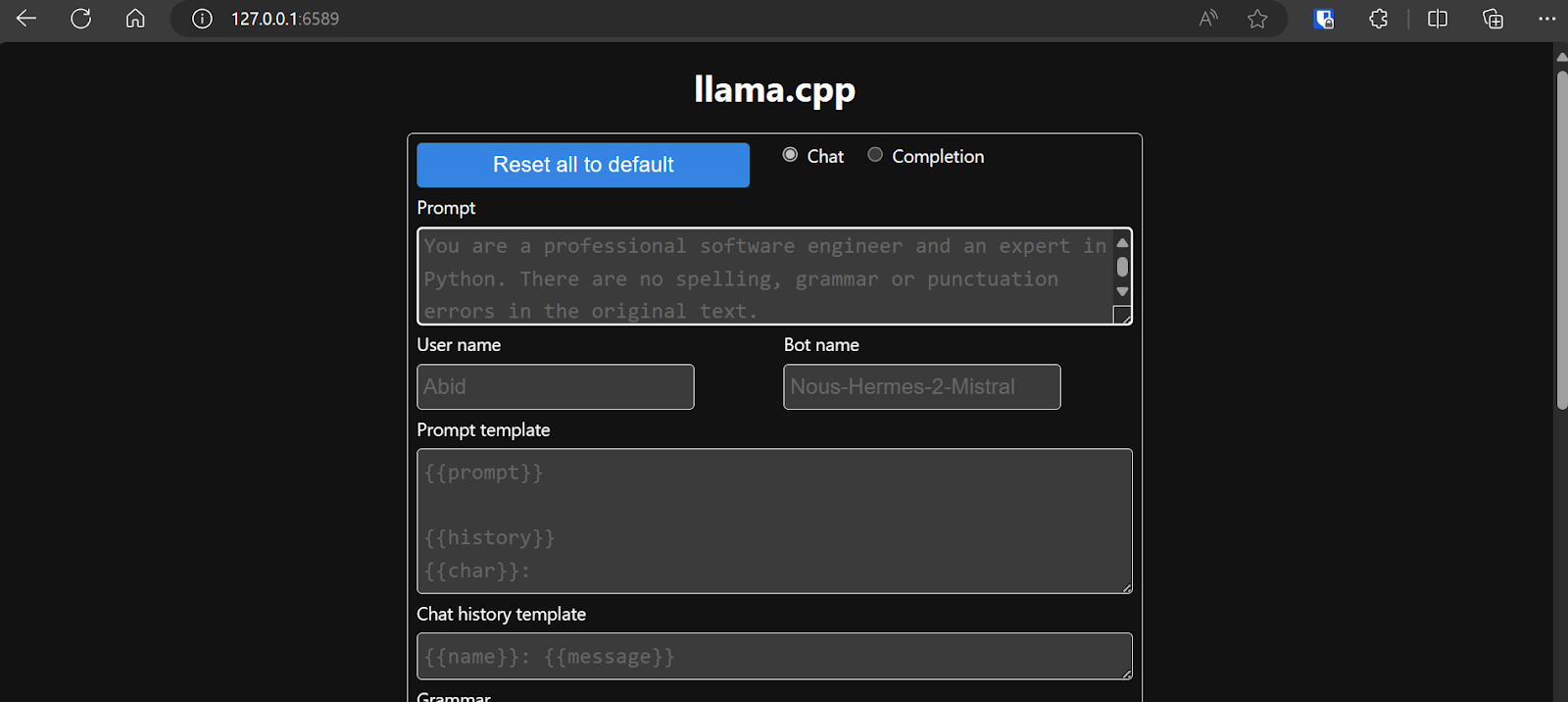
Open http://127.0.0.1:6589/ in any browser to access the responsive web application. For deep parameter optimization and speculative decoding flags in llama.cpp, refer to our Qwen3.8-Flash Local Deployment Guide.
6. llamafile: Single-File Cross-Platform Executables
Mozilla AI's llamafile simplifies distribution and execution by combining llama.cpp with Justine Tunney's Cosmopolitan Libc. It bundles the model weights, inference engine, and web interface into a single binary file that executes natively on Windows, macOS, Linux, and BSD without any installation, containers, or runtime environments.
Step-by-Step Execution
- Download a pre-packaged llamafile (such as the multimodal LLaVA 1.5 model) from the repository.
- On Windows: Rename the downloaded file to append the
.exeextension (e.g.,llava-v1.5-7b-q4.llamafile.exe). - Launch the executable from your terminal, passing
-nglto offload layers to your GPU:
$ ./llava-v1.5-7b-q4.llamafile -ngl 9999
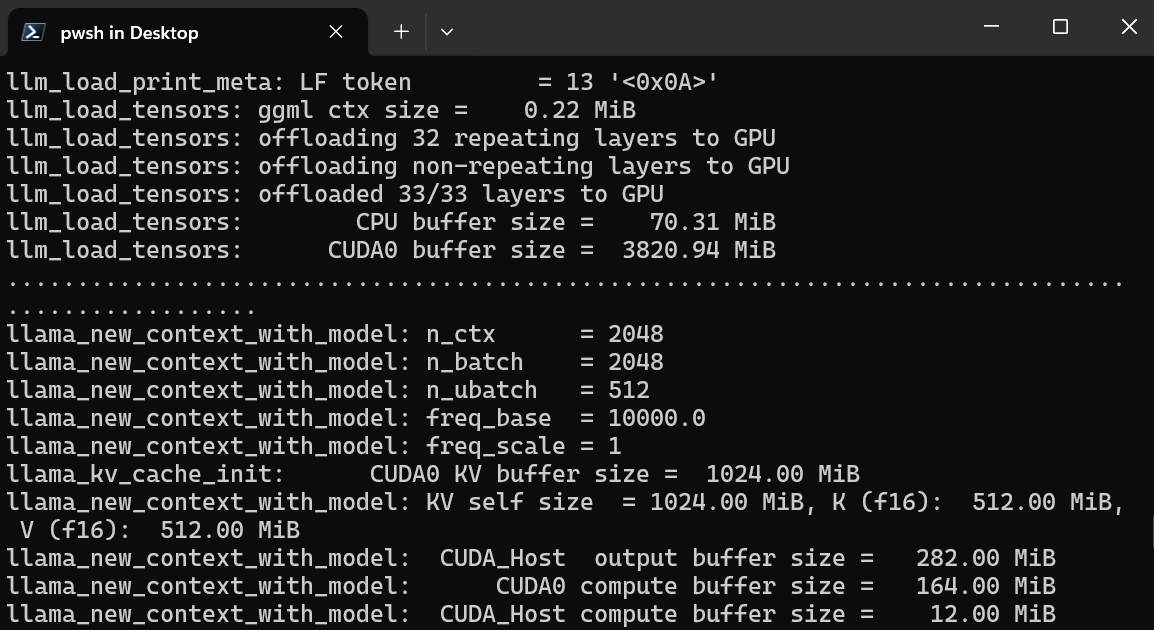
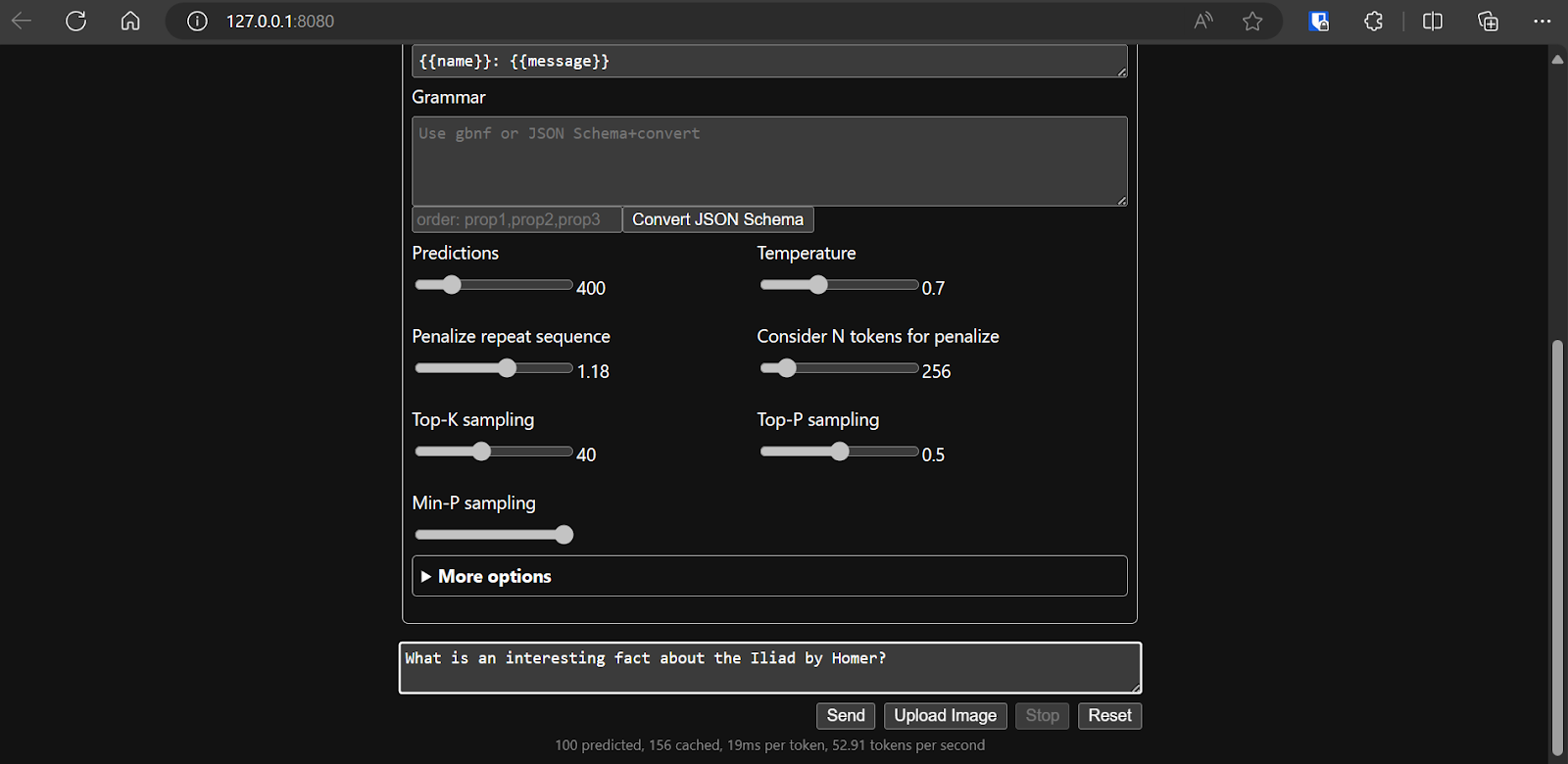
- The runtime automatically detects available GPUs (CUDA or Metal), initializes the model, and opens your default browser at
http://127.0.0.1:8080/:
Performance Benefit
Because llamafile compiles micro-benchmarked assembly code paths for your target architecture at startup, performance is exceptional. In comparative benchmarks on a single GPU workstation, moving from raw CPU emulation (10.99 tokens/sec) to GPU-accelerated llamafile execution achieved 53.18 tokens/second—a nearly 5x speedup with zero configuration.
Choosing the Right Local Runtime
To select the ideal solution for your workflow:
- For local RAG agents, coding assistants, and general automation: Choose Ollama. It has the largest ecosystem integration with LangChain, LlamaIndex, Cursor, and Continue.dev.
- For experimenting with new models, comparing responses, and prompt engineering: Choose LM Studio for its visual Hugging Face browser and speculative decoding.
- For production deployments, microservices, and multi-user applications: Choose vLLM for enterprise continuous batching and PagedAttention throughput.
- For a private, everyday ChatGPT replacement: Choose Jan AI for its desktop user experience and simple model management.
- For bare-metal optimization, embedded systems, or edge compute: Choose llama.cpp.
- For distributing runnable AI demos or zero-dependency air-gapped systems: Choose llamafile.
Further Reading & Advanced Architectures
- Self-Hosted LLM Architecture Guide 2026 – Hardware sizing, quantization tradeoffs, and server design.
- Complete Developer Guide to Local LLMs – In-depth evaluation of memory bounds and token budgets.
- LoRA Fine-Tuning & GGUF Deployment Guide – Train small domain-specific models and convert them to GGUF format.
- GPU Cloud Pricing Comparison – Real-time hourly rates for local vs. cloud GPU hardware.
Related Guides
Host and Run Qwen3.8-Flash Locally: Complete Unsloth and llama.cpp Deployment Guide
Run Qwen3.8-Flash locally on CPU, unified memory, or GPUs using Unsloth and llama.cpp with Multi-Token Prediction (MTP) for up to 1.7x faster inference.
Fine-Tuning LLMs with LoRA: A Complete Practical Guide to Training & GGUF Deployment
Master end-to-end LoRA fine-tuning for SLMs: synthetic data generation, benchmarking against 7B baselines, lit-gpt training, and GGUF serving with llama.cpp.
2.4T-Parameter Qwen3.8 Runs on One Node With vLLM and NVFP4
AWS documents a single-node serving path for Qwen3.8-2.4T-A95B on a p6-b300 instance using NVFP4 quantization, cutting TTFT by nearly 60%.