
How to Run DeepSeek R1 Locally with Ollama: Full Setup Guide
In this article
Why DeepSeek R1?
DeepSeek R1 is a reasoning-first model trained with reinforcement learning to produce explicit step-by-step thinking before arriving at a final answer — similar in approach to OpenAI's o1. The distinguishing feature is that the chain-of-thought is visible in the output inside <think>...</think> tags, giving you full transparency into the model's reasoning process.
It ships in two formats:
- Full models (1.5B, 7B, 14B, 32B, 70B, 671B): original DeepSeek-trained weights
- Distilled models: knowledge distilled into Qwen2.5 or Llama3 base architectures, often faster at the same parameter count
Both formats run on Ollama. For most local use cases, the distilled variants outperform full models at equivalent VRAM because the Qwen2.5/Llama3 base has stronger instruction following out of the box.
Hardware Requirements
| Model Variant | VRAM / RAM Needed | Typical Hardware |
|---|---|---|
| deepseek-r1:1.5b | ~2 GB | Any modern laptop |
| deepseek-r1:7b | ~6 GB | 8GB GPU or Apple M1/M2 |
| deepseek-r1:8b (distilled) | ~7 GB | 8GB GPU; runs well on M2 Pro |
| deepseek-r1:14b | ~12 GB | 16GB GPU (RTX 4080, M3 Max) |
| deepseek-r1:32b | ~24 GB | RTX 4090 (24GB) or M2 Ultra |
| deepseek-r1:70b | ~48 GB | 2× 4090 or A6000 |
| deepseek-r1:671b | ~400 GB | Multi-GPU cluster; for research only |
If you're choosing for the first time: 7B for quick experiments on a laptop, 14B for daily use on a dedicated machine with a 16GB GPU, 32B for production-quality reasoning if you have the VRAM.
Step 1: Install Ollama
Download from ollama.com/download and install:
# Verify installation
ollama --version
On macOS and Windows, Ollama runs as a background service after installation. On Linux:
# Start Ollama service (systemd)
sudo systemctl start ollama

# Enable on boot
sudo systemctl enable ollama
Step 2: Pull and Run DeepSeek R1
# Default (7B)
ollama run deepseek-r1

# Specific variant
ollama run deepseek-r1:14b

# Distilled (Qwen2.5 base — faster for most tasks)
ollama run deepseek-r1:14b-qwen-distill-q4_K_M
The first run downloads the model. Subsequent runs use the cached weights. At the >>> prompt, the model is ready.
Try a reasoning-heavy prompt:
>>> A train leaves City A at 60 mph. Another train leaves City B 150 miles away at 90 mph,
heading toward City A. At what time do they meet if both depart at 9:00 AM?
You'll see the response prefixed with a <think> block containing the working-out, followed by the clean final answer.
Step 3: Understanding <think> Tags
DeepSeek R1 always emits thinking before answering. The structure looks like:
<think>
Let me denote the meeting time as t hours after 9:00 AM.
Distance covered by train A: 60t
Distance covered by train B: 90t
Total distance: 60t + 90t = 150
150t = 150
t = 1 hour
Meeting time: 10:00 AM
</think>

The two trains meet at **10:00 AM**, one hour after departure.
For UI applications, you typically want to strip or collapse the <think> block and show only the final answer. For debugging or evaluation, the think block shows exactly where the model went right or wrong.
Step 4: Run as an API Server
ollama serve
This starts the Ollama HTTP server on localhost:11434. DeepSeek R1 is served at the standard Ollama chat endpoint:
curl http://localhost:11434/api/chat \
  -d '{
    "model": "deepseek-r1:7b",
    "messages": [
      {"role": "user", "content": "Explain backpropagation in neural networks step by step."}
    ],
    "stream": false
  }'
For streaming (recommended for interactive use):
curl http://localhost:11434/api/chat \
  -d '{
    "model": "deepseek-r1:7b",
    "messages": [
      {"role": "user", "content": "Write a Python binary search implementation."}
    ],
    "stream": true
  }'
The OpenAI-compatible endpoint also works:
curl http://localhost:11434/v1/chat/completions \
  -H "Content-Type: application/json" \
  -d '{
    "model": "deepseek-r1:7b",
    "messages": [{"role": "user", "content": "What is the time complexity of Dijkstra?"}]
  }'
Step 5: Python Integration
pip install ollama
Basic chat:
import ollama
import re

def ask_r1(prompt: str, model: str = "deepseek-r1:7b") -> dict:
    """Returns both the raw output and the cleaned answer."""
    response = ollama.chat(
        model=model,
        messages=[{"role": "user", "content": prompt}],
    )
    raw = response["message"]["content"]
    # Strip <think> block to isolate the final answer
    answer = re.sub(r"<think>.*?</think>", "", raw, flags=re.DOTALL).strip()
    return {"thinking": raw, "answer": answer}

result = ask_r1("Prove that there are infinitely many prime numbers.")
print("Final answer:\n", result["answer"])
Multi-turn conversation:
import ollama

messages = [
    {"role": "system", "content": "You are a rigorous math tutor. Show all working."},
]

def chat(user_input: str) -> str:
    messages.append({"role": "user", "content": user_input})
    response = ollama.chat(model="deepseek-r1:14b", messages=messages)
    reply = response["message"]["content"]
    messages.append({"role": "assistant", "content": reply})
    return reply

print(chat("What is the derivative of x³ sin(x)?"))
print(chat("Now apply it to find the slope at x=π/2."))
Step 6: Simple RAG with DeepSeek R1
Connect R1 to a local document store for private retrieval-augmented generation. This example uses ChromaDB as the vector store:
pip install chromadb sentence-transformers ollama
import chromadb
from sentence_transformers import SentenceTransformer
import ollama
import re

# --- Indexing ---
client = chromadb.Client()
collection = client.create_collection("docs")
embedder = SentenceTransformer("all-MiniLM-L6-v2")

documents = [
    "DeepSeek R1 uses reinforcement learning with GRPO to train explicit reasoning chains.",
    "The model emits chain-of-thought inside <think> tags before the final answer.",
    "Distilled variants use Qwen2.5 or Llama3 as the base and are typically faster.",
    "Context window for deepseek-r1:7b via Ollama is 128K tokens.",
]

embeddings = embedder.encode(documents).tolist()
collection.add(
    documents=documents,
    embeddings=embeddings,
    ids=[f"doc_{i}" for i in range(len(documents))],
)

# --- Querying ---
def rag_query(question: str, top_k: int = 2) -> str:
    query_embedding = embedder.encode([question]).tolist()
    results = collection.query(query_embeddings=query_embedding, n_results=top_k)
    context = "\n".join(results["documents"][0])

    prompt = f"""Use the following context to answer the question.

Context:
{context}

Question: {question}"""

    response = ollama.chat(
        model="deepseek-r1:7b",
        messages=[{"role": "user", "content": prompt}],
    )
    raw = response["message"]["content"]
    return re.sub(r"<think>.*?</think>", "", raw, flags=re.DOTALL).strip()

print(rag_query("What base models are used for DeepSeek R1 distillation?"))
For a production-grade local RAG pipeline with Ollama, ChromaDB, and evaluation via Ragas, see Local RAG Tutorial: LangChain, Ollama & ChromaDB.
Performance Benchmarks
Approximate throughput on typical hardware (token/s, generation):
| Hardware | Model | Tokens/s |
|---|---|---|
| Apple M3 Pro (18GB) | deepseek-r1:7b | 25–35 |
| Apple M3 Pro (18GB) | deepseek-r1:14b | 12–18 |
| RTX 4090 (24GB) | deepseek-r1:7b | 70–90 |
| RTX 4090 (24GB) | deepseek-r1:14b | 40–55 |
| RTX 4090 (24GB) | deepseek-r1:32b (Q4) | 15–22 |
What to Read Next
- Local RAG Tutorial: LangChain, Ollama & ChromaDB with Ragas — build the full local RAG pipeline from indexing to evaluation
- How to Run Qwen3 Locally with Ollama — comparable reasoning model with hybrid
/think//no_thinkmode control - Building AI Agents with Local SLMs — go beyond single-turn Q&A with multi-step tool-calling agents
Frequently asked questions
How do I run DeepSeek R1 locally?
Install Ollama from ollama.com, then run 'ollama run deepseek-r1' in your terminal. Ollama downloads the 7B model by default (~4.5GB). For a specific size use 'ollama run deepseek-r1:14b'. The model is ready to use immediately after download with no additional configuration.
What do the <think> tags mean in DeepSeek R1 output?
DeepSeek R1 emits its chain-of-thought reasoning inside <think>...</think> XML tags before the final answer. This shows the model's step-by-step working. You can strip these tags in code using a regex like re.sub(r'<think>.*?</think>', '', output, flags=re.DOTALL) to get only the clean final answer.
Which DeepSeek R1 model size should I download?
For laptop use (8–16GB RAM): deepseek-r1:7b. For a dedicated workstation with a 16GB GPU: deepseek-r1:14b gives noticeably better reasoning quality. deepseek-r1:32b requires 24GB VRAM (e.g. RTX 4090) but matches near-frontier performance. The 671B model requires a multi-GPU cluster and is only practical for research environments.
Is DeepSeek R1 better than other local reasoning models?
DeepSeek R1 competes with OpenAI's o1 on math and coding benchmarks while being fully open-weight and free to run locally. At the 7B level it outperforms Llama 3 8B on structured reasoning tasks. Qwen3 with /think mode is a comparable alternative with stronger multilingual support.
Related Guides
The Complete Developer Guide to Running LLMs Locally: From Ollama to Production
Everything you need to run LLMs on your own hardware in 2026: VRAM sizing, model formats, an 8-tool comparison table, a full local RAG pipeline, and Docker production deployment with GPU passthrough and Nginx auth.
How to Run Qwen3 Locally with Ollama: Setup, API, and a Gradio App
Set up Qwen3 locally in minutes using Ollama. Covers every model variant, thinking mode control with /think and /no_think tags, CLI, REST API, Python SDK, and a practical Gradio reasoning app.
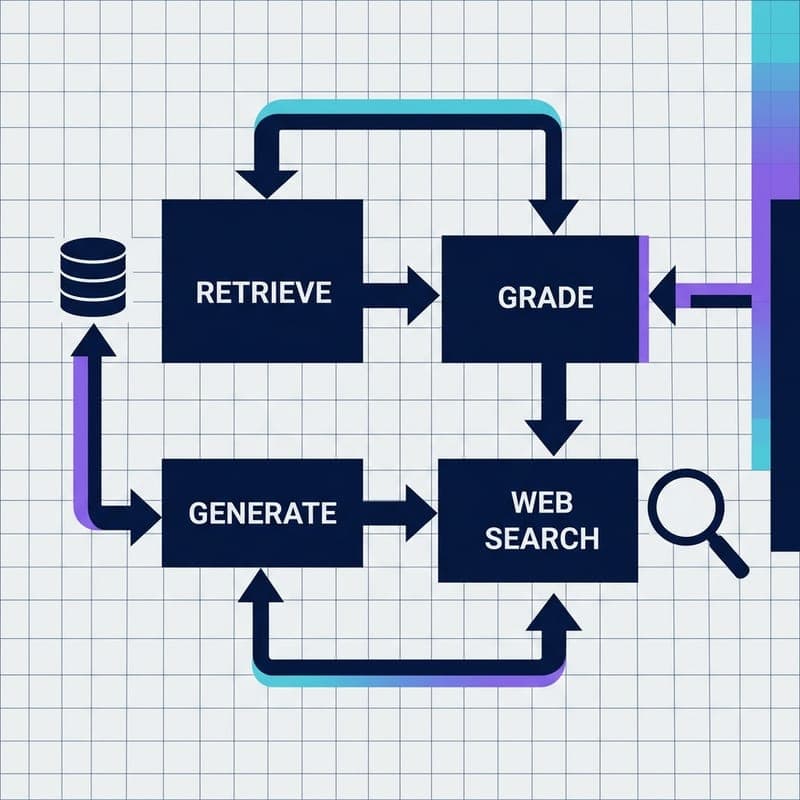
Build a Self-Correcting RAG Agent with LangGraph and Milvus
Wire adaptive routing, corrective RAG, and self-RAG into a stateful LangGraph agent backed by Milvus Lite — no OpenAI key required.